
Free SEO Keyword Ranking Report Template

Use this SEO keyword ranking report template to track keyword rankings, traffic, and top performing pages in one clear view.

Get actionable insights to inform your SEO strategy without juggling tools or spreadsheets.

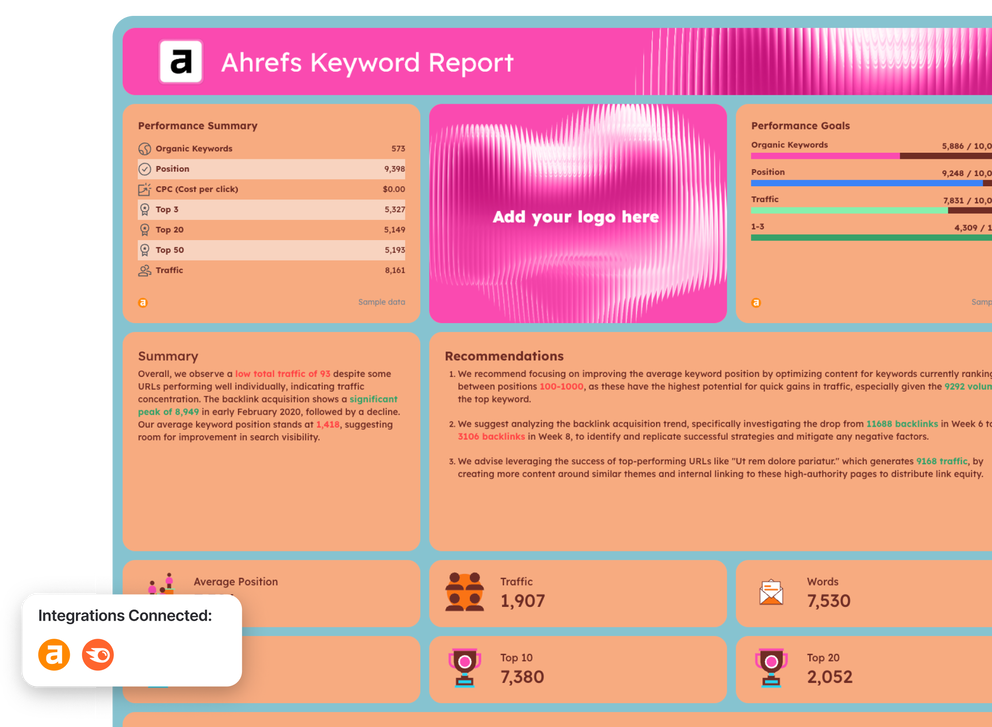
SEO Keyword Ranking Report Template - Ahrefs keyword report with performance summary.

Create Custom SEO Keyword Ranking Reports in Seconds

With Whatagraph IQ, just tell us what you need, and we'll build a stunning SEO keyword ranking report for you. No templates or manual setup required.

What to Include in a SEO Keyword Ranking Report Template

Based on SEO performance reports created by marketers on Whatagraph, a strong SEO keyword ranking report template should show keyword performance like:

  • The top keyword rankings
  • How rankings and positions change over time
  • Which keywords and pages drive the most traffic
  • Where the biggest growth potential sits

The template is typically split into two dedicated views depending on the data source: an Ahrefs report template and a Semrush report template.

1. Ahrefs Report Template
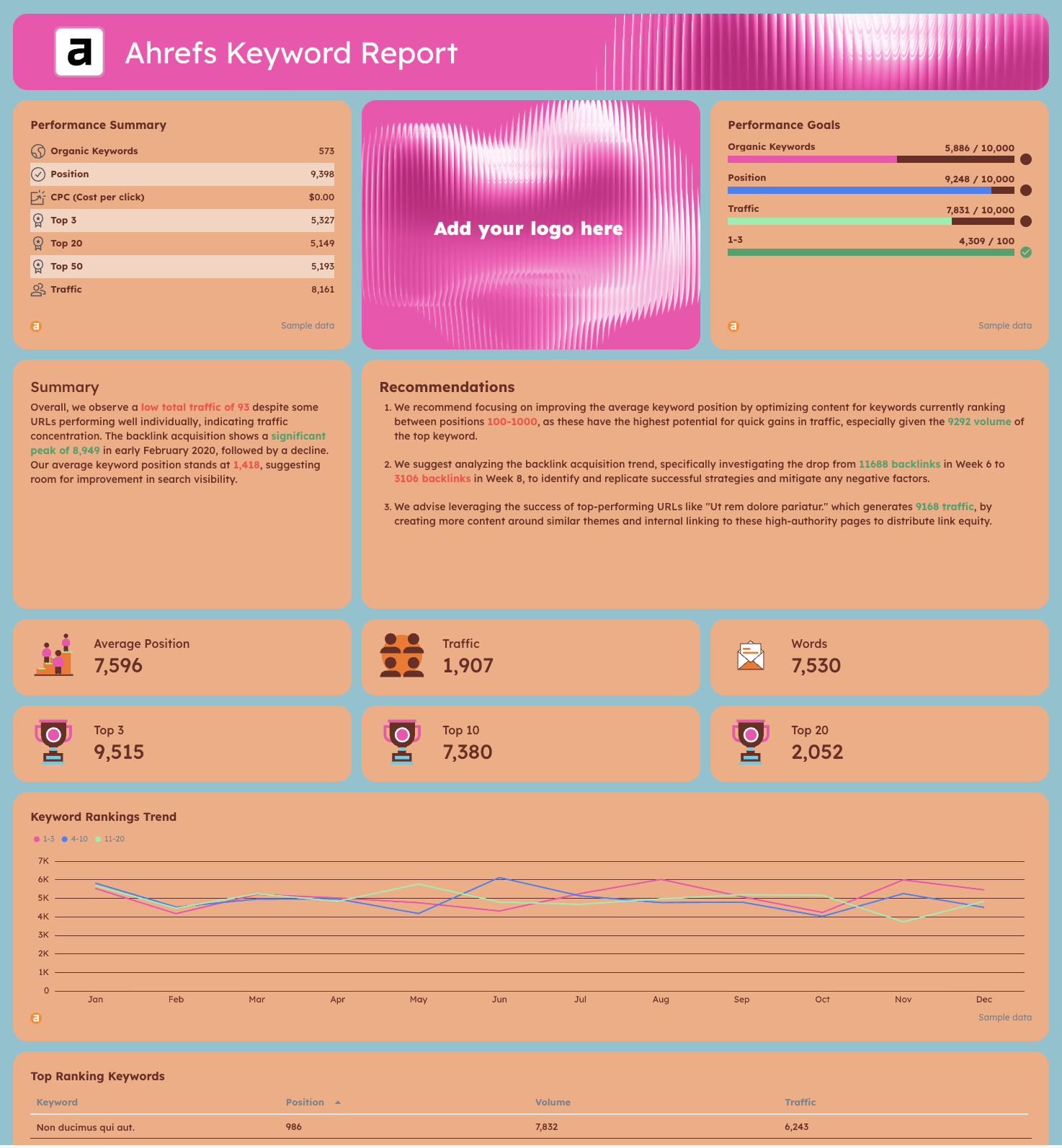
SEO Keyword Ranking Report Template - A keyword ranking report, with charts, data tables, and statistics.This page is designed to give a concise snapshot of keyword visibility, backlinks, and page-level performance using Ahrefs data. It helps teams understand where rankings stand today and which URLs and keywords are responsible for organic traffic.

What to include

  • KPI widgets
    • Total organic keywords
    • Average keyword position
    • Organic traffic
    • Keywords in Top 3, Top 10, Top 20, and Top 50
  • Trend charts
    • Keyword rankings trend over time (Top 3, Top 10, Top 20 buckets)
    • Organic traffic trend line
  • Tables
    • Top ranking keywords with position, search volume, and traffic
    • Top-performing URLs with traffic, number of ranking keywords, average position, and referring domains
  • Backlink insights
    • Referring domains per URL
    • Backlink acquisition trend over time
  • Summary & recommendations
    • Short written summary highlighting concentration, drops, or spikes
    • Action-focused recommendations (e.g., keywords in positions 100–1000 to optimize next)

This view is especially useful for identifying quick-win keywords and understanding how backlinks influence ranking movement.

2. Semrush Report Template
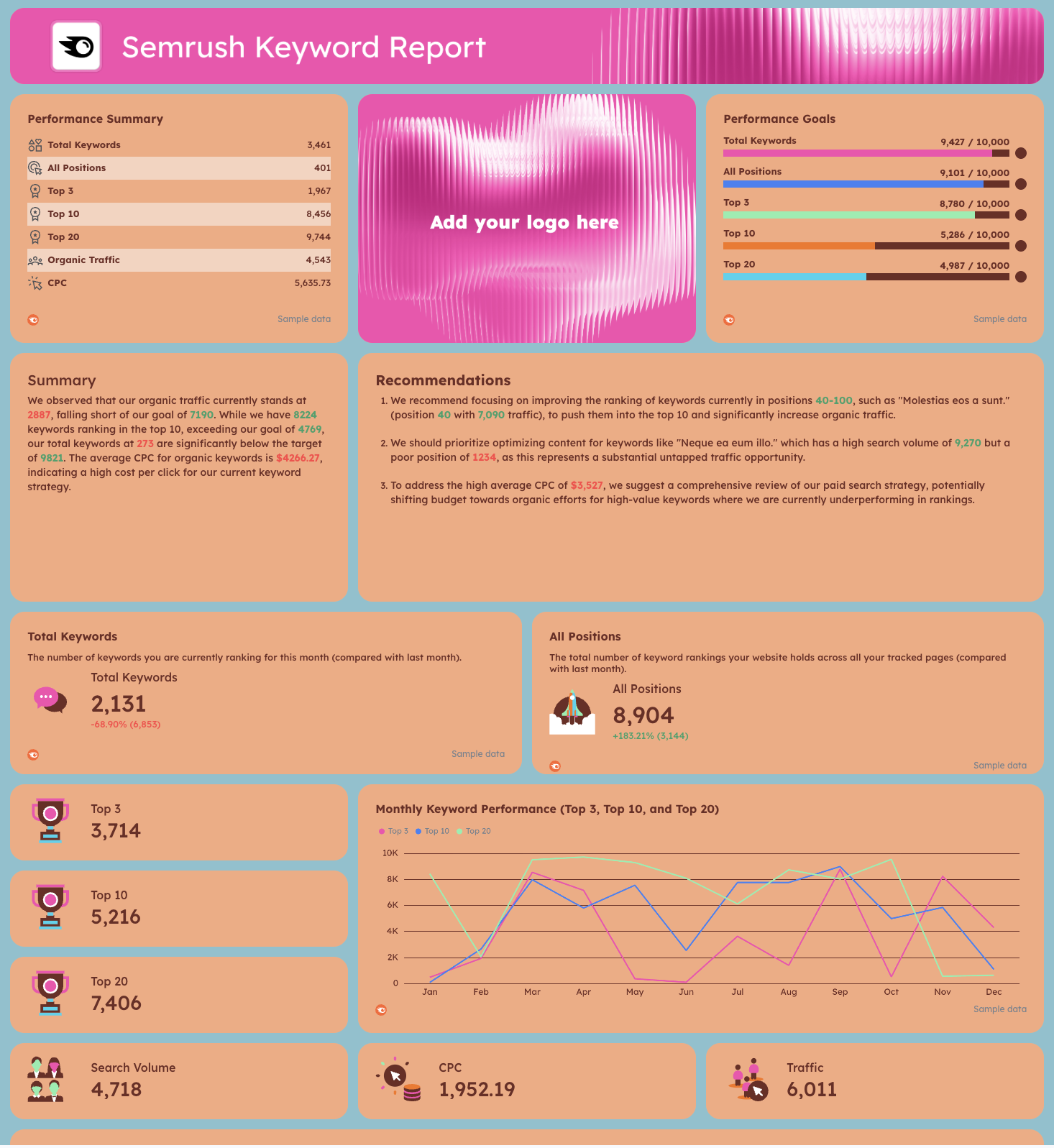
SEO Keyword Ranking Report Template - A vibrant report with charts, data, and key metrics.

This page focuses more heavily on keyword distribution, competitiveness, and long-term ranking trends using Semrush data. It’s built to track progress against goals and uncover missed opportunities at scale.

What to include

  • Performance summary widgets
    • Total keywords
    • Keywords in Top 3, Top 10, and Top 20
    • Organic traffic
    • Average CPC (for context alongside SEO)
  • Goal tracking widgets
    • Actual vs target for total keywords, positions, and traffic
  • Trend charts
    • Monthly total keywords trend
    • Keyword position trends for Top 3, Top 10, and Top 20
    • All-position keyword distribution over time
  • Keyword analysis tables
    • Top ranking keywords with position, search volume, keyword difficulty, and traffic
    • Keywords by page URL with ranking position and traffic contribution
  • Opportunity insights
    • Keywords ranking in positions 40–100 with high search volume
    • High-CPC keywords underperforming organically

This view helps SEO teams prioritize optimization work, balance organic vs paid strategy, and measure progress month over month.

Why Marketers Love Reporting With Whatagraph

Whatagraph's AI is saving so much time and energy for our marketing specialists. We now have more time to focus on strategic things that help both our agency and our clients grow.

Lars Maat

Lars Maat

Co-Founder @ Maatwerk Online

StarStarStarStarStar

Whatagraph is easy to use, visually attractive, and much smoother compared to tools like Looker Studio. It helped us not only get clients on board but also keep them within the agency.

Stef Oosterik

Stef Oosterik

Quality Manager @ Dtch. Digitals

StarStarStarStarStar

Whatagraph has become an essential partner for scaling our reporting, and my teams love it because it saves so much time. We’d recommend it to any team looking to automate data reporting and use AI for insights.

Danielle Roberts

Danielle Roberts

Director of Implementation & Support @ Rentable

StarStarStarStarStar

Whatagraph took us to the next level with our clients and within our team. Our relationships with clients have been amazing, and we’ve even been able to retain them longer.

Kim Strickland

Kim Strickland

Digital Marketing Specialist @ Peak Seven

StarStarStarStarStar

Frequently Asked Questions

Have more questions? We answered them here.

What is a keyword ranking report template?

A keyword ranking report template is a structured report template used to track how specific keywords perform across search engines over time. It brings together ranking data, average position, keyword position changes, and search visibility so SEO teams can clearly communicate SEO keyword ranking progress.


Instead of pulling numbers from multiple SEO tools like Semrush or Ahrefs and pasting them into spreadsheets, a keyword ranking report consolidates SEO data, organic traffic, and performance metrics into one clear view for teams and stakeholders.

Why use this rank tracker report template?

This rank tracker report template helps you track keyword movement consistently and objectively. It shows how rankings change across the SERP, how those changes affect organic search traffic, and whether your SEO efforts are improving leads and conversions.


With this template, you can automate reporting, reduce manual work, and focus on making data-driven decisions to support your future SEO strategy, instead of compiling data from different tools in spreadsheets or manually building dashboards in Looker Studio.

What is a rank tracker template?

A rank tracker template is a dashboard or report designed specifically to monitor search engine rankings for target keywords. It tracks ranking position, search volume, and trends over time so changes are visible at a glance.


Good rank tracker templates focus on movement and opportunity—not just static rankings—making it easier for an SEO specialist to prioritize actions and explain progress to non-technical audiences.

Can I customize this keyword ranking report template?

Yes. With Whatagraph IQ, you can fully customize your SEO report template in seconds. 


Simply upload a screenshot of your brand book or type a short prompt—Whatagraph automatically detects your fonts and colors and applies them across the report.


You can still manually fine-tune everything afterward:


- Change colors, fonts, and layout


- Customize widgets by renaming metrics, editing titles and descriptions, and adding icons


- Modify the data itself using data blends (for example, combining Facebook Ads and Google Ads), custom metrics like conversion rates, or custom dimensions such as campaign or page names


This gives you complete control over both design and data.

How to build a SEO Keyword ranking tracker dashboard?

To build an SEO keyword ranking tracker dashboard in Whatagraph:


1. Create a free account on Whatagraph. 


2. Connect your SEO data from tools like Semrush, Ahrefs, Google Search Console, and Google Analytics.


3. Start from a keyword ranking report template or create a new dashboard with AI using Whatagraph IQ


4. Add widgets for keyword positions, traffic trends, and distribution across ranking buckets.


5. Use tables to break down performance by keyword and landing page.


6. Add written summaries and insights to explain what changed and why.


Once set up, the dashboard updates automatically, so you always have up-to-date ranking data in one place.

What SEO metrics should be included in my keywords ranking report?

Based on reports created by SEO specialists on Whatagraph, a complete keyword ranking report should include:


- Total ranking keywords


- Keywords by ranking bucket (Top 3, Top 10, Top 20, Top 50)


- Average position and position change


- Keyword-level search volume


- CTR from Google Search Console


- Organic traffic from Google Analytics


- Top keywords driving traffic


- Top landing pages by number of ranking keywords


- Backlinks and referring domains (when available)


- Visibility trends across search engine results, including Google and Bing


These KPIs connect rankings to real performance data, not vanity metrics.

How can I create an effective SEO keyword ranking report template?

An effective SEO report template focuses on trends, clarity, and action. Start with a high-level summary of search visibility, then break performance down by keyword groups, pages, and ranking movement.


Use charts to show long-term progress, tables to surface opportunities, and written insights to tie results back to your SEO strategy, content strategy, and technical SEO work. 


When automated in a reporting platform, the template becomes a repeatable system that supports digital marketing decisions across SEO, ecommerce, and even adjacent channels like social media or LinkedIn—without drowning teams in raw data.