
What To Include in the Best SEO Report Template for Clients
The best SEO report template for clients is built to prove real results, not drown your customers in technical jargon. Agencies need to clearly show how their SEO strategy impacts organic search, conversions, revenue, and long-term business goals.
We recommend you follow this SEO client report structure that SEO marketers have created on Whatagraph to communicate success, justify budgets, and tie SEO back to the bottom line (without spreadsheets or manual work).
It’s divided into four key sections:
- Performance Summary
- Organic Visibility
- Organic Traffic
- Organic Conversions
Let’s look at each in detail:
1. Summary Section: High-Level Snapshot
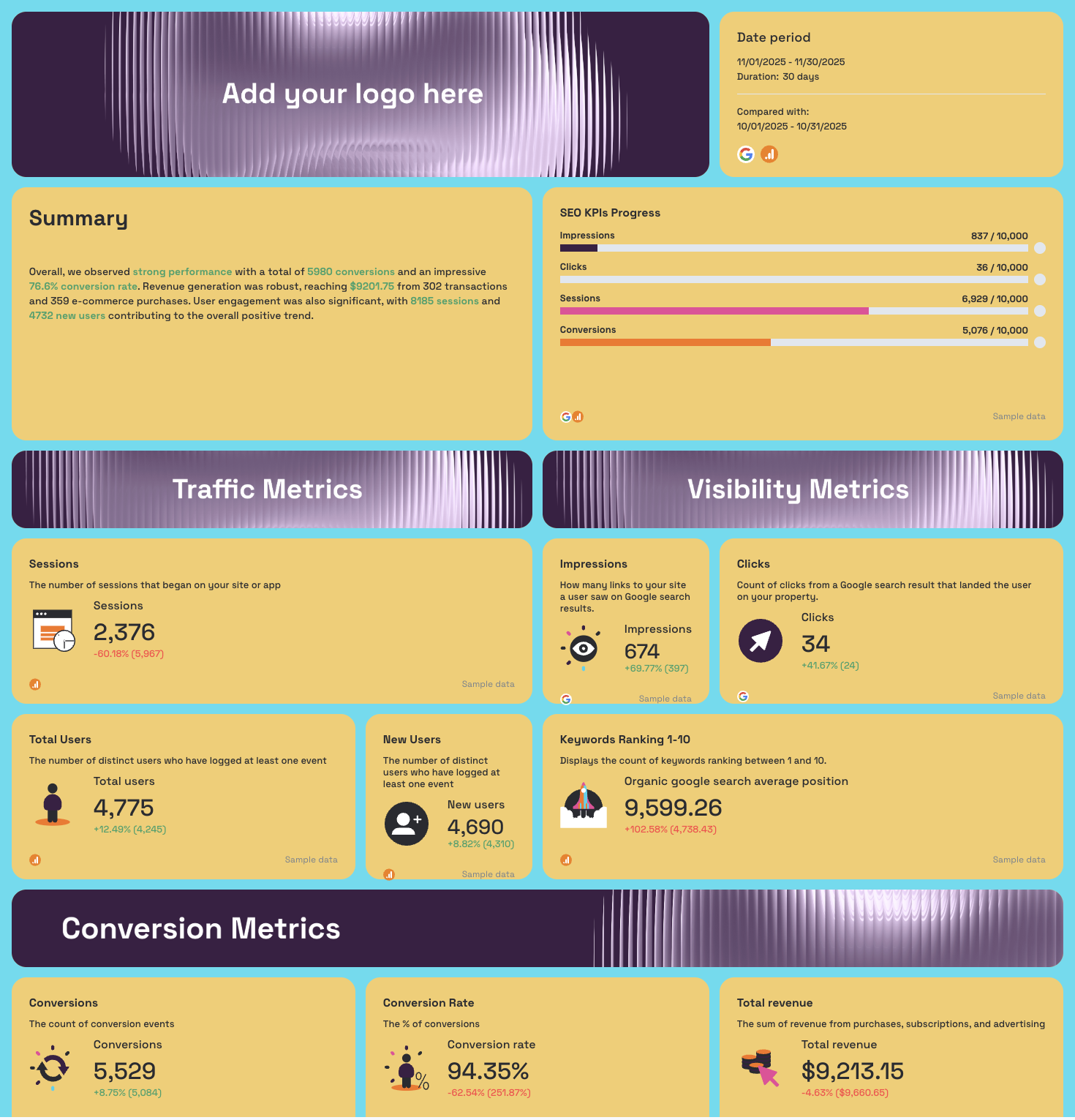 This section gives a top-level picture of SEO performance: what improved, what needs attention, and how close you are to goals.
It’s great as a high-level snapshot for clients to quickly understand SEO performance.
It includes real results pulled from Google Analytics, GSC, and other data sources, so clients instantly understand the ROI of your SEO efforts.
What to include:
- Reporting date range + comparison period
- Primary SEO KPIs such as:
- Sessions, organic traffic, new users
- Conversions and conversion rate
- Revenue (for ecommerce clients)
- Key metrics progress toward targets
- Recommendations written for clarity (not technical jargon)
Why it matters:
- Shows SEO’s impact on revenue and leads
- Builds trust by tying results to business goals
- Improves client communication and transparency
2. Organic Visibility Section: Keyword Rankings + SERP Presence
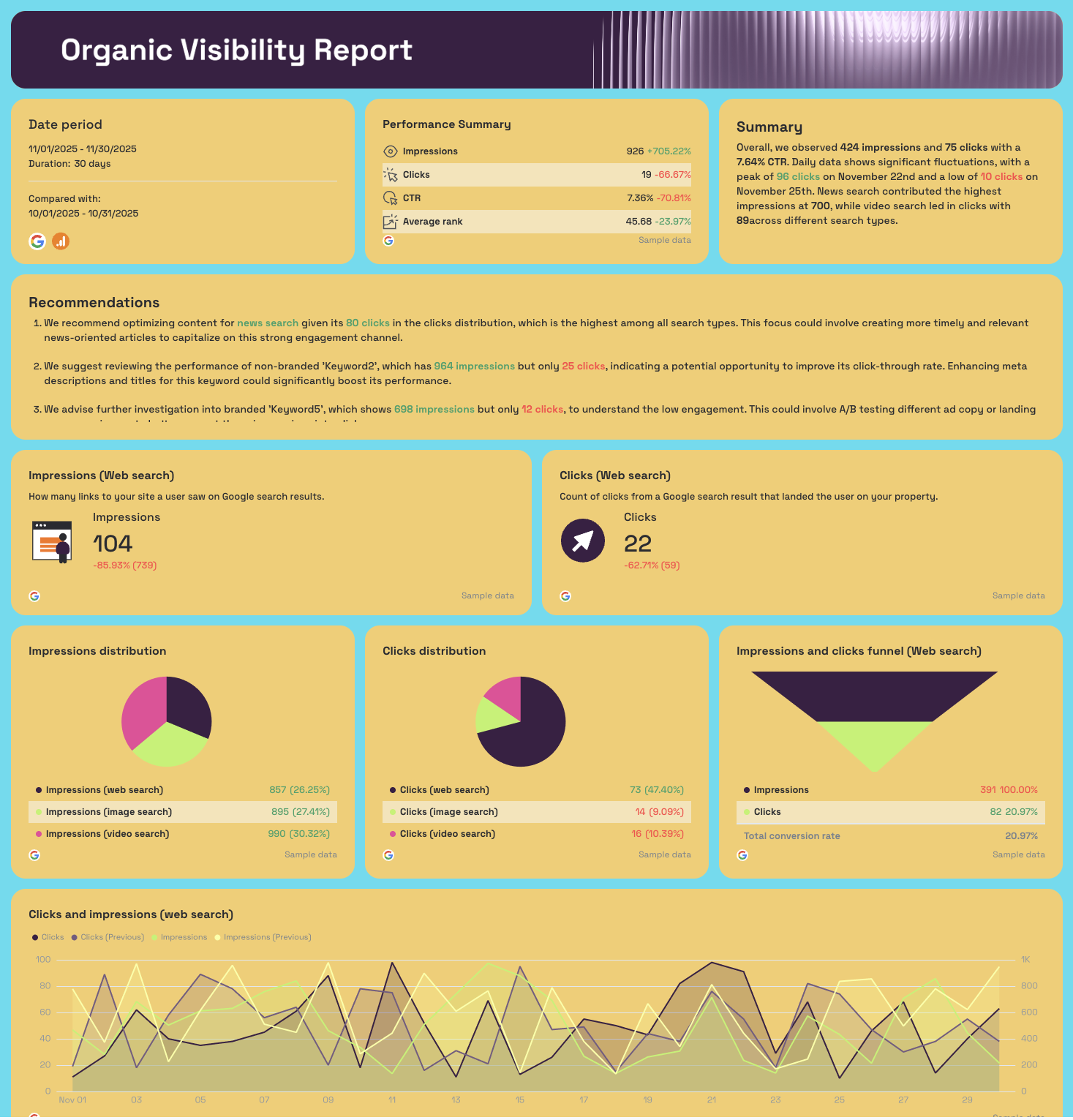
Clients want to know: are we ranking higher in search engines?
And this section shows keyword rankings, impressions, clicks, and CTR pulled from Google Search Console, with split views for branded vs. non-branded terms.
What to include:
- SERP visibility and search volume trends
- CTR + average position changes
- Branded vs. non-branded keyword performance
- Recommended actions for high-intent keywords
Why it matters:
- Shows search visibility progress over time
- Highlights ranking wins worth celebrating
- Identifies SEO issues like slipping positions or low CTR
3. Organic Traffic Section: Who is Visiting and From Where
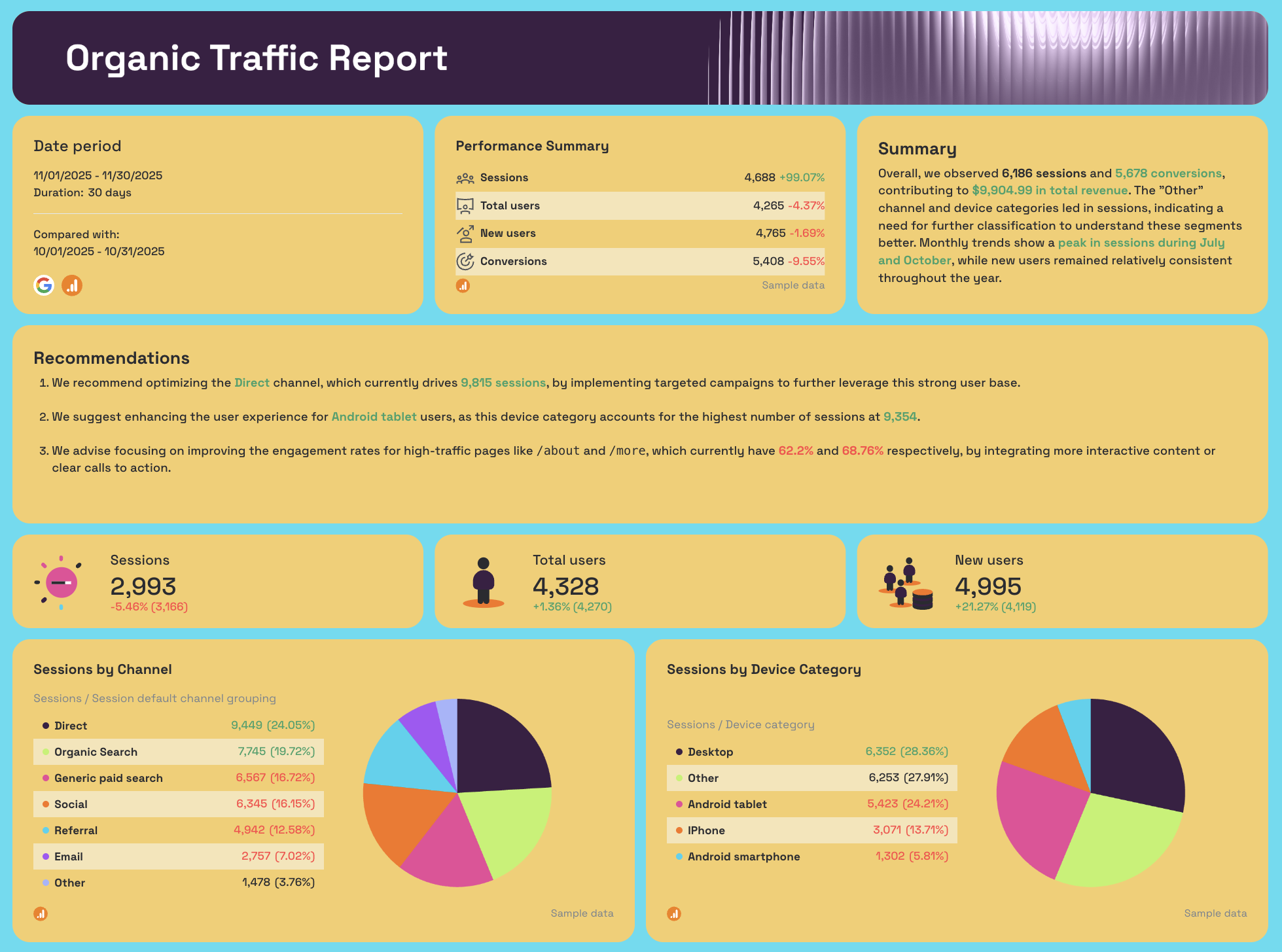
This tab translates SEO’s impact on website performance with clear graphs and acquisition breakdowns.
What to include:
- Sessions by channel (Organic search vs Direct vs social media, etc.)
- Device categories (mobile, desktop, tablet)
- Top landing pages + engagement indicators
- Bounce rate and UX insights
Why it matters:
- Reveals how traffic growth aligns with your SEO campaign
- Shows the role of organic in cross-channel journeys
- Teaches clients where to invest more (e.g. mobile optimization)
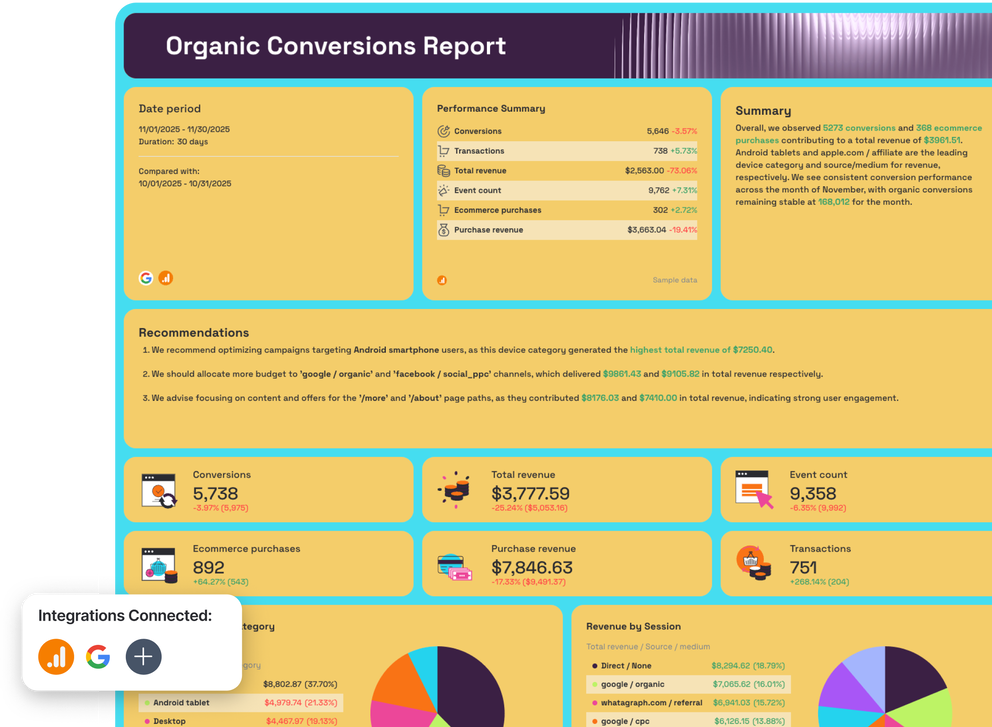
4. Organic Conversions Section: Revenue and Results That Matter
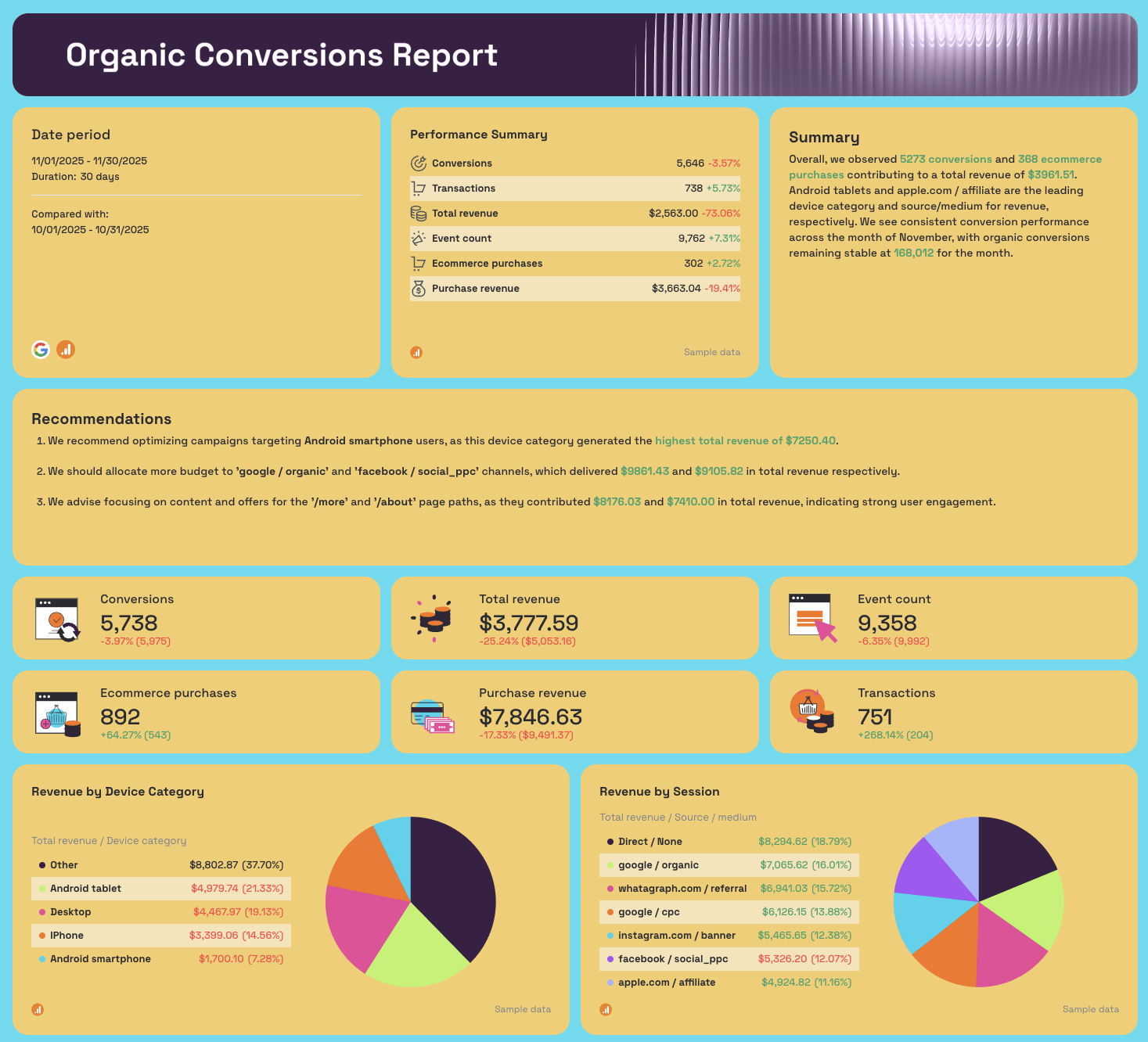
Your clients care most about ROI: conversions, purchases, revenue, leads. This tab uses Google Analytics data to show real business outcomes driven by SEO.
What to include:
- Total conversions, transactions, and revenue
- Attribution: which pages, channels, or campaigns drove success
- Device-based revenue distribution
- Content paths that convert best
- Referral and backlink profile impact on conversions
Why it matters:
- Quantifies SEO results in dollars vs. rankings alone
- Shows proof of growth for renewals/upsell opportunities
- Helps optimize pages that drive high conversion value
—
A white-label, automated SEO report template makes your agency look polished and proactive, while saving hours each month. Instead of scrambling to explain numbers, you can focus on:
✔ strategy
✔ retention
✔ growth