
Free Ranking Report Template

Track both organic and paid keyword performance in one ranking report template.

See positions, traffic, and trends, and get actionable insights to grow your search engine rankings.

Ranking Report Template - Data dashboard featuring charts and performance metrics.

Create Custom Ranking Reports in Seconds

With Whatagraph IQ, just tell us what you need, and we'll build a stunning ranking report for you. No templates or manual setup required.

What To Include in a Ranking Report Template

A strong ranking report template helps you streamline SEO performance tracking across organic and paid keywords. In one dashboard, your stakeholders can instantly see whether your SEO strategy and digital marketing efforts are moving target keywords higher in search engine results pages (SERPs).

Below is the structure in Whatagraph’s ranking report template:

Organic Keyword Report
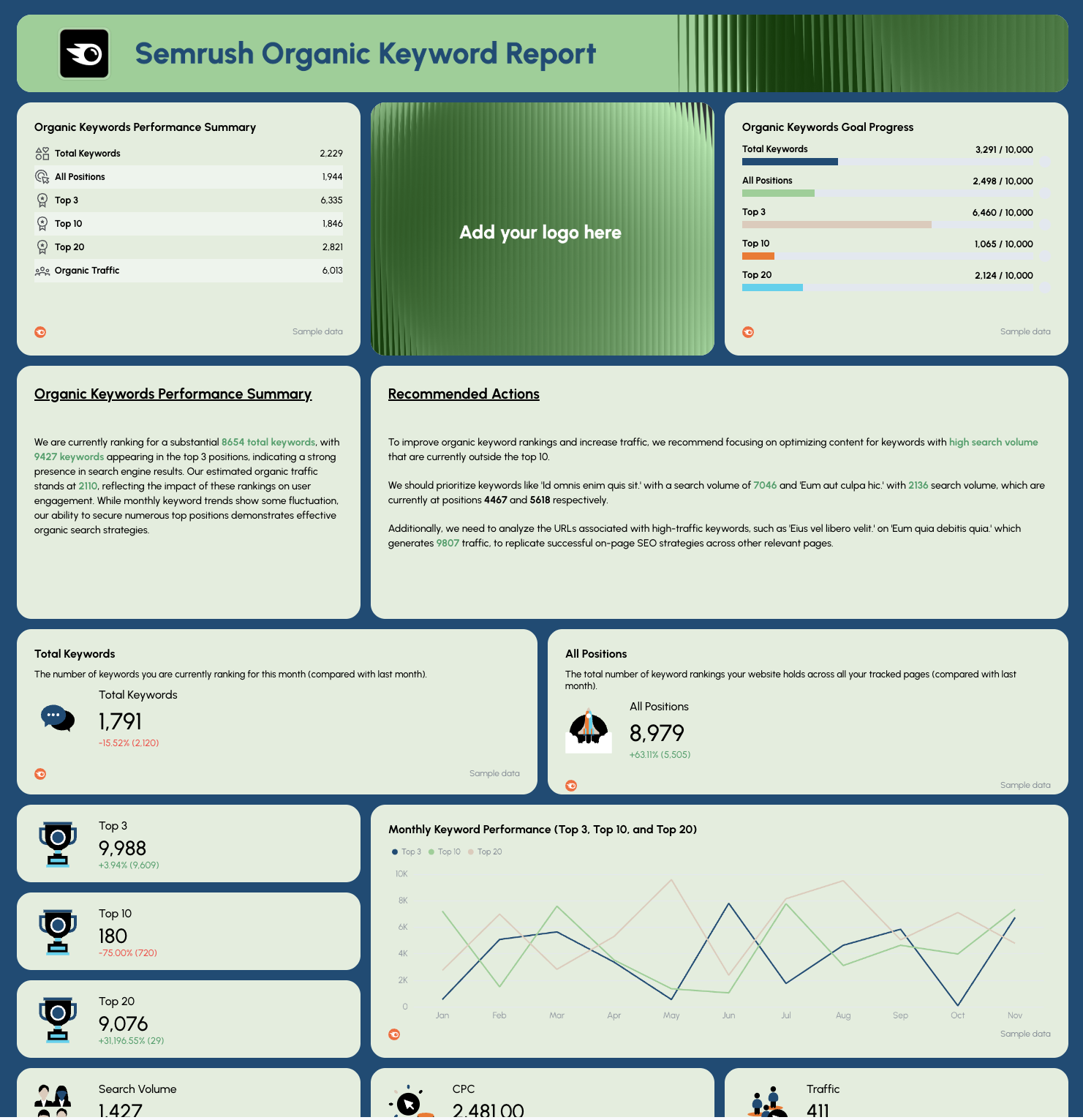
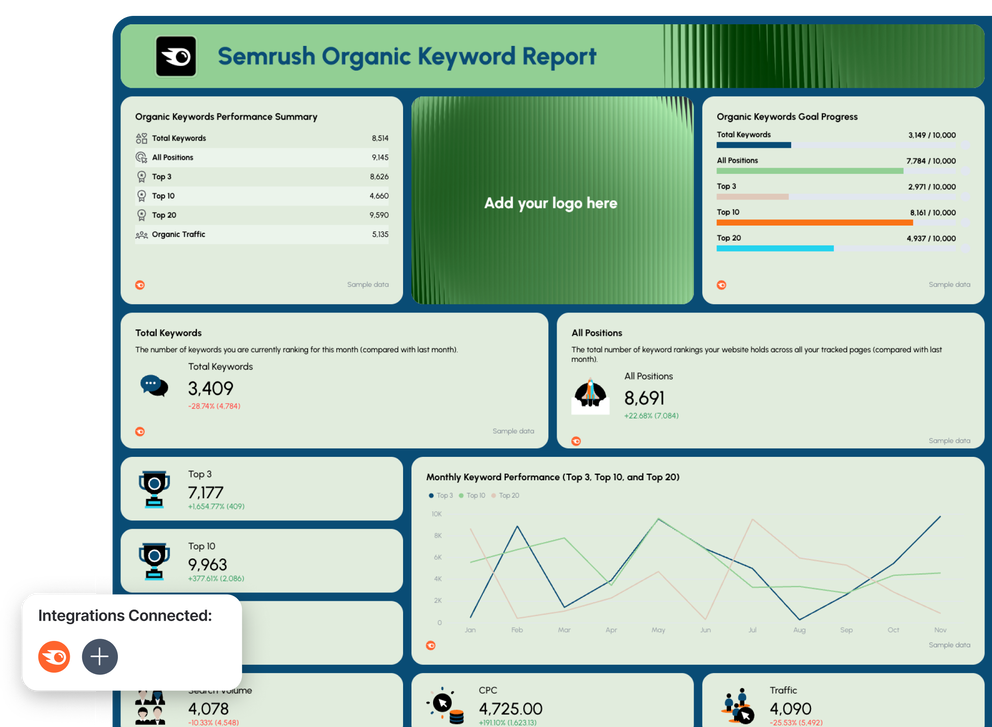
Ranking Report - Organic Keywords - A report showing Semrush organic keyword performance.Your report template should start with keyword ranking progress for organic search.

This section on Whatagraph’s template includes metrics like Total Keywords, Top 3, Top 10, Top 20, traffic, and trend graphs over time. It also highlights keyword performance by URL, search volume, and ranking position to support data-driven optimization decisions.

What to include:

  • Performance against SEO KPIs and goals
  • Total ranking keywords + average position
  • Rank distribution (Top 3 / Top 10 / Top 20)
  • Organic traffic trend
  • Which landing pages ranking for which keywords
  • Search volume, CTR, backlinks & CPC indicators

Why it matters:

  • Measures SEO performance and search visibility
  • Shows which specific keywords drive traffic and conversions
  • Helps optimize ranking declines before they impact revenue
  • Allows SEO specialists to align reporting to business goals
  • Supports client reports with clear movement toward top results
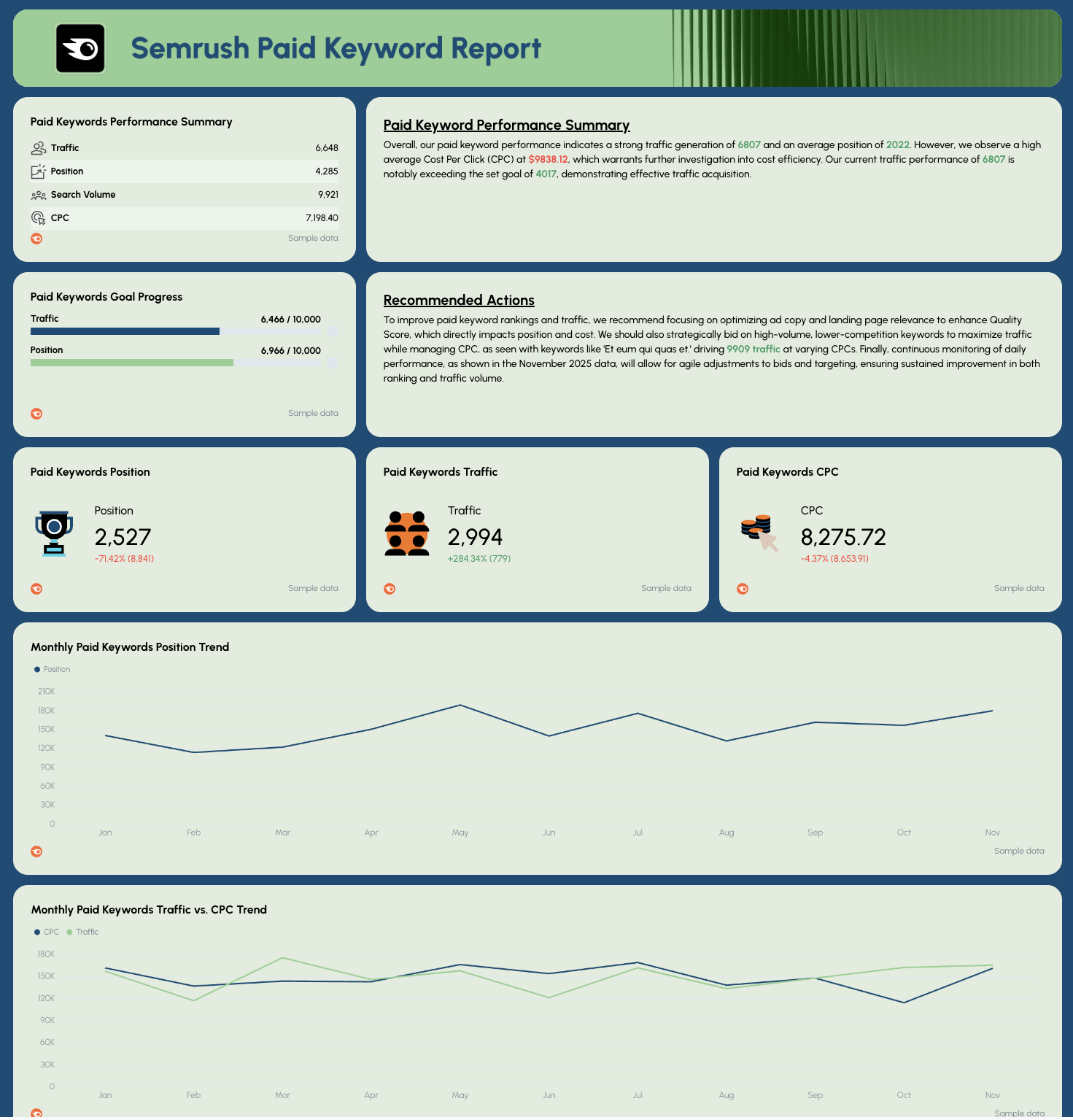
Ranking Report Template Paid Keywords - Report with performance summary, goals, trends, charts.

This tab tracks PPC keyword rankings and conversion rate performance. It compares ranking data, search volume, traffic, and CPC, helping identify opportunities where organic results can reduce paid reliance. It also ties performance back to landing pages and campaigns.

What to include:

  • Paid keyword position & traffic performance
  • Cost efficiency (CPC)
  • Trendline charts for ranking changes
  • Top performing paid keywords by search volume
  • Keyword-to-URL breakdown showing relevance
  • Optimization recommendations (ad copy + page UX impact)

Why it matters:

  • Helps balance SEO vs. advertising spend
  • Shows which keywords deserve SEO investment
  • Improves conversion rate through better alignment
  • Reduces wasted spend on poor-performing terms
  • Supports fast wins while organic rankings grow

Why Marketers Love Reporting With Whatagraph

Whatagraph's AI is saving so much time and energy for our marketing specialists. We now have more time to focus on strategic things that help both our agency and our clients grow.

Lars Maat

Lars Maat

Co-Founder @ Maatwerk Online

StarStarStarStarStar

Whatagraph has become an essential partner for scaling our reporting, and my teams love it because it saves so much time. We’d recommend it to any team looking to automate data reporting and use AI for insights.

Danielle Roberts

Danielle Roberts

Director of Implementation & Support @ Rentable

StarStarStarStarStar

Whatagraph took us to the next level with our clients and within our team. Our relationships with clients have been amazing, and we’ve even been able to retain them longer.

Kim Strickland

Kim Strickland

Digital Marketing Specialist @ Peak Seven

StarStarStarStarStar

Whatagraph is easy to use, visually attractive, and much smoother compared to tools like Looker Studio. It helped us not only get clients on board but also keep them within the agency.

Stef Oosterik

Stef Oosterik

Quality Manager @ Dtch. Digitals

StarStarStarStarStar

Frequently Asked Questions

Have more questions? We answered them below.

What is a ranking report?

A ranking report shows how well your target keywords are performing in search engine results over time. It tracks ranking movement, SEO metrics, organic traffic impact, and performance by landing pages, helping teams optimize visibility and achieve business goals.

How to write an SEO report?

To write an SEO report, track your keyword positions from tools like Google Search Console, map results to SEO strategy, and include graphs that show progress toward KPIs. A structured report template helps streamline reporting so stakeholders quickly understand what’s working and what needs improvement.

What is a keyword ranking report template?

A keyword ranking report template organizes SEO data like rankings, SERP performance, search volume, CTR, backlinks, and traffic into one easy report. It helps SEO specialists track keyword changes consistently and present insights clearly to stakeholders.

Can I customize this keyword ranking report template?

Yes, you can fully customize Whatagraph’s keyword ranking report template using Whatagraph IQ. Just upload a screenshot of your brandbook or website, or type in a custom prompt. Whatagraph automatically detects the fonts and colors and applies them to your report. You can still adjust the colors and fonts as needed afterwards. 

How can I automate my SEO ranking reports?

You can automate your SEO ranking reports by using an automated reporting tool like Whatagraph. All you need to do is connect your account and Whatagraph will create an accurate and branded SEO report. From there on, you can just copy and share the report link with stakeholders or schedule it to go on a specific day, time, and cadence through emails.

What are the key metrics to include in an SEO ranking report?

A strong SEO ranking report includes:


- Keyword performance (Top 3 / Top 10 breakdown)


- Average position


- Search volume


- Organic search traffic impact


- CTR


- Conversion rate when available


- Backlinks supporting each page


These performance metrics reveal how rankings affect your website’s performance and SEO ranking success.

How do I create a ranking report template for SEO analysis?

Start with a clean layout that highlights ranking data, keyword research insights, and progress toward your SEO performance targets. Then add widgets or charts to visualize ranking position changes and use a data-driven format that supports fast optimization decisions.