









Easy, No-Code Spotler Mail Integration

Bring all your Spotler Mail performance data into one place.

Get a stunning Spotler Mail report that helps teams quickly understand what’s working and improve every email campaign.

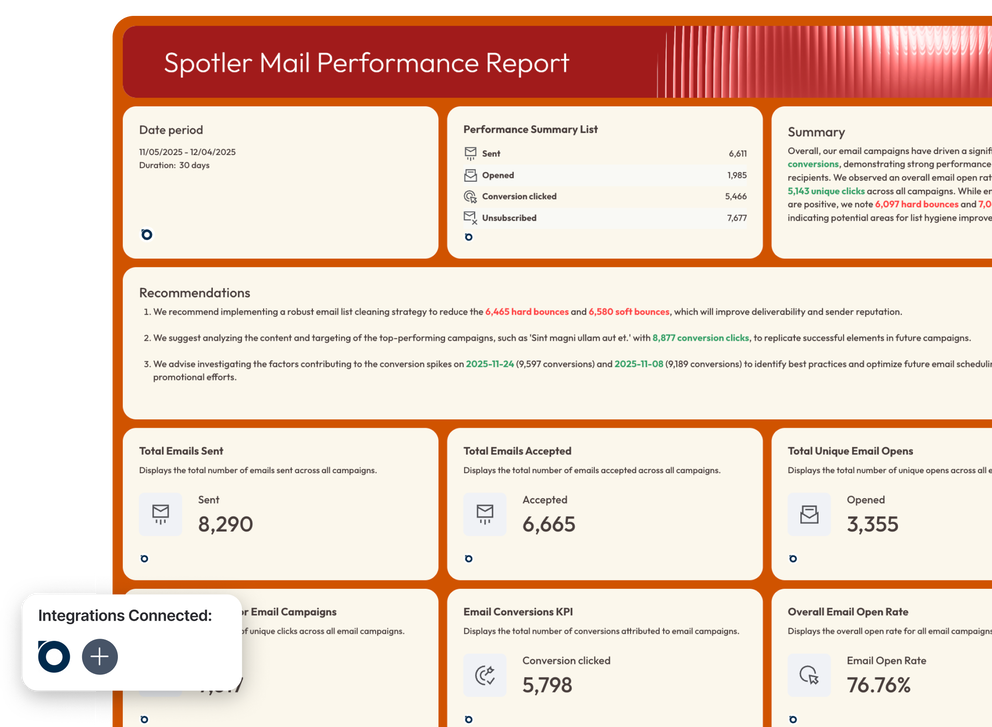
Spotler Mail Template - Email performance report with charts and key metrics.

All-in-One Marketing Intelligence Platform for Spotler Email Marketing Data

Icon for Connect
Connect
Connect to your sources with a stable, native integration that doesn't break. No extra connectors or set up needed.
Icon for Organize
Organize
Manage and transform your data without a single line of code. Ask AI to create custom blends, metrics, and dimensions.
Icon for Visualize
Visualize
Ask AI to create stunning reports from your cross-channel data in seconds. Customize reports instantly from just a screenshot or a prompt.
Icon for Transfer to BigQuery
Transfer to BigQuery
Move data from this source to BigQuery for safer storage and faster analytics. Easily set up automated data flow in Whatagraph.

Visualize Key Metrics on Your Spotler Mail Reports

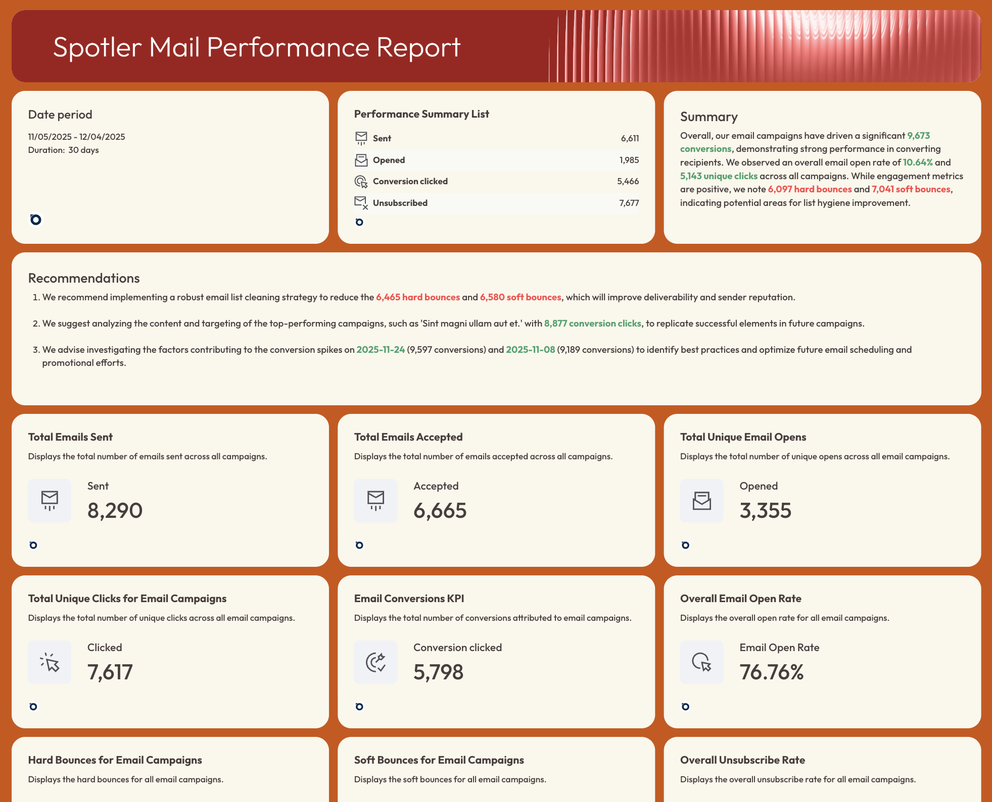
See every key Spotler Mail metric - sends, opens, clicks, bounces, conversions and more - brought together in clean, unified dashboards. No digging through spreadsheets or manually creating reports.
Spotler Mail Performance Report
Spotler Mail Report - Email performance report showing key metrics and recommendations.

Check out related integrations:

Spotler Mail Metrics Available Instantly in Whatagraph

Category
Spotler Mail Mailing
10
Spotler Mail eCommerce
4
SVG image

Search...

Save Time on Spotler Data Integration & Reporting

Icon for Save anything as a template
Save anything as a template
Save and reuse anything you create as a template — whether it’s a calculation, filter, widget, or a whole report.
Icon for Linked reports
Linked reports
Create team templates and connect as many reports as needed. Never again manually edit hundreds of similar reports one by one.
Icon for Overview reports
Overview reports
Monitor your overall performance across regions or accounts and find new opportunities for growth.
Icon for Custom branding
Custom branding
Implement custom color themes and logos. Remove all mentions of Whatagraph and connect your custom domain.

Frequently Asked Questions

Have more questions? We answered them below.

How do I get better reporting for Spotler?

You can get better reporting for Spotler on Whatagraph. Just connect your account and prompt Whatagraph IQ to create a stunning, accurate report for you in seconds. 

To style your report, you can just prompt Whatagraph IQ Theme or upload a screenshot. Whatagraph automatically detects the fonts and colors and applies them to your report.

Tired of writing out performance summaries manually? Ask AI to do it for you based on your connected data sources in 18 languages and 5 formats. 

You can also chat directly with your data within your report with Whatagraph IQ Chat 


Is training available for using the Spotler integration?

Yes. All Whatagraph users get access to live chat support that replies within 4 minutes and resolves most issues within 4 hours.


If you want dedicated training, a Customer Success Manager is available on higher-tier plans starting from €499 / month.

What are API Plugins?

API plugins are small software components that let two platforms exchange data securely. They rely on the platform’s API to fetch specific information—such as email campaign results from Spotler Mail—so you can use it inside another tool like Whatagraph without manual exports.

What are connectors?

A connector is the link between two systems that moves data from one tool to another. In Whatagraph, connectors make it possible to automatically pull Spotler Mail metrics into your reports, dashboards, and templates.

What about GDPR if I use an integration?

All data transferred through Whatagraph integrations is handled in accordance with GDPR requirements. We are also ISO27001 certified, practices EU data hosting, and has AES-256 encryption. 

What are the benefits of Spotler integration for email marketing?

You get clear visibility into how each email, automation workflow, and campaign performs. It becomes easier to track engagement, measure revenue impact, compare channels, and identify where follow-up or optimization is needed—all in one reporting environment.

Spotler Mail metrics available instantly in Whatagraph

Category
Spotler Mail Mailing
10
Spotler Mail eCommerce
4
SVG image

Search...

What others think about Whatagraph

I made a switch from GDS and Sheets for reporting to Whatagraph, and I am saving literal hours each week on performance report creation. Our small firm actually managed to onboard 2 new clients as a result of all the time we saved on managing data and reporting. The customer service is also really helpful and easy to reach.

Mindaugas S., Marketing ConsultantCapterra logo for Whatagraph review

Capterra verified review by

Mindaugas S., Marketing Consultant

Having active customer support to help fix any issues was a big contributor, but we also really liked the ability to save templates and connect sources to multiple charts/widgets at once without having to edit them individually. And having the grid layout is much easier to stay consistent with than the free form setup that Data Studio has.

Nico T., Media PlannerCapterra logo for Whatagraph review

Capterra verified review by

Nico T., Media Planner

The system has standard templates that are easy and fast to use. Also you can build your own report with lightning speed. It is very easy to use, has a lot of integration, and let get started very fast.

Rasmus Bernt K., External Senior Management ConsultantCapterra logo for Whatagraph review

Capterra verified review by

Rasmus Bernt K., External Senior Management Consultant

We love Whatagraph - we would definitely recommend and our account manager is great! I love how easy this tool is to use, everyone on the team finds it much more user-friendly than other dashboards. Integration was easy, we sent some example reports to the team who duplicated these for us. We literally had to log in and send it to our clients!

Stephanie S., Digital DirectorCapterra logo for Whatagraph review

Capterra verified review by

Stephanie S., Digital Director

We are showing our clients the work that we're doing for them and this is incredibly important for our clients ROI. They want to see results and having a tool like Whatagraph that can show data from virtually every source we use is hugely important.

John S., SEO StrategistCapterra logo for Whatagraph review

Capterra verified review by

John S., SEO Strategist

The tool is easy to use; you do not need to have development resources. Even my junior project managers are capable of making campaign reports in minutes. There are a lot of pre-made templates you can use as well as many pre-made widgets.

Erman E., Marketing SpecialistCapterra logo for Whatagraph review

Capterra verified review by

Erman E., Marketing Specialist

Really easy to connect data sources within the tool. The library of report templates has been helpful. The customer support team has been responsive to all of our needs. Our team enjoys the simplicity of setting up the reports and how the data is presented.

Brent N., Director of OperationsCapterra logo for Whatagraph review

Capterra verified review by

Brent N., Director of Operations

Easy to create really beautiful graphs and reports which can help other team members to understand the most important takeaways. I especially like the automated report function, so I don't have to check on the same thing repeatedly.

Orsolya S., Online Marketing ManagerCapterra logo for Whatagraph review

Capterra verified review by

Orsolya S., Online Marketing Manager