


What is Google Ads search term analysis?
Google Ads search term analysis means reviewing the searches that actually triggered your Google Ads, then deciding what to do with each one: add it as a keyword, exclude it as a negative keyword, or use it to fix your ads and landing pages.
This analysis when done manually can be tedious and time-consuming. Someone from the team, usually a PPC specialist, goes into Google Ads, exports the report, sorts the search terms, scans a few hundred rows, and adds negatives by hand.
On one account, that's a weekly chore. Across 30 client accounts, it’s a massive undertaking that gets swept under the rug most times.
Google Ads search term analysis: manual vs automated
Manual review is still doable for one account and a few hundred terms. However, once you grow past that, AI agents can greatly reduce the time taken to gather data and get to insights faster. Here’s how the two approaches compare:
| Step | Manual | AI agent |
|---|---|---|
| Get the data | You export the search terms report from each Google Ads account | The agent reads search terms for every connected account, no exports |
| Find wasted spend | You sort by cost and scan for terms with no conversions | The agent lists every term over your spend threshold with no conversions |
| Judge relevance | You read each term and decide if it fits the client | The agent checks each term against the client's website or brief and labels it right audience, wrong audience or unclear, with a reason |
| Spot patterns | You notice repeated words if you have time | The agent groups terms by repeated words and adds up spend for each phrase |
| Cover every account | As many accounts as you get to that week | Every account, every week, on a schedule |
| Share the result | Notes in a spreadsheet | A report with a negative keyword checklist and a summary of what needs review |
| Make the change | You add negatives in Google Ads | You still add negatives in Google Ads. The agent can't change the account |
What a PPC search term analysis agent can help with
A PPC search term analysis agent reads every search term behind your Google Ads, on a schedule, across every client account. It flags what to exclude and what to add, says why, and leaves the decision to your team.
The agents on this page are built with IQ Agents, the AI agents inside Whatagraph. You set an agent up once with instructions, and it’s available for the entire organization, not just your Claude or ChatGPT account, so your teammates can use them too.
Here's what a search term agent can do today:
1. Find search terms that waste budget. The agent lists every search term above a spend threshold you set that has zero or close to zero conversions, over the last 7 or 30 days. You get a table per account, sorted by spend, with the campaign and match type next to each term.
2. Spot searches from the wrong audience. Tell the agent who your ideal audience is and it flags searches from people who don't fit the criteria.
3. Find new keywords to bid on. The agent lists search terms that has the potential to convert but you haven't bid on yet. It can also judge whether a term fits the client.
4. Catch campaigns competing for the same search. Sometimes one search shows ads from two of your campaigns, and you end up bidding against yourself. The agent finds these and tells you which campaign should keep the search.
5. Group search terms by repeated words (n-gram analysis). N-gram analysis splits search terms into one-, two- and three-word phrases, then adds up spend and conversions for each phrase. A word like "free" or "jobs" spread across 300 low-spend terms looks harmless row by row. Added up, it can be one negative keyword that recovers a real share of budget.
The agent builds this table for each account and flags the phrases that spend without converting.
6. Show which keyword and match type pulled each search in. For every search term, the agent can report:
- the keyword that triggered it
- that keyword's match type
- the search's own match type, including close variants Google counts as a match
- whether the match came from broad match or AI Max, Google's AI-powered search matching
7. Check your negative keywords for conflicts. The agent reads the negative keywords already set on each campaign and ad group, with their match types. It flags:
- negatives that block searches you want
- negatives that clash with your own keywords
- duplicates
- excluded terms that still show up
8. Check what Google writes for you. In AI Max campaigns, Google writes its own headlines and picks the landing page. The agent checks whether they fit what the person searched for.
9. See why some clicks cost more. Google gives every keyword a quality score from 1 to 10, and a low score means you pay more per click. The agent shows you the score and what’s dragging it down: the ad, the landing page, or the expected click rate.
10. Get new search terms every week. The agent compares this week’s search terms with last week’s. It flags the new ones and the ones that suddenly cost more.
11. Find words missing from your ads. The agent lists words people search for that never show up in your headlines. For why a specific ad wins or loses, see ad creative analysis.
12. Find patterns across every client. One agent can run across your whole client book and flag junk words that show up in many accounts, then draft a negative list for each client.
PPC search term analysis case studies: how teams use AI agents
A B2B energy company: finding consumer searches in a business-only account
The company sells energy services only to businesses, but its Google Ads kept showing to homeowners. The team asked the Agent Builder (the agent that builds other agents in Whatagraph) for this:
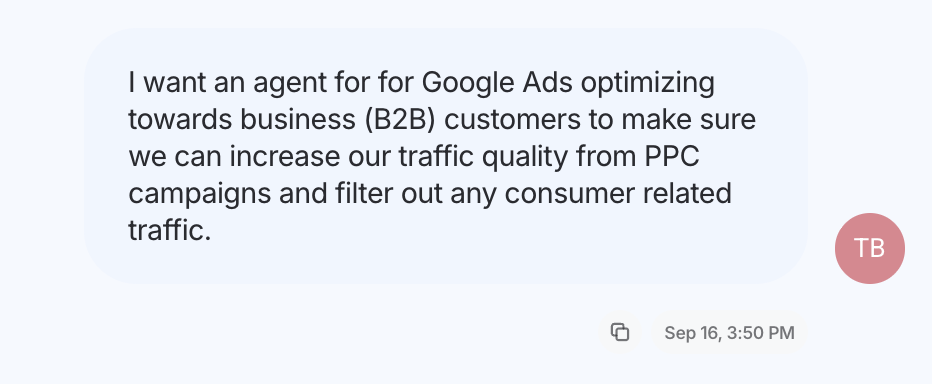
"I want an agent for Google Ads optimizing towards business (B2B) customers to make sure we can increase our traffic quality from PPC campaigns and filter out any consumer related traffic." They also pointed it at their website so it could tell business products from consumer ones.
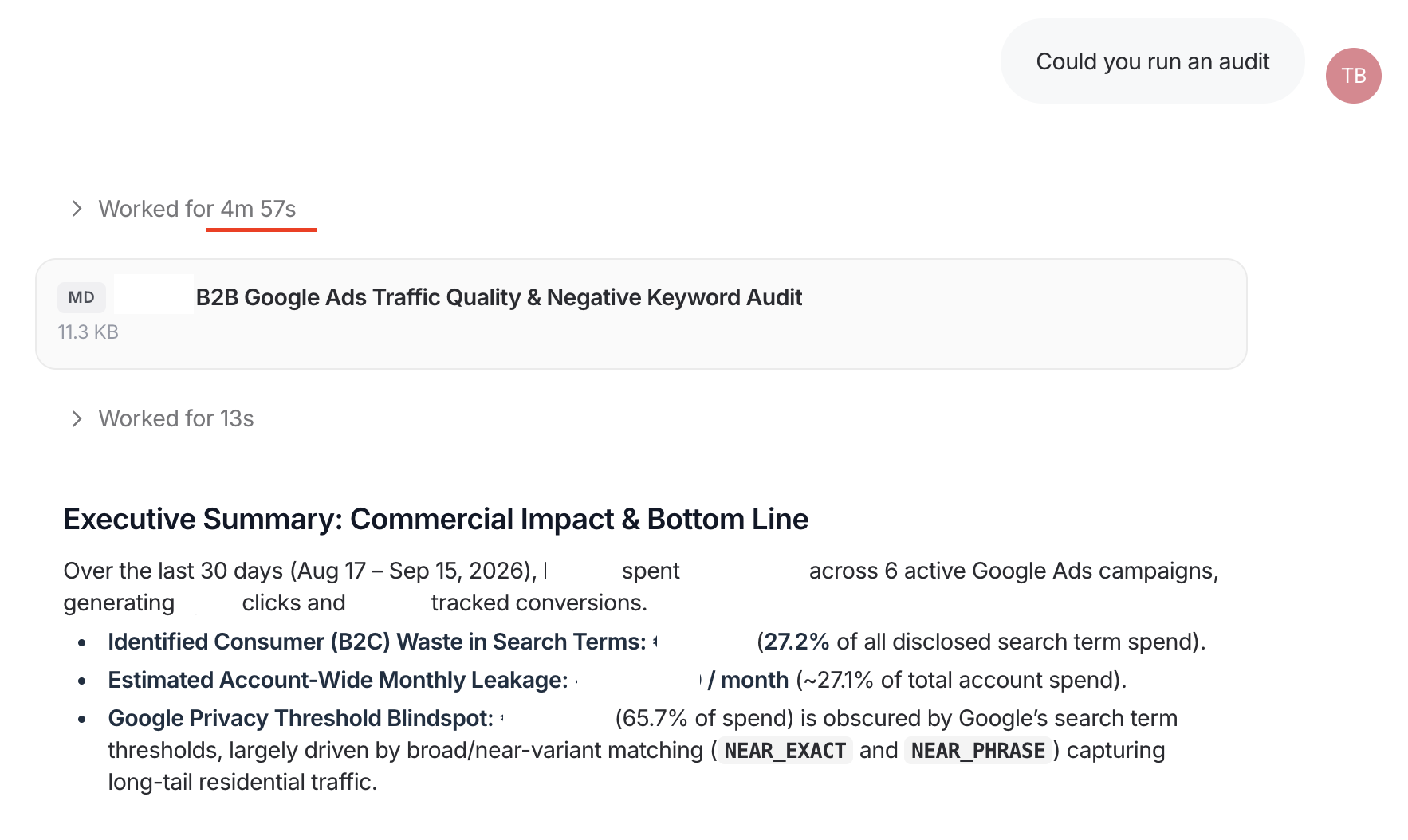
Over 30 days and six search campaigns, the agent found the ad spend going to consumer searches, 27.2% of the spend Google reports at search-term level in just 5 minutes. The biggest leaks were home batteries for solar panels, home EV chargers and company-car tax questions.
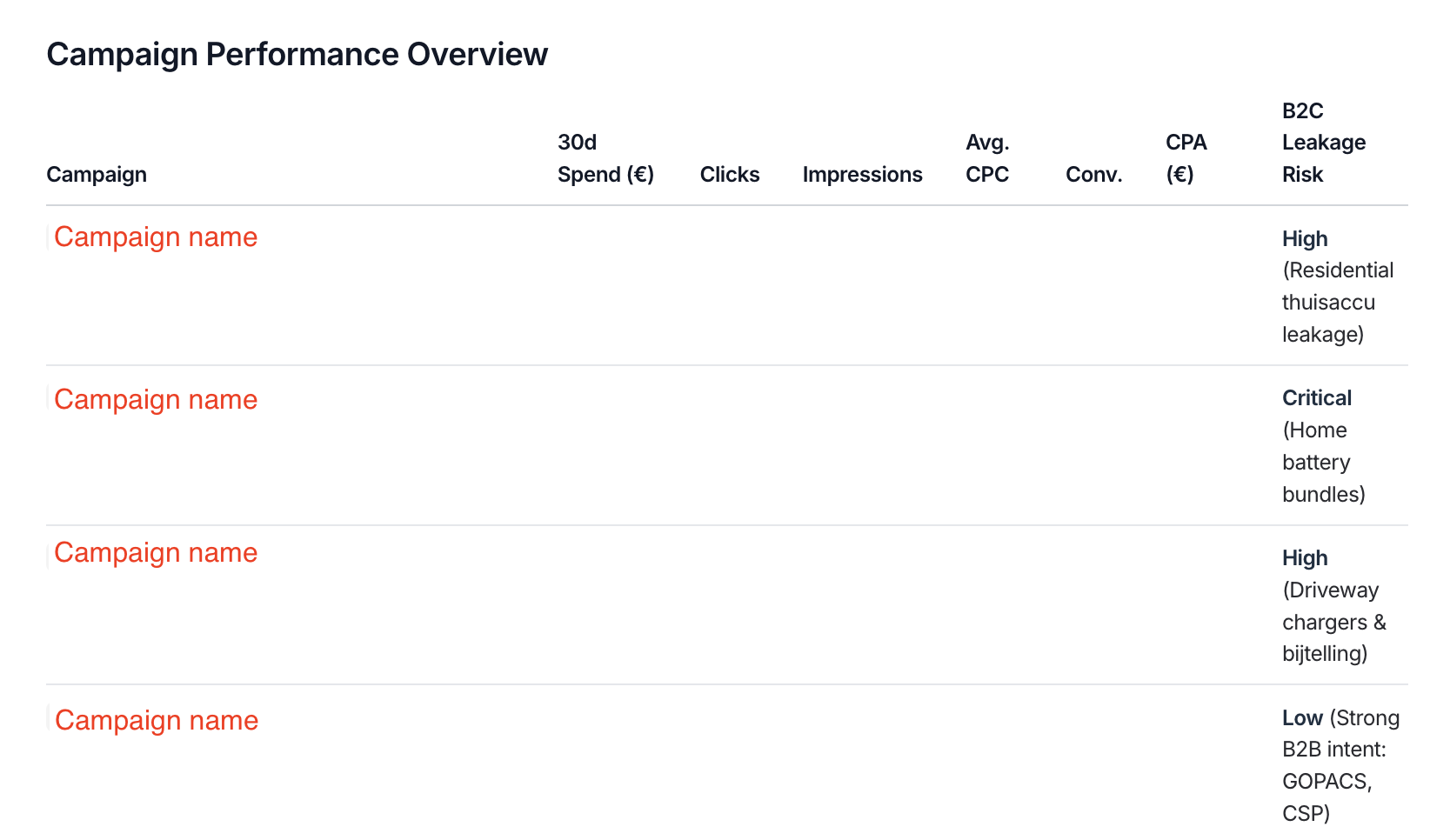
The agent sorted every term as business, consumer or unclear, named the campaigns with the most consumer traffic, and recommended exact and phrase negatives.
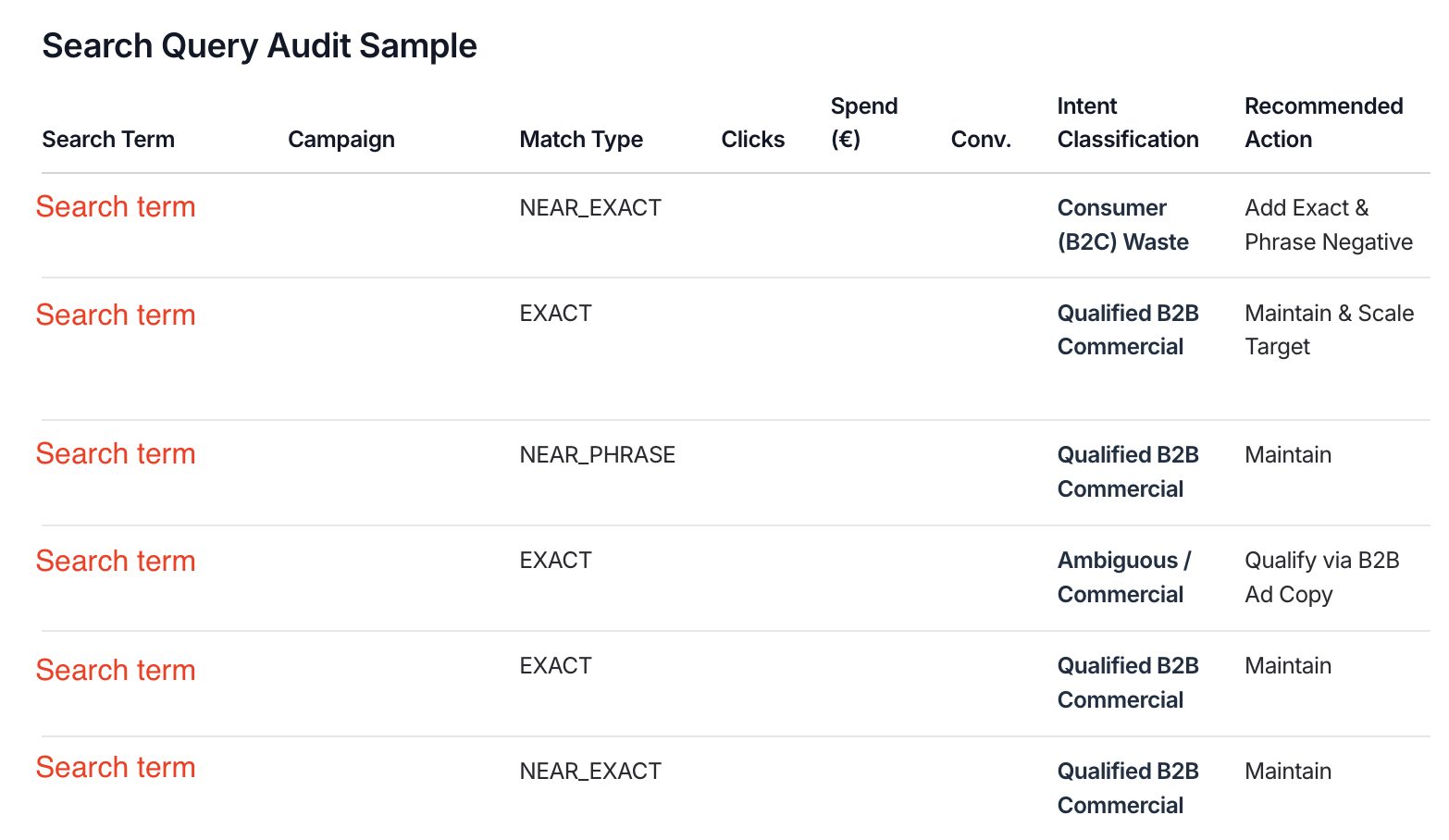
The agent also gave a search query audit sample, with the exact campaign, match type, metrics, and recommended actions. It also found that 65.7% of spend sat in search terms Google doesn't show, mostly from close-variant matching.
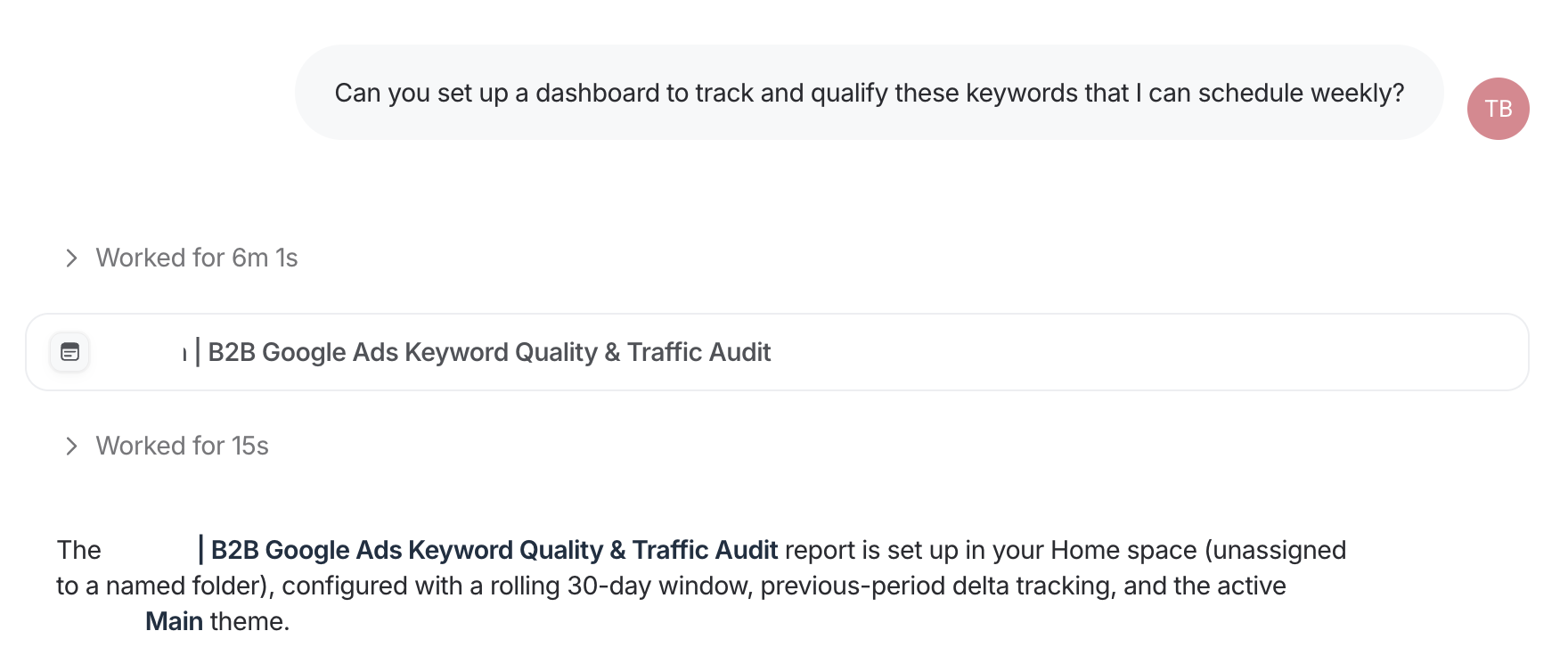
The team then asked for a dashboard to track and qualify these keywords weekly. The agent built an 11-widget report with a search term table sorted by spend and a negative keyword checklist ready for Google Ads.
A UK agency: monthly search term reviews for a business school client
The agency runs four Google Ads accounts for one business school, one per programme. For the monthly review, the PPC manager asked an agent for a month-over-month analysis of each account, with the rules up front: which campaigns to include, which conversions count, and a request to flag searches that belong to a different programme.
Each account's review included a search term section. In one account, the agent went through 261 search terms. Across the four, it found searchers looking for a general master's or a PhD landing in the executive and doctoral campaigns, competitor school names triggering generic campaigns, and brand terms showing up in the competitor campaign.
The agent recommended specific negatives and negative lists across the accounts, and prepared an updated negative keyword list for the next month.
The PPC manager stays in the loop. When the agent missed a campaign filter, the manager corrected it and the agent redid the analysis. When the manager pasted converting terms and asked whether they fit the programme, the agent gave a verdict on each one.
How to analyze PPC search terms with Whatagraph
Here's how to set up Google Ads search term analysis in Whatagraph.
- Connect Google Ads for each client. See how Google Ads reporting works in Whatagraph.
- Group accounts if you manage many. In Whatagraph, you can build what's called a "Source group" that combines many Google Ads accounts into one source. This means you can report on the total Google Ads figures for a client in a widget or table in a report without having to add things up manually. Rollup, the pre-made agent on Whatagraph that builds source groups, can set it up for you.
- Describe the agent. Tell Whatagraph's Agent Builder what to check, your thresholds, and who each client sells to. Or paste the brief below and fill in the brackets.
Run every [Monday] at [8:00] for the clients in [space name].
For each client's Google Ads account, read search terms for the last [7/30] days.
Do not change anything in Google Ads or in any existing report. Work in a copy of [report name].
About this client: [what they sell, who they sell to, who they don't sell to]. Read [website URL] if unsure.
1. Wasted spend: list terms with more than [$X] spend and [0] conversions.
2. Intent: flag terms from the wrong audience for this client, and say why.
3. New keywords: list converting terms that are not keywords yet, with their match type.
4. Duplicates: flag terms that trigger more than one ad group, campaign or account.
5. Repeated words: group terms by one-, two- and three-word phrases and total spend and conversions for each.
6. Hidden spend: show how much spend sits in search terms Google doesn't show.
7. Negatives: flag existing negative keywords that block converting terms or our own keywords.
Never suggest these as negatives: [brand names, product names].
Only comment on metrics shown in the report. If a table is empty, say so instead of writing about it.
If a threshold or client rule is unclear, ask instead of guessing.
End with a short summary of what needs review and who should review it.
Never share the report or send anything to the client.
- Set permissions. Set report edits to "needs approval", so the agent asks before it changes anything.
- Test on one client, then schedule. Check the first list by hand. When it matches what you'd flag yourself, schedule it weekly.
- Review before you change anything. The agent finds insights but a human specialist is still needed to decide and makes the change in Google Ads. Before you add a negative, check:
- Does the term convert in another campaign?
- Is it a brand or product name?
- Which match type?
- Campaign or account level?
- Does it overlap with another campaign?
- Log each change and show the client what it did in their monthly Google Ads report.
What are the benefits of PPC search term analysis?
Regular search term analysis keeps budget on searches that can turn into customers, and catches the rest before the month is over.
- Less budget on searches that never convert. One energy company found thousands of dollars in 30 days going to the wrong audience.
- Traffic from the right audience. Excluding irrelevant searches makes your ads more relevant to the people who see them, which feeds expected click-through rate and ad relevance, two parts of quality score.
- More conversions from searches you weren't bidding on. Converting search terms become keywords with their own bids and ads.
- Campaigns stop bidding against each other. Each search lands on the campaign and landing page built for it.
- Fewer surprises in the client report. You catch irrelevant spend each week, before the monthly numbers come in.
- Time back. Reading thousands of rows per account becomes reviewing a short list. A UK agency said: "...realistically, this would be potentially a list of like thousands of keywords, and someone to manually look through the list is not going to be... super helpful..."