


What is AI report commentary?
AI report commentary is the written part of a performance report (the insights, takeaways and recommendations), drafted by AI from the report's own data. It covers what changed, why it changed, and what to do next.
You'll also see it called AI marketing insights. In reporting, that means the same thing: the text that explains the numbers. (The term also gets used for customer and market research insights, which is a different job.)
Based on 30+ marketing agencies we've talked to, here are the four key ways to get AI to write accurate and insightful commentary:
- Build a governed data foundation where your data is cleaned, normalized, and defined. This is the layer the AI will see to write insights so it's important to get it right.
- Give the AI the full context. This includes details of each client and campaign, your brand guidelines, previous reports, your recommendations, and even emails or messages you've sent to each client previously.
- Do a live web search and include external data wherever relevant. For example, pair your SEO traffic data with an explanation of why traffic fell (e.g. due to Google spam updates). Or add benchmarks around average CTR to explain whether your CTR is good or bad.
- Have a human specialist review everything. The specialist makes the call on where to dig deeper, where to cut, and what information the client needs to see.
You can do all of this with Whatagraph IQ Agents. We'll explain how more in the next section.
If you're comparing AI tools, our AI marketing analytics tools roundup covers the wider category.
How do marketing agencies use AI agents to write report commentary in Whatagraph?
Agencies use agents to draft the commentary in every report on a schedule, in the style their clients already know. The specialist who knows the account reads the draft, adds context the data doesn't hold, fixes what's wrong and signs off. Here's what that looks like at two agencies.
A UK full-service agency: 50+ reports a month, first drafts in house style
This agency runs one specialist per service line: SEO, PPC and email. Their reports already refreshed with new data every month. But each specialist still needed to do the analysis in Claude and copy the insights back to the reports manually.
This setup worked but there's still recurring manual work and the setup lived in just one specialist's Claude chat.
The SEO lead at the agency built a narrative agent on Whatagraph IQ Agents to write the first draft of commentary.
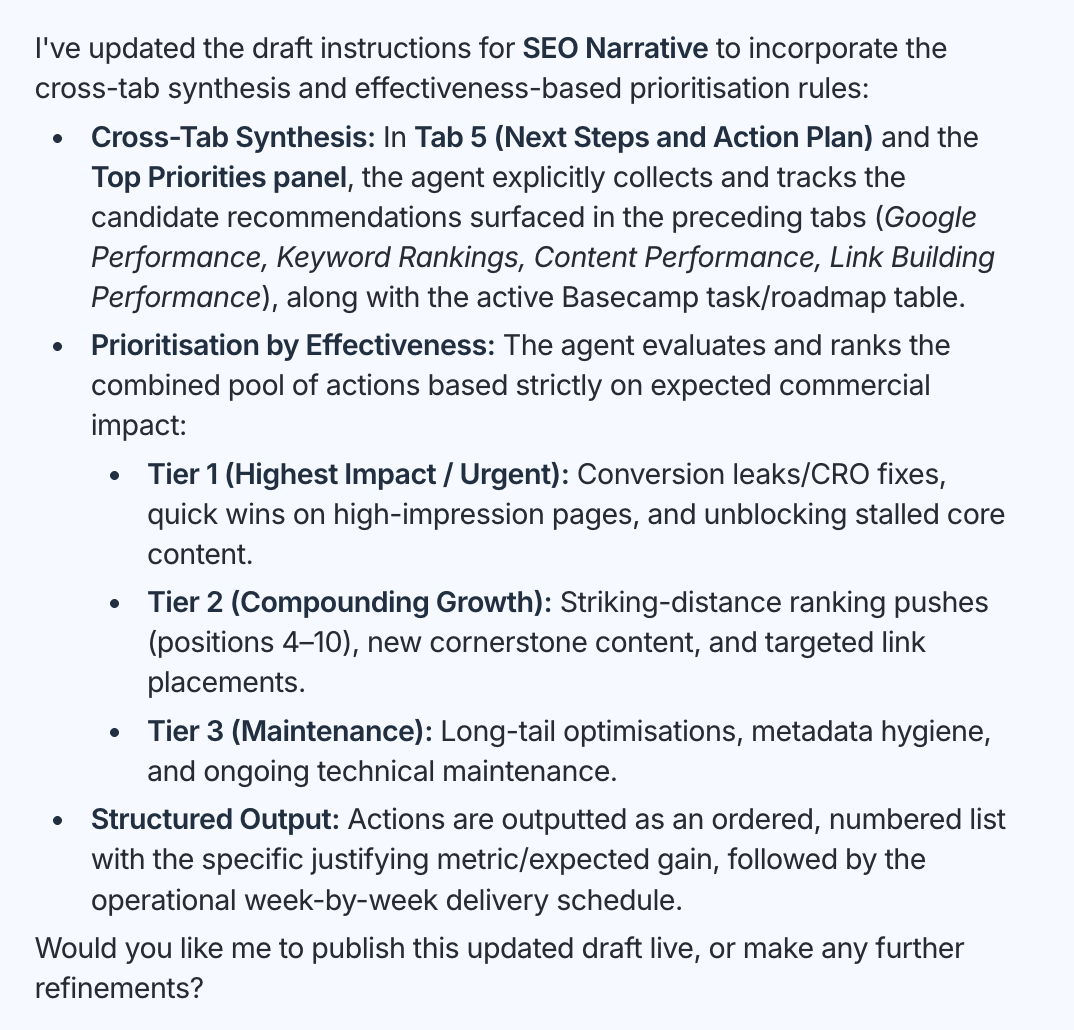
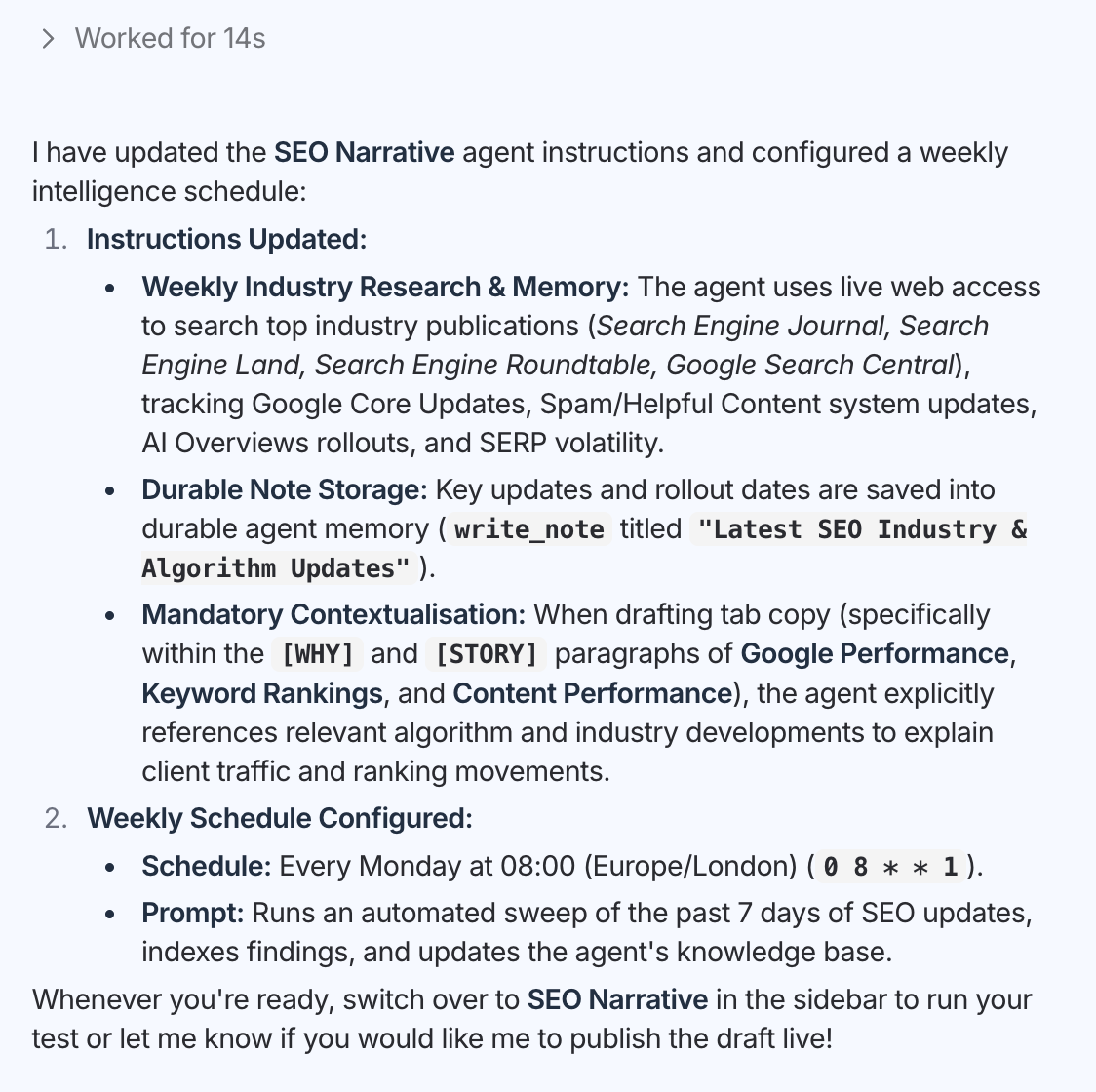
He instructed the agent to:
- Write the commentary in the agency's house style: positive sentiment in green, data call-outs in red.
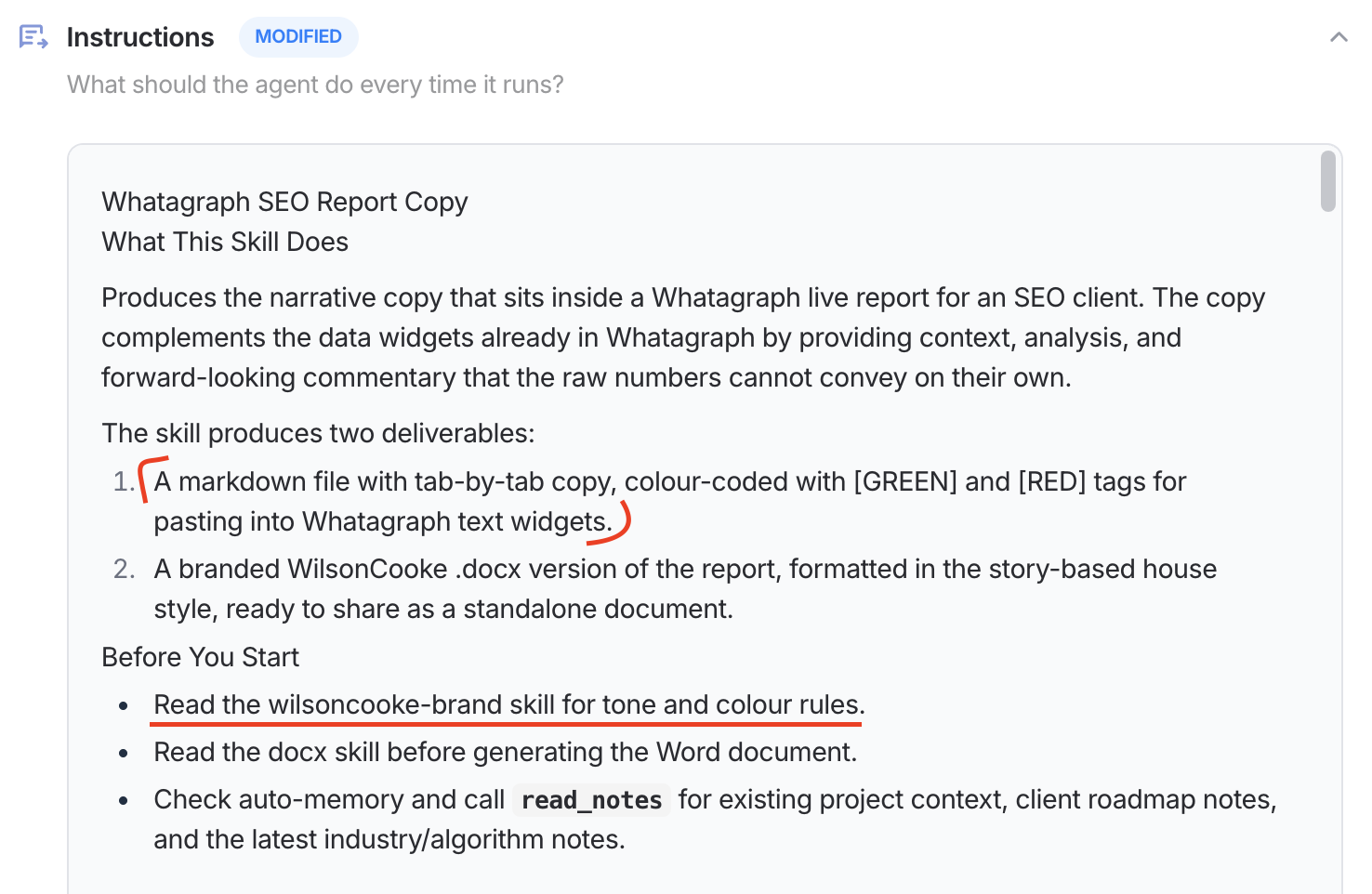
- Carry forward the recommendations from the previous report and prioritize next month's recommendations by effectiveness.
- Do a weekly scan of the latest SEO news, save it to the agent's memory, and use this context to explain the data in the next month's report.
Then the SEO lead replicated this agent across their other service lines: PPC and email.
When he went on annual leave, the agency's managing director used the agents to create 50+ performance reports, with full commentary in the agency's house style and the full context. She then reviews everything and signs reports off before they go to clients.
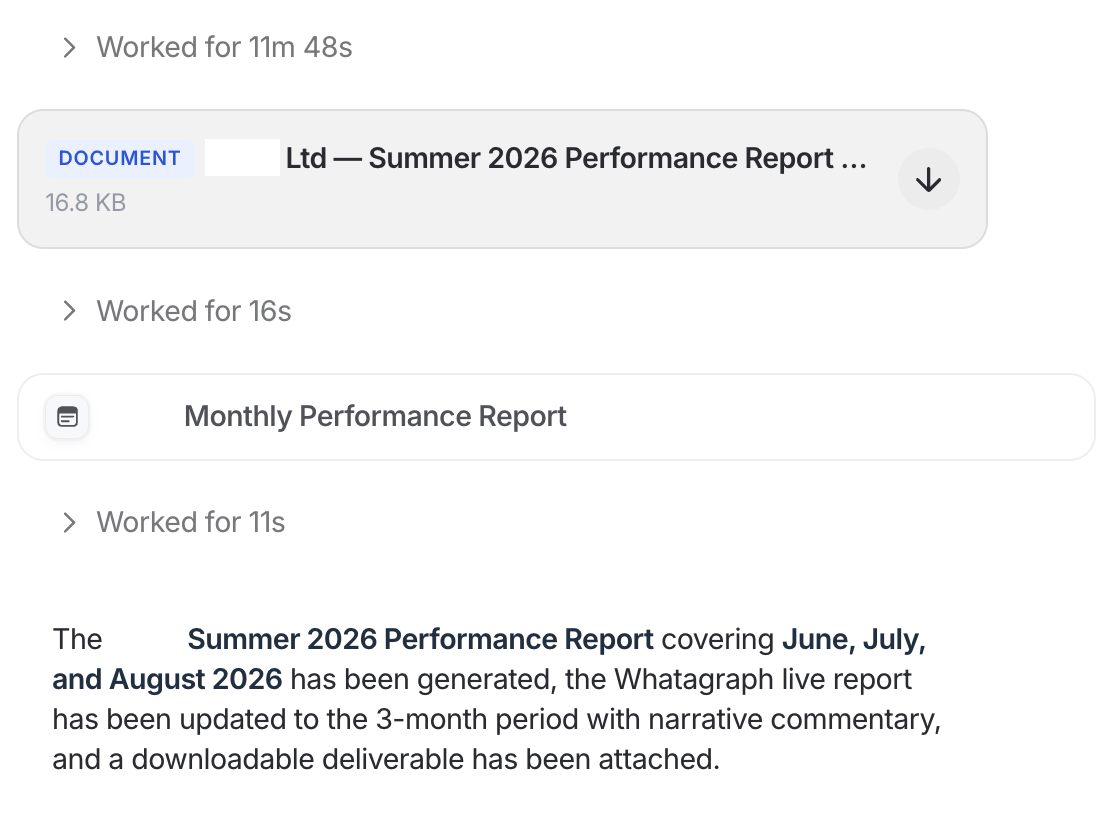
Each report now takes one and a half to two hours, including the specialist's review. Across 50+ reports a month, that's more than 150 hours back for analysis.
"Whatagraph IQ Agents pull the data together and get a first draft of reports in our house style. That frees our specialists to do what clients value most: reading the numbers against what's happening in their sector and advising them what to do next. Every report is still reviewed and signed off by someone who knows the client."
A German agency: native-sounding commentary, and a review that caught the wrong metric
The PPC team lead at a German agency wanted one job done every month: copy last month's report, update the date range, and rewrite the text box on every tab based on what the report already said.
For a client with a seven-figure budget, he told the agent he built on Whatagraph to duplicate the report, update it, and write within the existing layout. It took about five minutes, in German. He estimates the job saves about an hour per report.
Ten days later, four people on his team had built agents for their own clients.
"People said the actual quality of the assessments or the kind of speech which was used sounded native. We asked especially to stay within the style we used before, and the agent did this perfectly."
AI commentary vs. traditional commentary in reports
You don't have to pick one. The agencies we've talked to use both: AI writes the first draft and gathers the data and context behind it, then the specialist reads it, uses their judgment, and decides what the client needs to hear.
What AI is great at is saving the time to get to insights. With traditional commentary, most of it goes into collecting numbers and rewriting last month's text. With an AI first draft, most of it goes into the analysis.
Here's how the work compares:
| Traditional commentary | AI first draft + specialist review | |
|---|---|---|
| Gathering the data | The specialist opens every tab and platform and notes what changed | The agent reads every tab and widget and summarizes what changed |
| Context | Pulled from memory, call notes and news, if there's time | The agent brings last month's recommendations, the client's goals and a weekly news scan. The specialist adds what was agreed with the client |
| First draft | Written from scratch, or edited from last month's text | Drafted in your house style on a schedule |
| Judgment | The specialist, with whatever time is left | The specialist, with most of their time |
| Consistency | Depends on who wrote it this month | Same structure and tone across writers and service lines |
| When the owner is away | Reports wait | A colleague runs the same agent, and a specialist still signs off |
| Typical errors | Stale numbers, copy-paste mistakes, last month's bullets left in | The wrong metric when the brief is loose, caught in review |
| Best for | A new client's first report, a crisis month, a renewal story | Monthly and weekly reports that repeat |
Traditional commentary still makes sense when there's no previous report to learn from, or when the story this month is bigger than the data. For everything that repeats, let the agent do the gathering and the first draft, and keep your people on the judgment.
How to write an effective AI report commentary
Treat it as co-creation. The agent does the gathering and the first draft. You push back, add what only you know, and save what you taught it so next month starts better. Here's the loop.
1. Give it what you'd give a new hire. The report itself, the last two or three reports you sent this client, the client's goals and KPIs, the tone they expect, and the words to avoid. In Whatagraph, save standing facts like goals and tone to the agent's memory, which it reads on every run. Attach past reports and strategy docs to its knowledge.
2. Write the brief once. Tell it what to do, what not to touch, and when to ask. This brief builds in the fixes agencies learned the hard way:
Run on the [day] of every month at [time].
Duplicate [report name or URL] into [client folder]. Don't build a new report. Keep the layout, widgets, filters and colors as they are.
Before writing, read last month's commentary and recommendations. For each recommendation, say what happened to it.
Rewrite the text on every tab using the new numbers. Follow this structure: [overall picture first, then the comparison with the previous period, then next steps ranked by expected impact]. Match the writing style, length, text size and font of the existing text. Write in [language].
Use [client]'s goals and tone: [goals, or "saved in your memory"]. [Optional: Use this week's news from [named sources] where it explains a change. Say which item you used.]
If you're unsure about a cause, say so and ask. Don't guess.
When you're done, write a summary of what changed, what you're unsure about, and what needs my review. Don't share or send the report to the client.
3. Let it draft, then push back. Read the draft the way your client will. Then go back and forth in the same conversation: dig deeper into the CPA jump, check this number against the widget, shorten the summary for this client's CFO, drop the point about impressions. Each round takes a minute of your time.
4. Add what the data doesn't hold. The agent doesn't know what was agreed on last week's call, that the client paused a product line, or how many hours their retainer covers. You do. This is where the draft becomes your analysis: the why, the so-what, and the one recommendation the client should act on first.
5. Save the fixes. When you correct the same thing twice, tell the agent to add it to its instructions. The next run starts from the better version.
6. Sign off. Check the draft against a short list before it goes out:
- Every number matches the widget it describes.
- Every metric name matches the report.
- Every cause is one you can defend on a call.
- Recommendations fit what the client pays you to do.
- The tone fits this client.
- Someone who knows the account has read it end to end.
How to set AI report commentary up on Whatagraph
- Start from a report that already refreshes each month. The automated client reporting agent handles the monthly roll-forward.
- Duplicate the Insight agent, which drafts wins, watchouts and recommendations into a report's text widgets, or describe the agent you want to IQ Agent in plain language.
- Add the client's context to memory and knowledge.
- Paste the prompt above and run it on one report.
- Turn on web access if you want a weekly news scan for the service line.
- Keep report and widget edits on "needs approval" until you trust the output.
- Schedule it, then share it. Anyone on the team can run it or copy it for their own clients.
What are the benefits of AI report commentary?
✅ Less time per report. Gathering data and rewriting last month's text are the slowest parts of commentary, and they're the parts the agent takes over. A UK SEO and PPC agency went from five to six hours per report to one and a half to two, including review, across 50+ reports a month.
✅ Specialist time goes into judgment. The hours saved go to what clients value: reading performance against what's happening in their sector and deciding what to do next.
✅ Room for the insight that matters. When you're rushing to update 50 bullets from last quarter, you miss the change the client needs to hear about. An agency we spoke to said exactly that about its manual process. With the first draft done, the specialist has the attention for the insight.
✅ The same standard across writers. One agent per service line, copied from one standard, means every report follows the same structure and tone, whoever wrote it.
✅ Reports don't wait for one person. The agent lives in the team's workspace, not in one person's AI account. When someone's on leave, a colleague runs the same agent and a specialist still signs off.
✅ No duplicated work. No more screenshotting reports into a chatbot and pasting the answer back. The commentary is drafted where the report lives.
✅ Commentary in your clients' language. Agents write in the language you brief them in. Agencies already use them for commentary in German and Dutch.
Best practices for AI report commentary
The agencies above didn't get good drafts on the first run. They got them by giving the agent better material each month. These habits make the biggest difference:
- Show examples, not adjectives. "Write like this report" beats "write in a friendly, concise tone." Attach two or three past reports the client liked.
- Keep an insights log during the month. Note what you changed and why as it happens, then let the agent use it at month end. One agency we spoke to already keeps a running insights draft, then adds the impact of each change when the month closes.
- Name your news sources. Tell the agent which publications, blogs or feeds to scan. Asking it to work out what matters on its own gives you noise.
- Name metrics exactly. Link clicks, not clicks. In Google Ads, "Conversions" and "All conversions" are different columns: the second also counts secondary actions. In GA4, conversions are now called key events, and they don't always match what Google Ads counts. Loose names are where most wrong numbers come from.
- One agent per service line. Build one well, then copy it. That's how the UK agency kept SEO, PPC and email consistent.
- Review the first three cycles line by line. After that, you'll know where it's reliable and where to keep reading closely.
- Keep sign-off on every report, including the ones that have run cleanly for months.
What tools help create AI report commentary?
Three kinds of tools can write report commentary. Which one fits depends on how many reports you write and who else needs to produce them.
| Tool type | Best for | Limit |
|---|---|---|
| General AI assistants (Claude, ChatGPT, Gemini) | One-off analysis, exploring a question, drafting a single summary | You bring the data to it each time, and the setup usually lives with the person who built it |
| Built-in AI summaries in reporting platforms | A quick summary on a single dashboard or report page | Check how much control you get over structure, tone and client context |
| AI agents on a governed data layer | Commentary across many reports, on a schedule, shared by the team | Takes a first setup: the brief, the client context, and a few review cycles |
General assistants are good at analysis, and many agencies use them for it. You can connect them to the same data your reports use through Whatagraph MCP. You don't have to choose between an assistant and an agent. Use the assistant for exploration, and the agent for the commentary that repeats every month.
IQ Agents are the third type. They read the same data as your reports, write into the report itself, carry last month forward, run on a schedule, and hand every draft to your team for sign-off.
For a wider comparison, see our roundup of AI reporting tools.