
What to Include in a White Label Marketing Report Template
Based on the white label Facebook report template created by marketers at Whatagraph, here’s what your report should include to save time, build trust, and prove ROI to clients and stakeholders.
This plug-and-play format helps automate reporting, eliminate manual work, and keep performance metrics consistent across all your facebook ads accounts.
1. Performance Summary
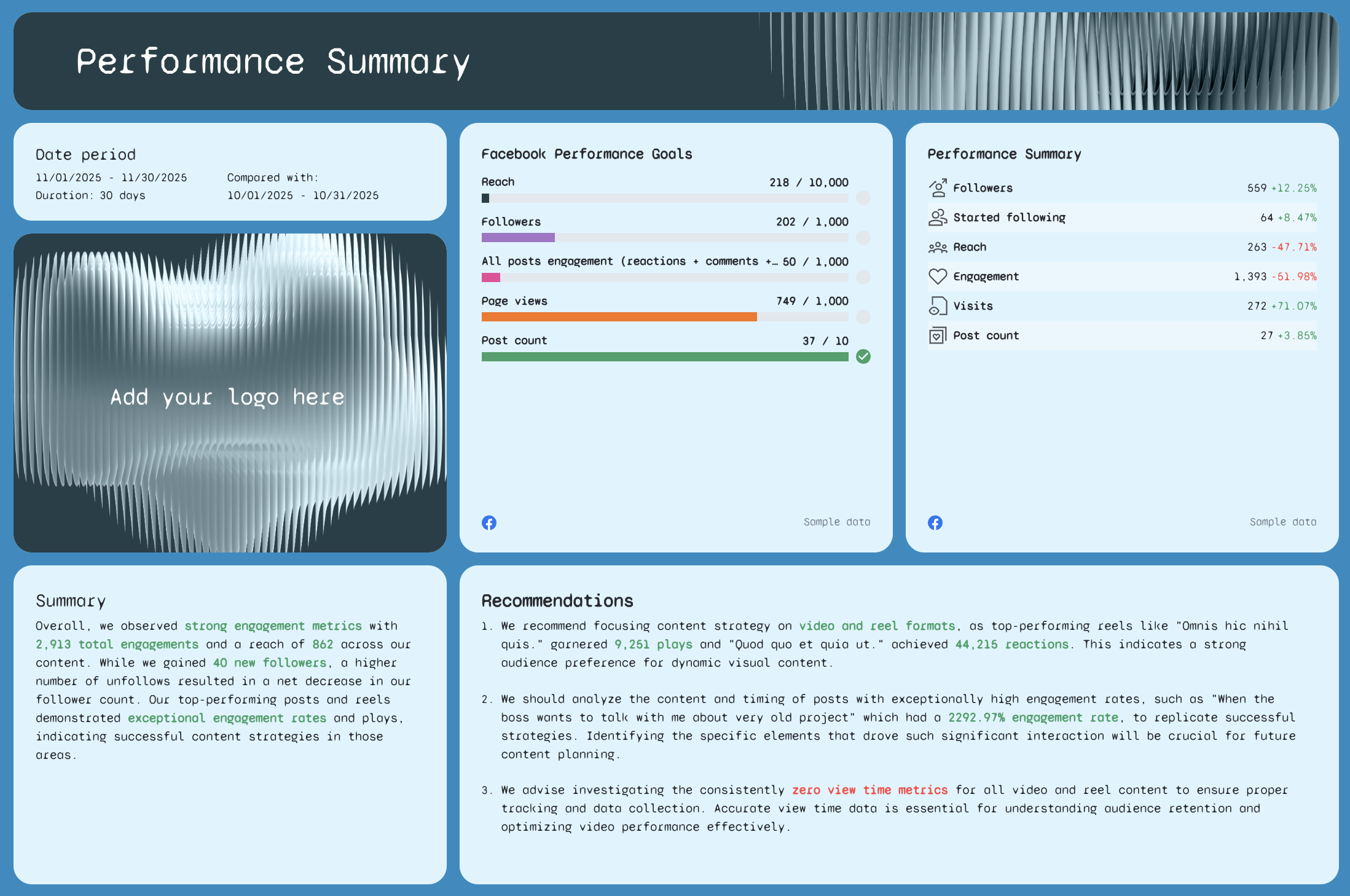 What it’s for: Gives clients or internal stakeholders a fast, executive-level overview of how Facebook campaigns performed over the selected date range.
What to include:
- Total followers, reach, visits, and engagement
- Conversion summary and CTR trends
- KPIs vs. goal tracking using a progress bar or color-coded indicators
- Written summary with key insights and wins
- Actionable insights or recommendations
- Date comparisons for all key metrics
Pro Tip: Add automated comment boxes or annotations to highlight performance trends in your white-label dashboard.
2. Followers Breakdown
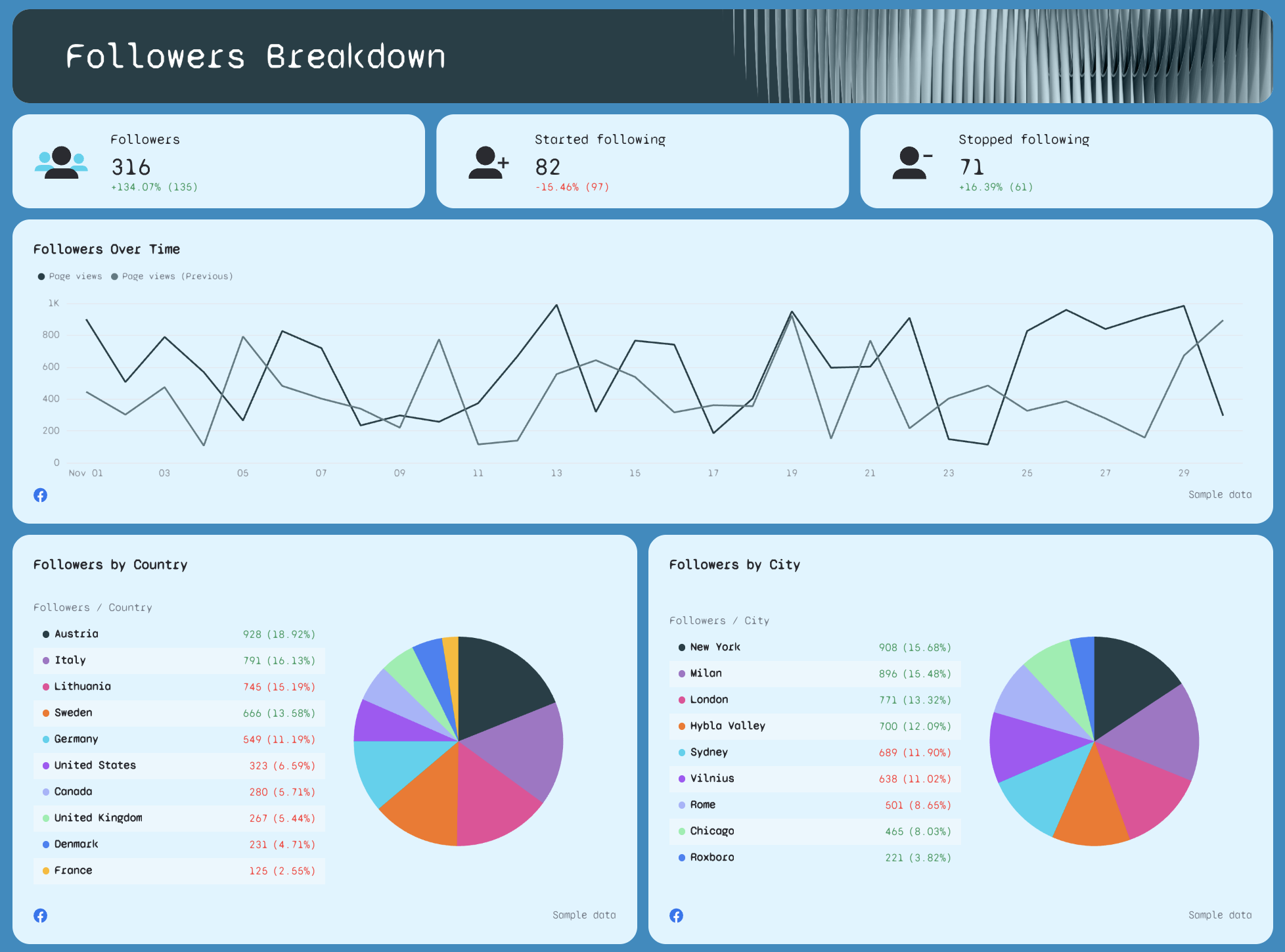
What it’s for: Show how your Facebook Page community is growing and where that growth (or loss) is coming from.
What to include:
- Total followers, new followers, and unfollows
- Followers by country and city with demographics charts
- Trend graphs showing followers over time
- Breakdown of audience shifts compared to previous periods
This section is especially useful for social media managers and marketing agencies to prove audience engagement and audience growth over time.
3. Impressions & Reach Breakdown
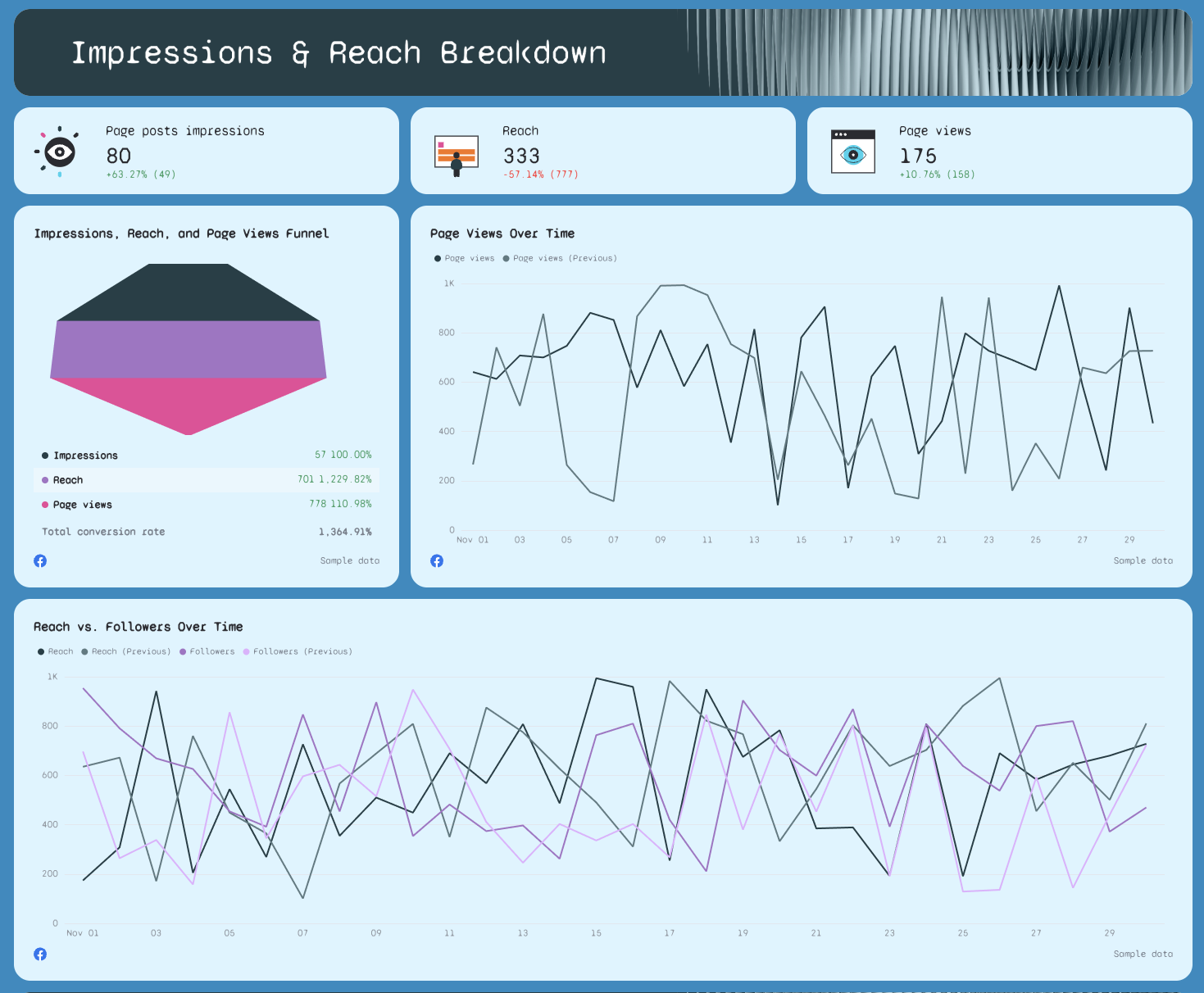
What it’s for: Measure how far your content spreads and who’s seeing it.
What to include:
- Total impressions and reach
- Reach vs. post engagement over time graph
- Funnel view from impressions → reach → page views
- Comparison with previous month’s reach data
- Regional reach segmentation if applicable
Bonus: Add filters using integrations like Google Analytics for attribution clarity.
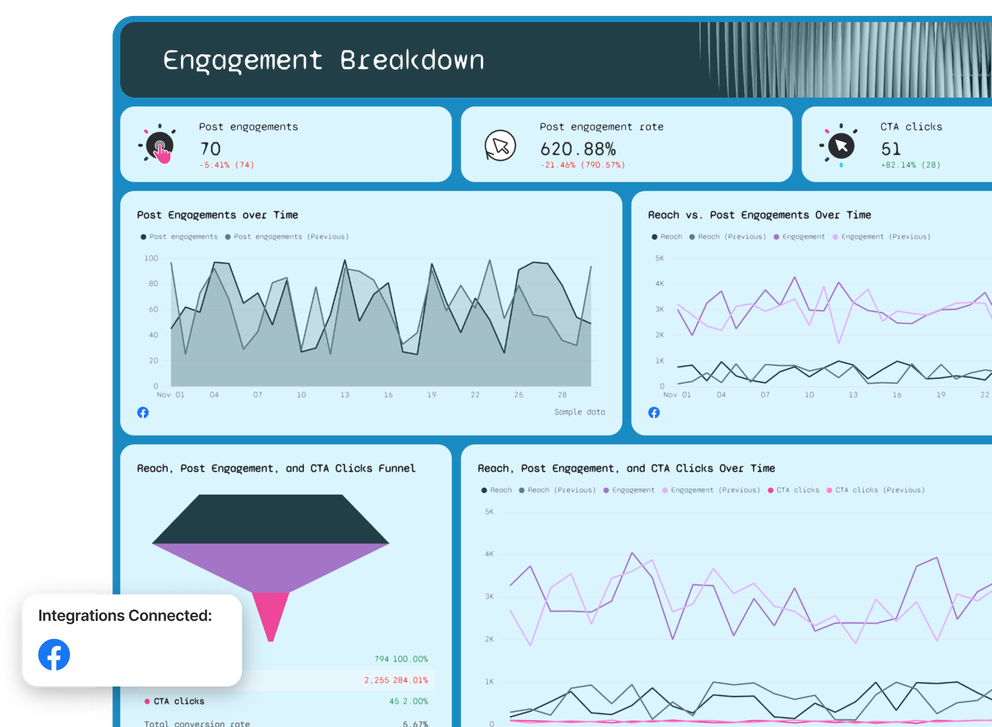
4. Engagement Breakdown
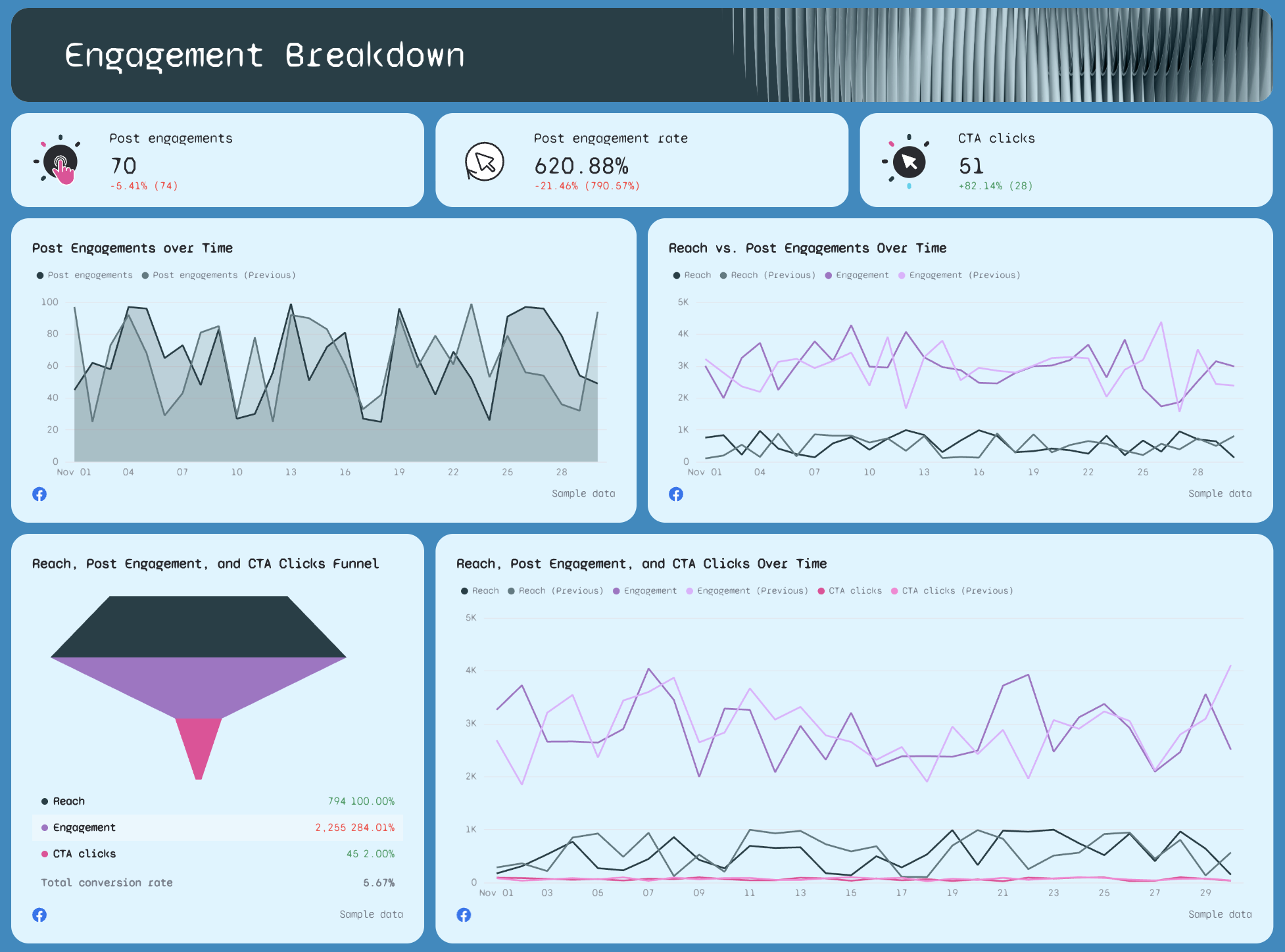
What it’s for: Evaluate how well your content connects with your target audience.
What to include:
- Total engagement metrics: likes, comments, shares
- Post engagement rate
- Reactions by type (Like, Love, Wow, etc.)
- Trend line: Reach vs. Engagement vs. CTA clicks
- Click-through rate (CTR), engagement rate, and conversion rates
Highlight standout posts or interactions that drove performance using widgets for visual emphasis.
5. Top Performing Posts
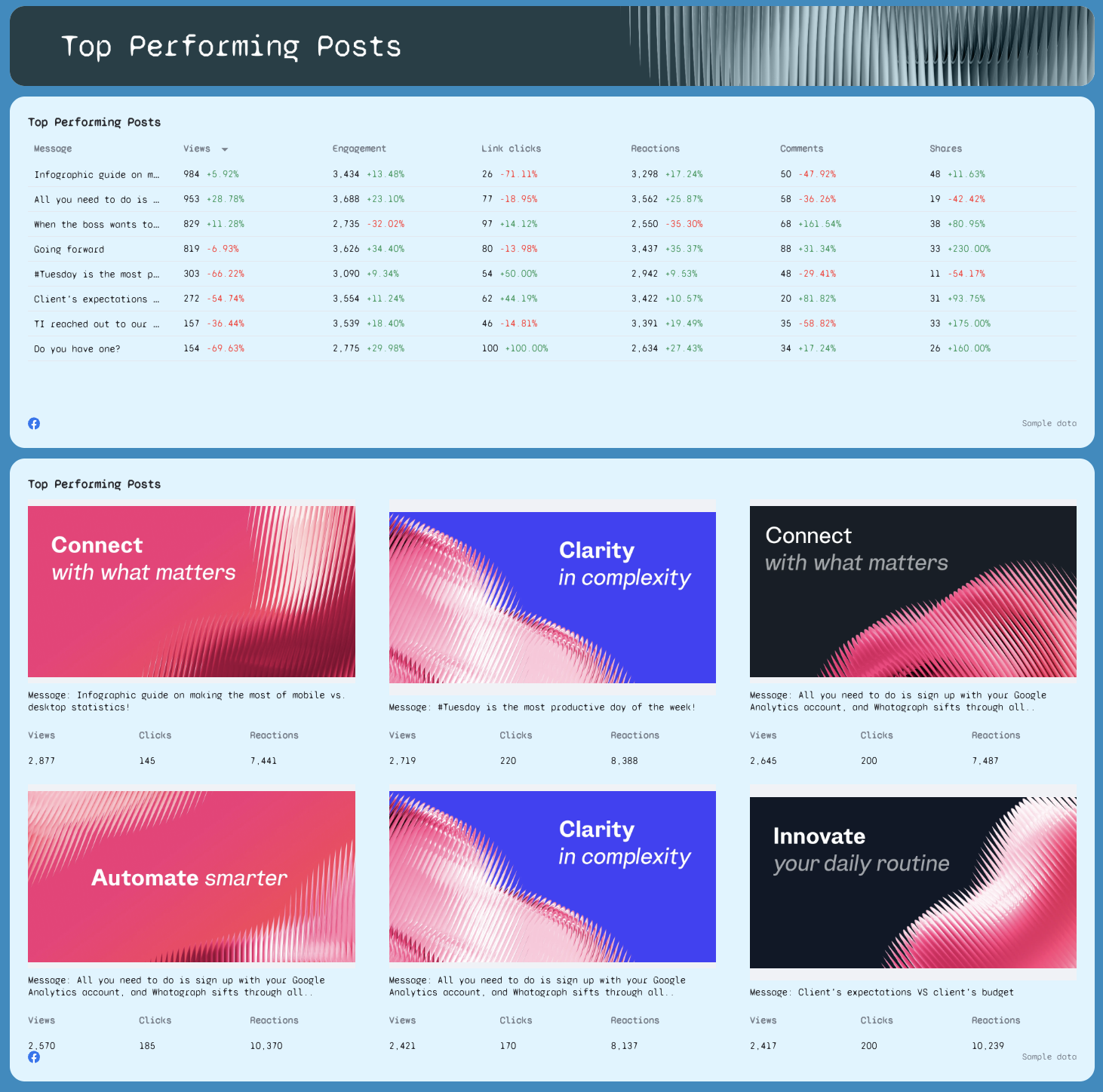
What it’s for: Prove what’s working and what to scale.
What to include:
- Post-by-post performance table: reach, impressions, engagement, link clicks
- Engagement rate per post
- Side-by-side comparisons of top vs. underperforming posts
- Thumbnails or screenshots of each post to show visuals
This section helps optimize future ad campaigns and facebook ads content based on past performance.
6. Reels Performance
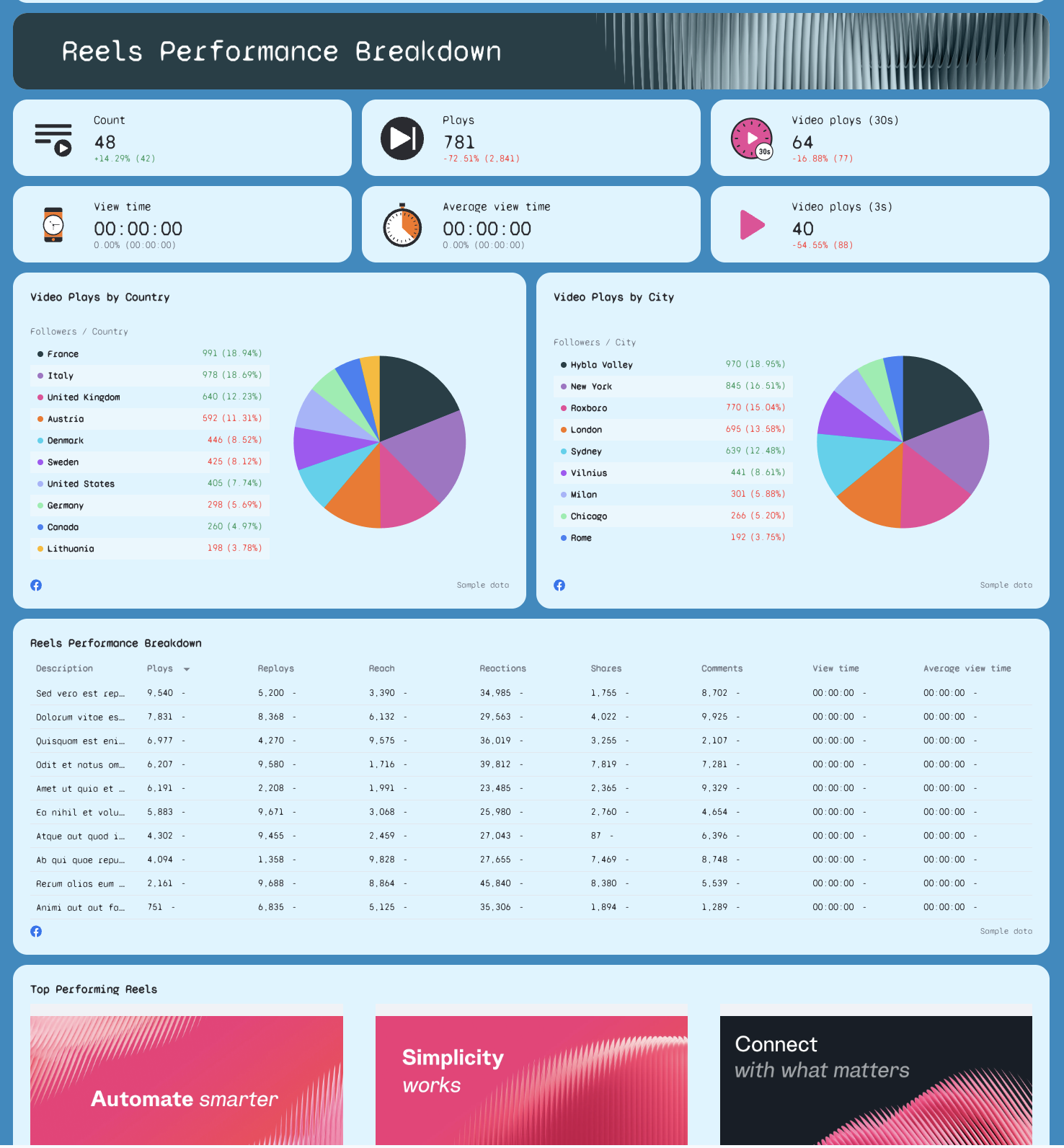
What it’s for: Measure short-form video impact—a key format for facebook ads success.
What to include:
- Reel-by-reel breakdown: plays, reach, reactions, shares, comments
- View time and average view duration (flag if data is missing or needs fixing)
- Performance by country and city
- Top performing reels table with thumbnails
- Recommendations based on view and reaction spikes
For agencies managing e-commerce brands, reels performance can signal which content formats support conversions.