





Ready-to-use Snowflake reporting connector

Connecting Snowflake to a reporting tool has always meant involving a data team. Not anymore.

Whatagraph connects directly to any Snowflake table, auto-detects metrics and dimensions, and visualizes metrics in minutes. No SQL, no BI tool, no manual exports.

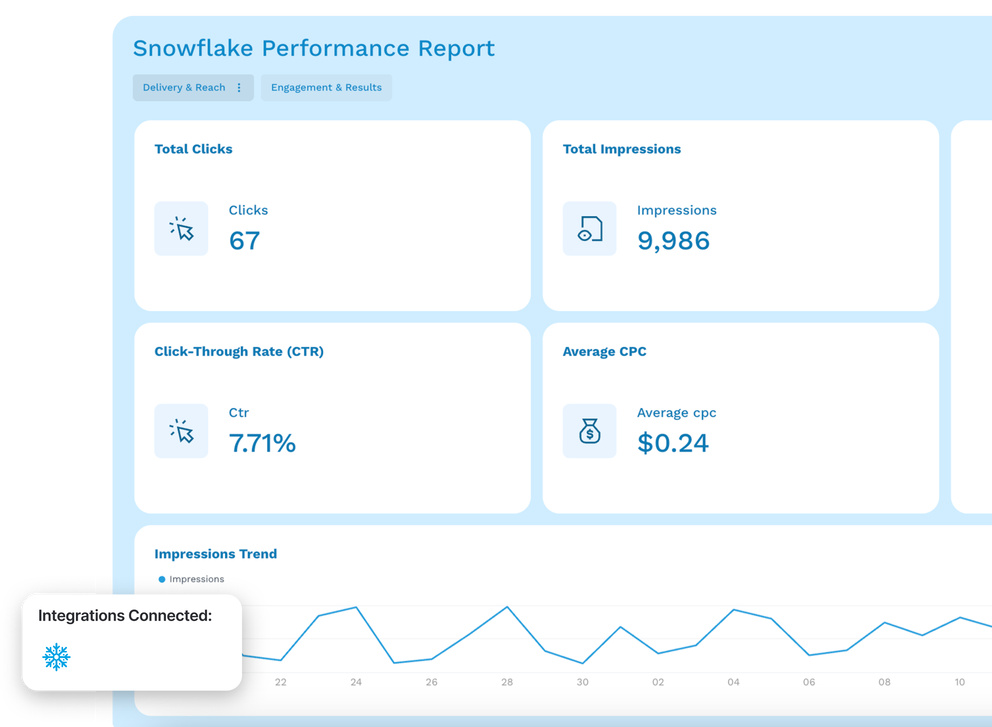
Snowflake Reporting Connector Dashboard - A dashboard shows performance metrics like clicks, impressions, and CTR.

Marketing intelligence platform you can trust for Snowflake

Connect - Icon featuring four circles and a plus sign on a black background.

Connect

Connect to Snowflake directly via key-pair authentication, no middleware or third-party connectors needed.

Organize - Stacked diamonds icon with three layers.

Organize

Blend Snowflake with any other marketing data source and create custom metrics without coding. Ask AI to build dimensions in seconds.

Visualize - A minimalist line drawing of two mountain peaks and a sun inside a frame.

Visualize

Build a Snowflake dashboard from a prompt using Whatagraph IQ. Customize it by just uploading a screenshot of your brandbook or typing in a prompt.

Analyze - Icon showing horizontal lines and a magnifying glass.

Analyze

Ask IQ Chat anything about your Snowflake data and get instant answers. Use IQ Summaries to write performance commentary directly inside the report. Analyze data with your favorite LLM.

Share - Simple icon showing an arrow exiting a square frame.

Automate

Schedule automated report delivery via email, share password-protected live links, or export to PDF or CSV. Reports update automatically as your Snowflake tables update.

Here's the alt text for the image:

Store - Cloud with an upward pointing arrow.

Share

Push marketing data out to BigQuery alongside your Snowflake setup for further analysis. Or send it to Looker Studio for visualization.

Bring data from all your marketing platforms in one place

Google Ads logoFacebook Ads logoLinkedIn Ads logoTikTok Ads logo
Pinterest Ads logoSnapchat Ads logoFacebook logoInstagram logo
LinkedIn logoShopify logoMagento logoAhrefs logo
Semrush logoActiveCampaign logoHubSpot logoGoogle Sheets logo

Frequently Asked Questions

All your questions answered. And if you can’t find it here, chat to our friendly team.

How to connect Snowflake to a reporting tool?

To connect Snowflake to a reporting tool like Whatagraph, you'll need key-pair authentication. Navigate to Sources, select Snowflake, and provide your account identifier, username, warehouse name, and RSA private key. 


Whatagraph’s Snowflake connector validates the connection and browses all schemas and tables in your account automatically. Once you select a table, columns are auto-classified and your data is immediately available for reporting. No SQL, no custom connectors, no middleware needed.

How to visualize Snowflake data without coding?

With Whatagraph, you can visualize Snowflake data without writing a single line of code. After connecting your Snowflake account, select the table you want to report on and Whatagraph detects all available metrics and dimensions automatically. 


Ask Whatagraph IQ to build a report from a prompt - describe the layout and the KPIs you need - and your dashboard is generated in seconds. No BI tools, no developer required.
 

Can you blend Snowflake data with Google Ads or other ad platforms?

Yes. With Whatagraph you can blend Snowflake with any connected marketing source, including Google Ads, Meta, LinkedIn, and 55+ other integrations. 


Use the Data Hub to join your Snowflake data with paid media performance metrics and create unified reports across channels. 


Your Snowflake marketing analytics sits alongside your campaign data in one place, not in a separate tool with a separate workflow.
 

What Snowflake metrics are available in Whatagraph?

Since Snowflake data warehouse is a bring-your-own-data integration, your available metrics depend entirely on the tables you've stored. 


Whatagraph automatically detects numeric columns and makes them available as metrics (with SUM aggregation by default), and surfaces all string, date, and timestamp columns as filterable dimensions. 


Whatever lives in your data warehouse tables - revenue, spend, sessions, conversions, leads - becomes reportable without writing a query. You can also add custom metrics using Whatagraph's formula builder.

How to report on Snowflake advertising analytics?

If your team has already aggregated ad platform data, you can report on it directly in Whatagraph. 


Connect to those tables, auto-detect the metrics and dimensions, build a report with IQ, and schedule automated delivery to your clients or stakeholders. No BI tool handoff, no data team dependency.

What other marketing sources can I connect alongside Snowflake?

Whatagraph connects to 60+ native marketing integrations including Google Ads, Meta Ads, LinkedIn Ads, TikTok Ads, Google Analytics 4, HubSpot, Salesforce, Klaviyo, and Shopify.


You can blend any of these with your Snowflake data for cross-channel Snowflake marketing reporting. Source groups and custom dimensions let you standardize naming conventions and attribution logic across every connected source.

Do I need a separate BI tool to use Snowflake with Whatagraph?

No. Whatagraph replaces the BI (business intelligence) layer for your marketing and client reporting. 


If you're currently routing Snowflake reports through Looker, Tableau, or Looker Studio, you're adding a tool that requires a data team to maintain and produces dashboards your clients can't navigate on their own. 


With Whatagraph, you get client-ready, white-labeled reports that you and your account managers can own and update without any technical help.

What is the difference between connecting Snowflake and BigQuery to Whatagraph?

BigQuery is typically the easier connection if your team is on Google Cloud, and it uses OAuth or service account credentials. 


Snowflake requires key-pair authentication (RSA private key), which involves more setup steps and is the right choice if your stack is already built around Snowflake. 


Both integrations are fully dynamic with no fixed schema, and both are available on the MAX pricing plan. If you're considering a snowflake to bigquery transfer, Whatagraph can also help move your marketing data to BigQuery for downstream use.

Is Snowflake an ETL tool?

No. Snowflake is a cloud data warehouse, not an ETL tool. 


It stores and queries structured data but doesn't extract or load data from source systems on its own. 


You'd typically use ETL tools like Fivetran, dbt, or a custom pipeline to move data into Snowflake first. 


Whatagraph then sits on top of Snowflake as your reporting layer, turning whatever data you've already landed there into dashboards and reports without any additional transformation work.

Do data connectors comply with GDPR?

Yes. Whatagraph is fully GDPR compliant. 

Is it possible to automate data workflows with Snowflake API integration?

Yes. Once you connect Snowflake to Whatagraph, the reporting workflow runs automatically. 


Whatagraph queries your Snowflake tables on a scheduled basis and keeps your reports up to date without manual refreshes. 


Combine that with scheduled email delivery, live report links, and IQ Summaries that write themselves, and your entire workflow from data in Snowflake to insight in front of a client requires no manual intervention.