
What Should a Digital Marketing Campaign Report Template Include?
The best marketing report template should include everything you need to clearly explain performance across channels, without jumping between tools, Excel spreadsheets, or slides.
Whatagraph’s automated marketing report template includes the following tabs:
- Marketing Summary
- Google Ads
- Facebook Ads
- SEO
- Organic Social Media Marketing
- Google My Business
- Email Marketing
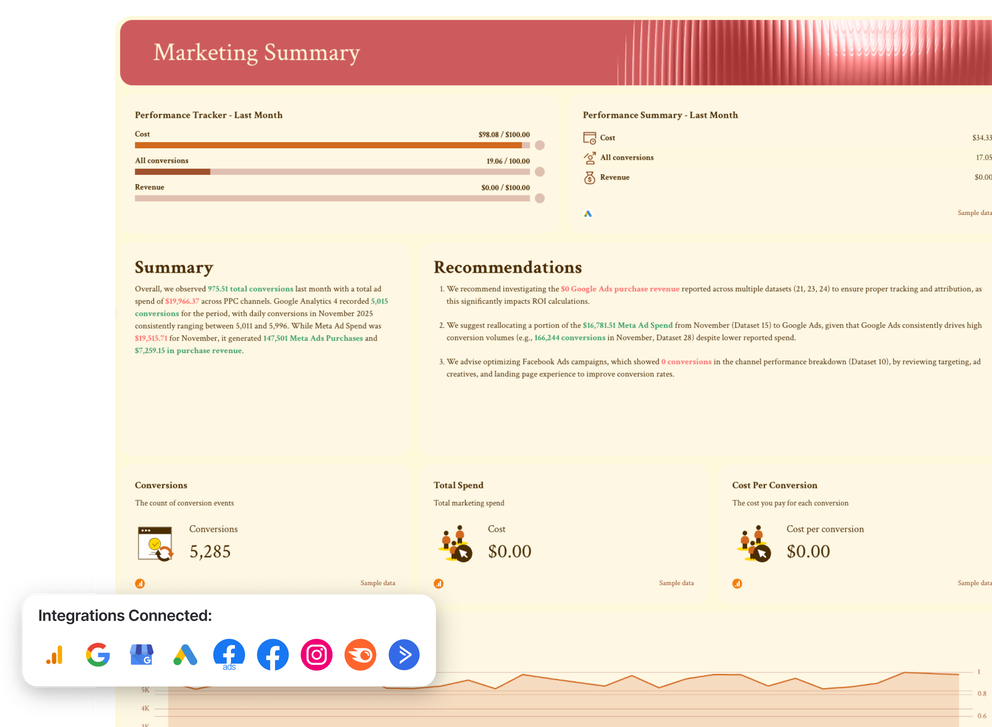
Marketing Summary
Channels connected: All your marketing channels
Start your marketing dashboard with a high-level snapshot that helps stakeholders understand the holy trifecta — conversions, cost, and revenue — before diving into channel details.
What to include:
- The reporting period and comparison to the previous period
- A roll-up of the most important key performance indicators (KPIs) across all channels
- Clear indicators of growth, decline, or stability
- Short takeaways and recommended next actions
Website Performance
Channels connected: Google Analytics 4, Google Search Console
Use this section to explain what happens after users land on the website and whether traffic turns into results.
What to include:
- Sessions, users, and new users
- Engagement rate or bounce rate
- Conversions and conversion rate
- Top pages and landing pages
- Performance by device and traffic source
SEO
Channels connected: Semrush, Google Analytics 4, Google Search Console, SE Ranking
This SEO report should focus on organic search visibility and how SEO supports long-term growth.
What to include:
- Organic traffic - sessions and users
- Clicks, impressions, CTR, and average position
- Keyword ranking changes
- Top organic landing pages
- Organic conversions and revenue trends
Google My Business
Connected channels: Google My Business
This page should highlight how well the brand performs in local search and how users interact with the business listing.
What to include:
- Profile views and local searches
- Website clicks, calls, and direction requests
- Branded vs. discovery search breakdown
- Action trends over time
- Reviews and ratings, when relevant
Google Ads
Channels connected: Google Ads
This section should clearly show whether paid search spend is delivering efficient and scalable results.
What to include:
- Ad spend, impressions, and clicks
- Click-through rate (CTR) and cost per click (CPC)
- Conversions and conversion rate
- Cost per acquisition (CPA) and ROAS for ecommerce campaigns
- Trends over time and top-performing campaigns or keywords
Facebook Ads
Channels connected: Facebook Ads
Use this page to explain how paid social ad campaigns contribute to awareness, engagement, and conversions.
What to include:
- Spend, reach, and impressions
- Clicks, CTR, and CPC
- Conversions and cost per conversion
- Revenue and ROAS, if tracked
- Ad performance by campaign, audience, or creative
Organic Social Media Marketing
Connected channels: Facebook, Instagram
The goal of this social media report is to show how organic social content leads to audience growth, brand awareness, and ultimately - revenue.
What to include:
- Follower growth by platform
- Organic reach and impressions
- Engagements and engagement rate
- Link clicks and traffic to the website
- Top-performing posts and content formats
Email Marketing
Connected channels: ActiveCampaign
In this email marketing report, visualize the performance of all your email campaigns and how they lead to conversions.
What to include:
- Emails sent and delivery rate
- Open rate and click-through rate
- Conversions and attributed revenue
- Performance by individual campaign