Klaviyo MCP: connect Klaviyo to Claude and trust the answers
A Klaviyo MCP server is a connector that lets AI tools like Claude read your Klaviyo data, and act on some of it, in plain language.
Connecting one takes about five minutes, but getting accurate answers back from Claude is the harder piece of the puzzle.
This article covers what the official Klaviyo MCP server does, the three types of setup and what each is good for, two ways to connect Klaviyo to Claude, and a prompt library for querying email alongside everything else you run.

Aug 10 2026●10 min read



Ask Claude what your email campaigns made last month and you'll have an answer in about four seconds. Cleanly formatted, confident, specific to the dollar.
Then you open Klaviyo dashboard and the number is different, like this marketer on r/klaviyo (and all the others underneath the post):
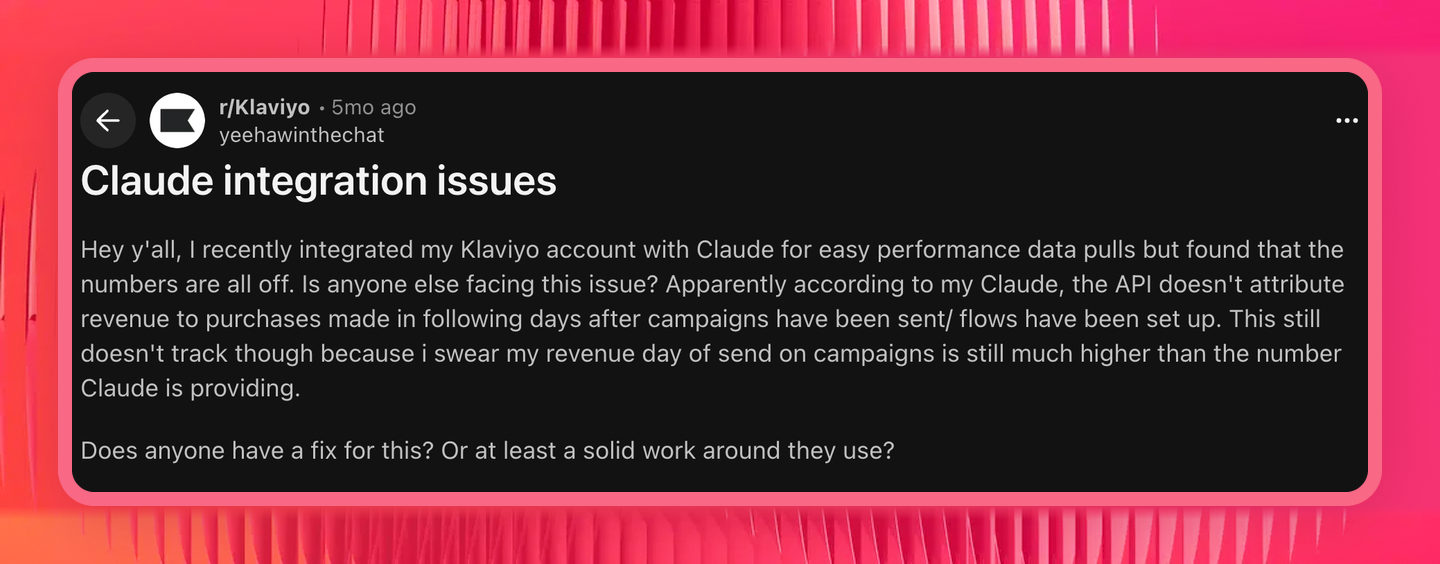 That’s not a Claude problem; it’s just reading your account directly.
What you need is not just a connector for Klaivyo to Claude, but a governed semantic layer which sits between Shopify, Klaviyo, and all other channels you use to ensure data accuracy.
With a layer like that you can unify names and dimensions, create custom metrics, blend data, and more making sure that Claude is always pulling from your cleaned and defined data, rather than making things up on the fly.
This article covers not only how you can connect Klaviyo to Claude, but also how to do it with a semantic layer so you can get back accurate answers, every time.
TL;DR
- A Klaviyo MCP server is a connector that lets Claude and other AI tools query your Klaviyo data, and create some things in it, in plain language.
- Klaviyo ships an official one. It's free, it's good, and it's the right choice for campaign drafting, template work, and auditing a single account.
- There are five common reasons its numbers come back different from your Klaviyo dashboard, and none of them throw an error.
- It also connects to one Klaviyo account at a time, and it can only see Klaviyo.
- If you need email numbers that hold still, or you need them next to Google Ads, Meta, GA4 and Shopify, connect Klaviyo through Whatagraph's MCP instead. Full walkthrough and prompt library below.
What is the Klaviyo MCP server?
The Klaviyo MCP server is a connector that gives an AI client like Claude, ChatGPT or Cursor direct access to your Klaviyo account. You ask a question in plain language and it queries Klaviyo's APIs on your behalf: campaign data, flow performance, segments, profiles, customer data, whatever you'd normally go clicking through reports to find.
MCP stands for Model Context Protocol. It's the open standard Anthropic published in late 2024 that lets LLMs talk to outside systems without someone building a custom integration for every pair. We covered the wider picture in our guide to MCP for marketing.
Arturas Lazejevas, Whatagraph's CTPO, puts it in plain terms:
Think of MCP as a door that LLMs like Claude or ChatGPT can use to access any of your systems that you connect (through the MCP).
However, Klaviyo MCP isn't the same thing as Klaviyo AI, the AI built into the Klaviyo platform. The MCP is about getting your Klaviyo data out, into whichever AI tool your team already works in.
Three types of Klaviyo MCP setups
Not every MCP connection is built the same though. To avoid data discrepancies, before you pick one, ask a few questions:
- Is it reading Klaviyo's raw API output, or a modeled version of your data?
- Can it answer a question that spans Klaviyo and your ad platforms at once?
- Who decides what counts as revenue, you or the model?
- Do you get the same number on Monday that you got on Friday?
The answers depend entirely on which setup you're running. There are three in the market right now.
| Single platform MCP | Stitched connector MCPs | MCP over a governed semantic layer (Whatagraph) | |
|---|---|---|---|
| What it is | Klaviyo's official MCP server, or a community server from GitHub | Klaviyo's MCP plus a Shopify MCP plus a Meta MCP plus a GA4 MCP, side by side, nothing shared between them | A protocol over a unified data model. Klaviyo becomes a governed source sitting next to your other channels |
| What it reads | Klaviyo's APIs, raw or attributed depending what gets asked for | Each platform's raw API output | Modeled data: metrics defined, attribution set, currencies converted, naming normalized before anything queries it |
| Who decides what "revenue" means | The model, per question | The model, per question, per platform | You, once |
| Cross-channel answer | Not its job. Klaviyo only, by definition | Claude stitches it together at query time, and the math drifts | Pre-blended in the data model |
| Same question, same answer | Only if you ask precisely, every time | No. Depends on the prompt | Yes. Metrics are defined once |
| Multiple accounts | One connection, one Klaviyo account | One connector per platform, per account | Every account in one layer, scoped by client |
Remember the data discrepancies issue you saw in the introduction? With a MCP over a governed data layer like Whatagraph, these issues would be gone. As Arturas explains:
Whatagraph doesn't query separate connectors like Facebook, Google Analytics, and Google Ads on the fly and have Claude reason about it. We unify all of that data as it comes in. The MCP is just the query layer on top.
In this article, we'll share how to connect Klaviyo to Claude and other AI tools with Whatagraph so you get back answers you can trust, every time.
If you'd like a guide to use Klaviyo's official MCP, check out this documentation.
How to connect Klaviyo to Claude with Whatagraph [7 Steps]
Here's a video breakdown of how to connect platforms like Klaviyo to Claude with Whatagraph:
Step 1: Connect Klaviyo as a source in Whatagraph
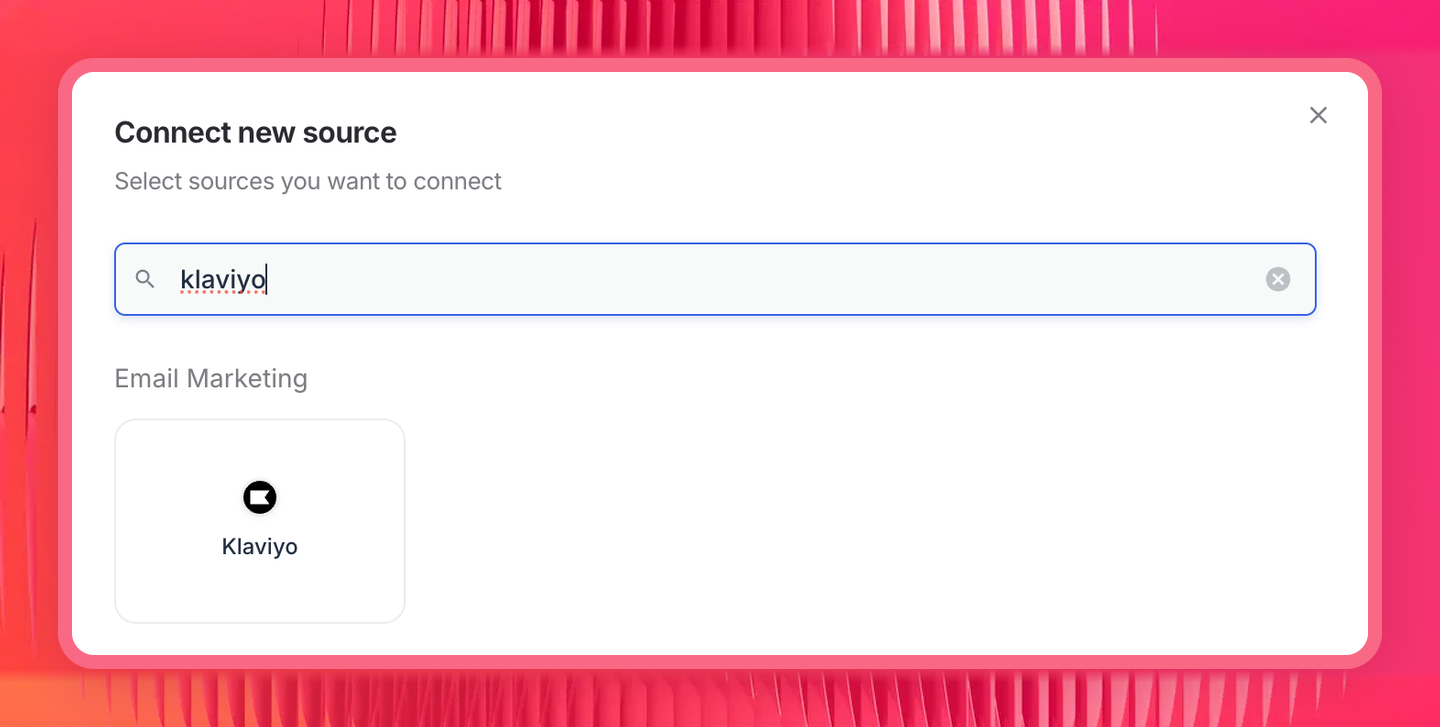
In Whatagraph, go to Connect new source, search for Klaviyo, and authenticate your account.
Whatagraph's native connectors are maintained in-house by our engineers so you don't have to babysit your connectors.
Historical data gets backfilled on connection, and Whatagraph Storage keeps it. As Arturas puts it:
We also provide Whatagraph storage to make sure the data is backfilled, to make sure the data is always ready, to make sure it's stored and ready for your extensive analysis.
Step 2: Set up your governed data layer
This is the semantic layer part that makes sure your data is cleaned and structured so Claude will give you accurate answers. Arturas recommends:
My suggestion would be to really embed your business logic into Whatagraph (or any tool you’re using) first, so that Claude doesn't need to reason about it. It doesn't need to figure that stuff out every time.
What to set up before you start querying:
Normalize your naming with custom dimensions. Klaviyo metrics are account-specific events, so what one client's account calls Placed Order another calls something else. Campaign naming drifts worse, and inherited accounts are the usual reason.
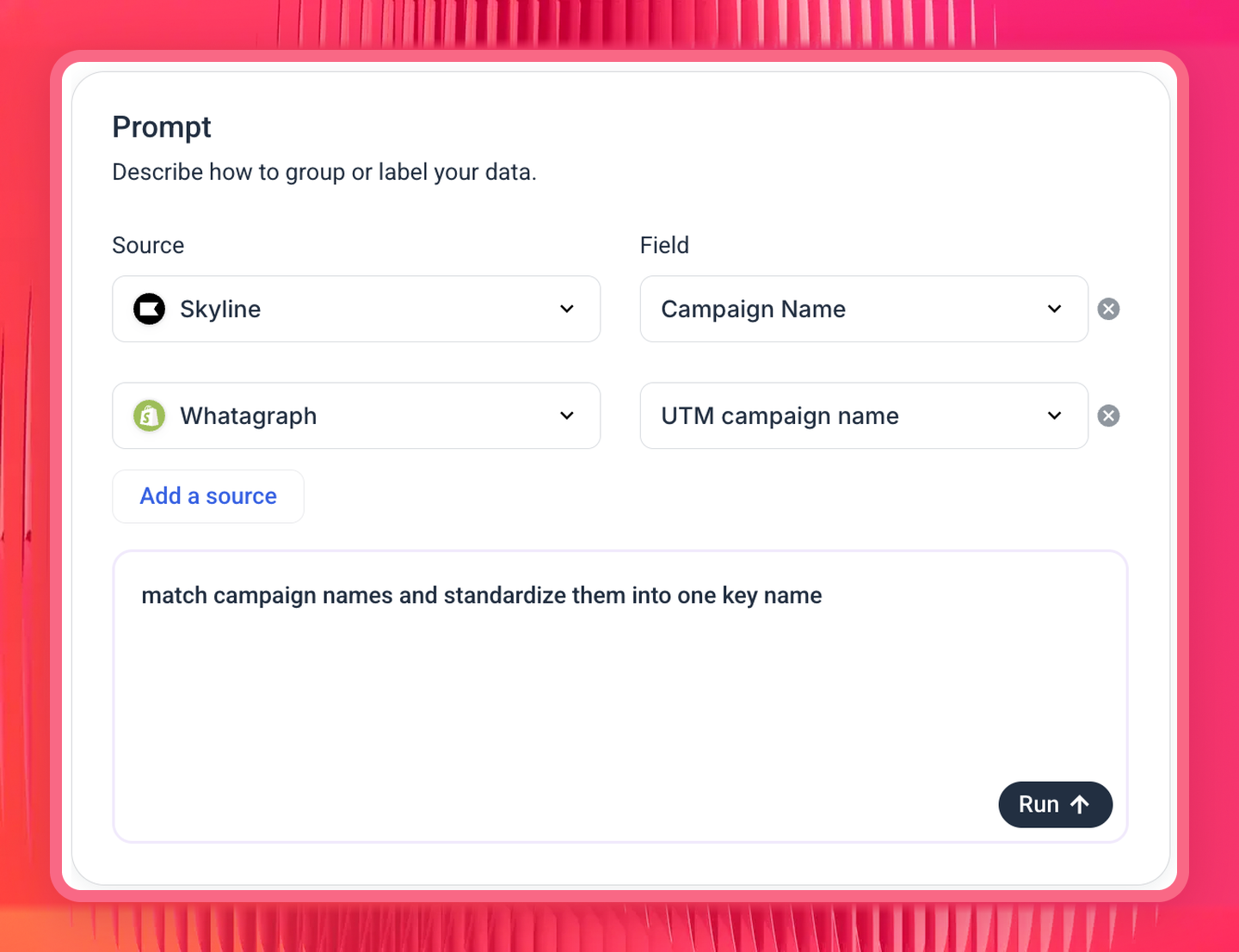
We've heard this described exactly by an agency running a portfolio: their own UTM convention is consistent, but accounts they took over from other agencies use different ones, so the same channel arrives as both "Facebook Paid" and "Facebook CPA" and splits into two rows that won't join to spend. A custom dimension maps them to a single value.
You describe the mapping in plain language and Whatagraph builds it. For example, I normalized campaign names from Shopify and Klaviyo with just one prompt with Whatagraph IQ. Once that’s done, Claude and all your reports and dashboards will show the normalized name you specified for all similar campaigns.
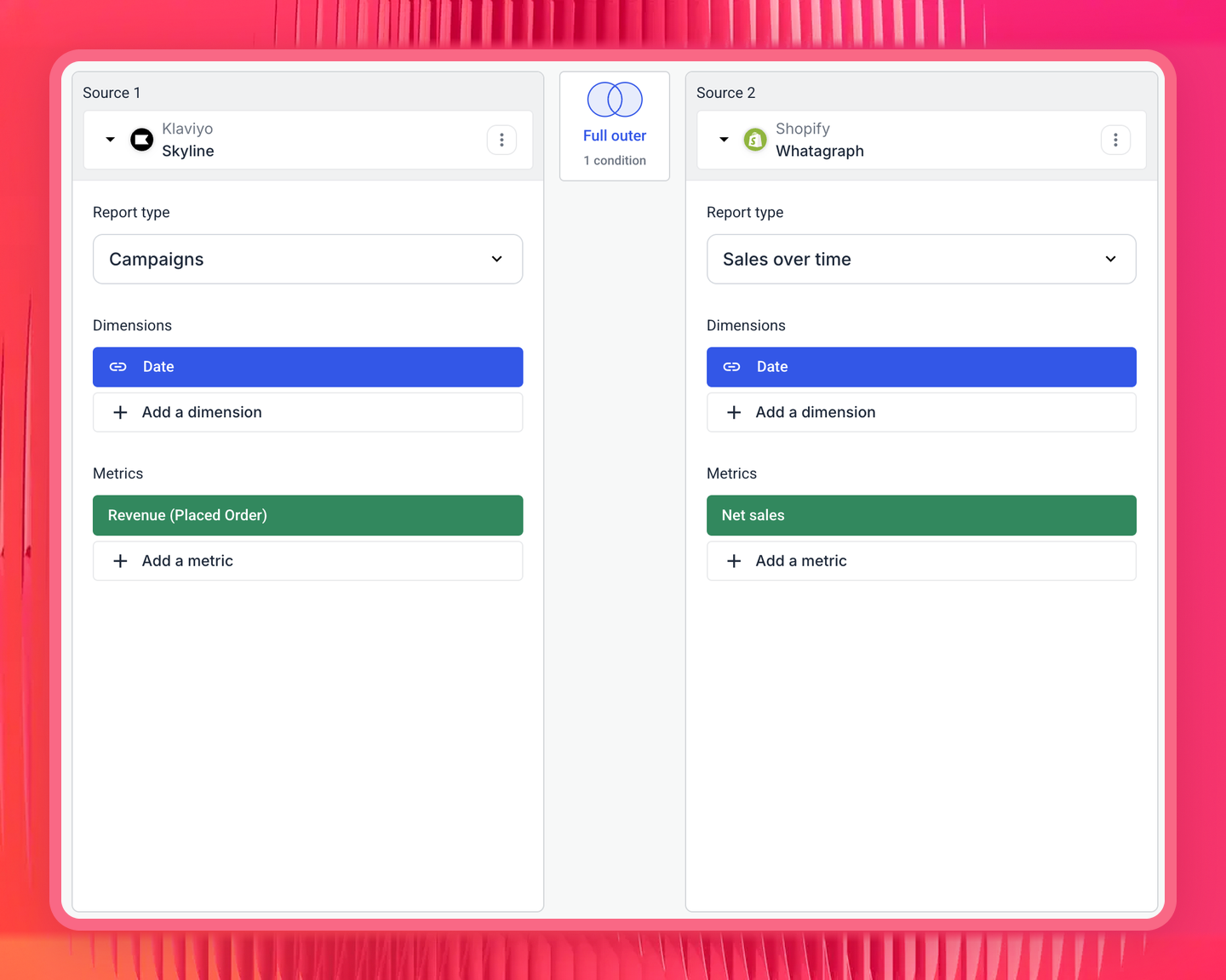
Blend the sources that need to sit in one table. Klaviyo and Shopify don't share a report type, so a blend merges them into one virtual source on a shared join key.
For example, I built a blend joining our Klaviyo campaigns report to our Shopify sales report on date, with Revenue (Placed Order) on one side and Net sales on the other:
Define any metric as a custom metric. Decide what counts as revenue or conversions for your business, build a custom metric once, and use it across all your reports and AI tools. This is also where you cover anything Klaviyo doesn't calculate natively: revenue per send, contribution after fees and shipping, email's share of blended revenue.
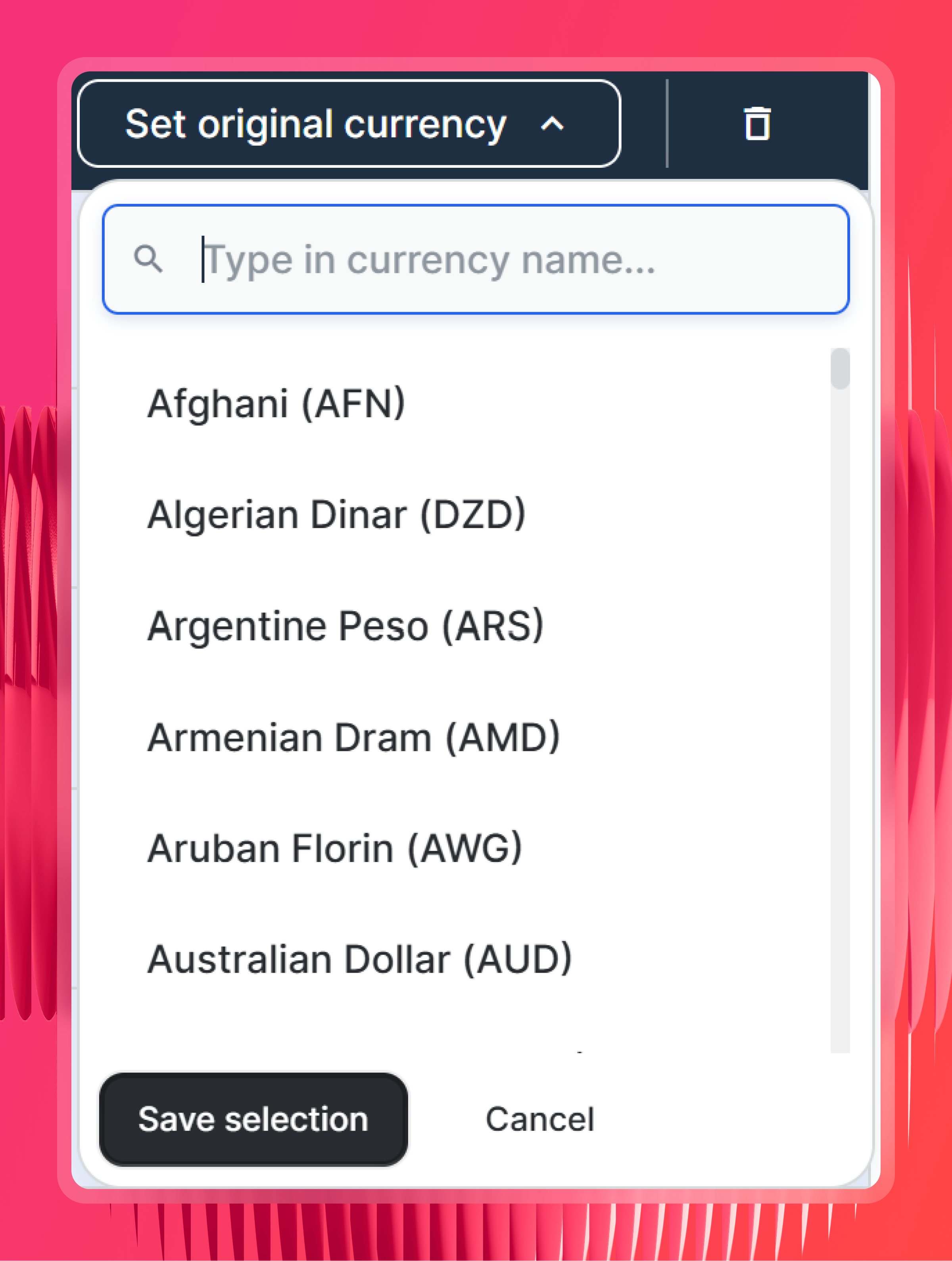
Check currency settings. Whatagraph detects each source's original currency automatically. But you can also set custom currency at the source level so you don’t have to do it manually each time.
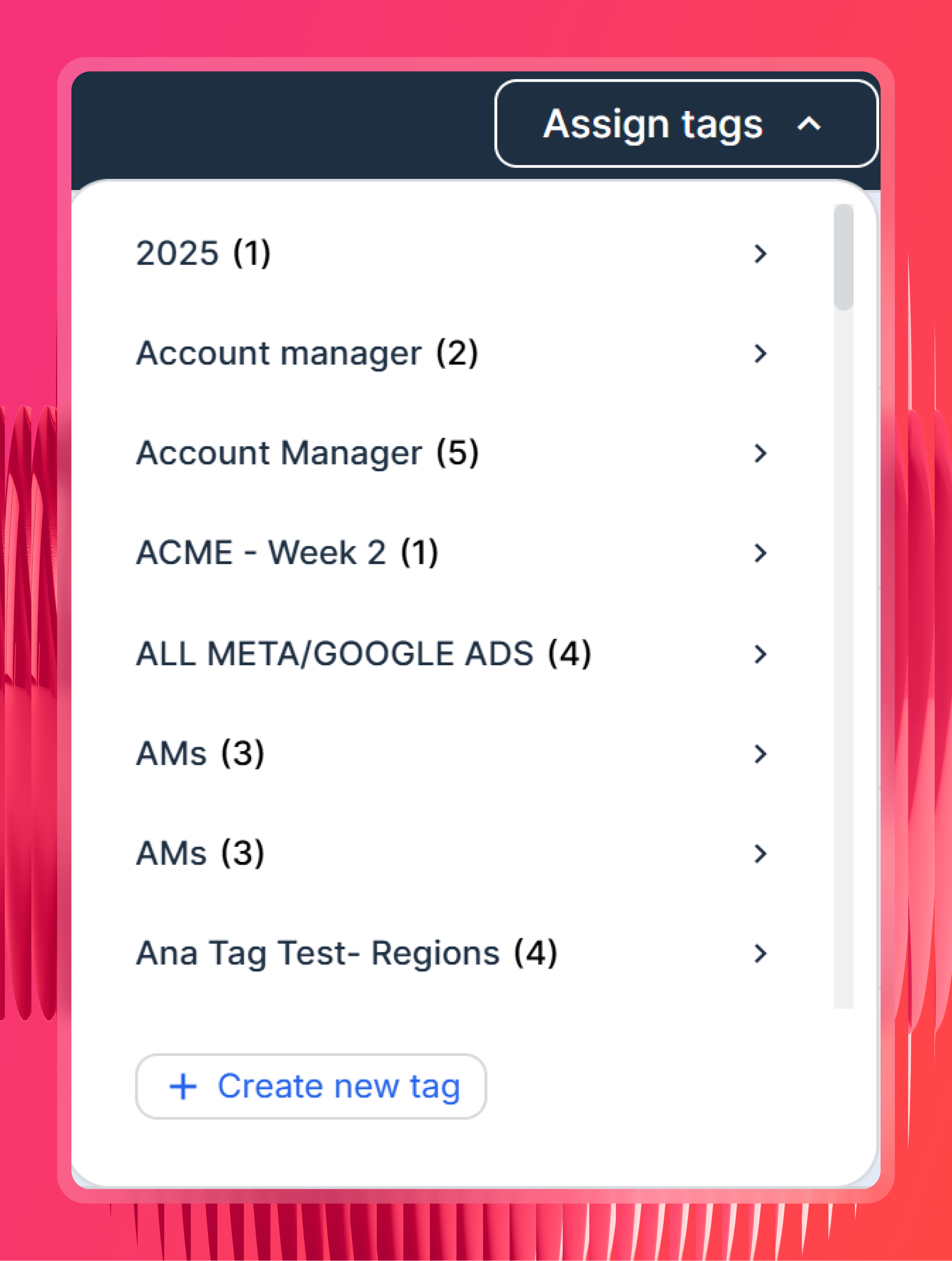
Organize by Space and tag your sources. One Space per client keeps access scoped and makes "compare all my ecommerce clients" a question with an answer.
Step 3: Add the Whatagraph MCP connector in Claude
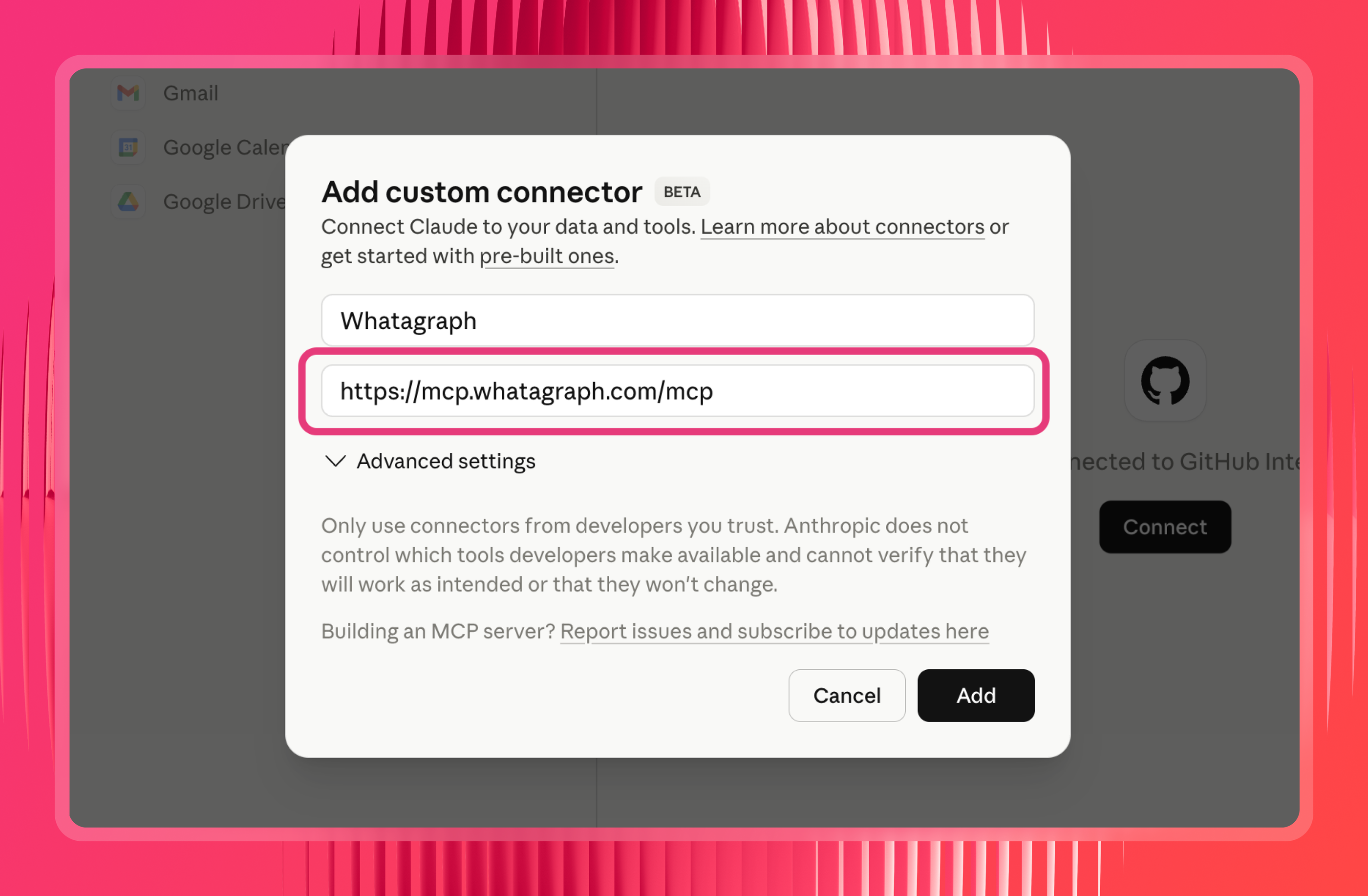
In Claude, go to Settings, then Connectors, then Add custom connector. Name it Whatagraph and use https://mcp.whatagraph.com/mcp as the remote MCP server URL.
Step 4: Authorize the connection
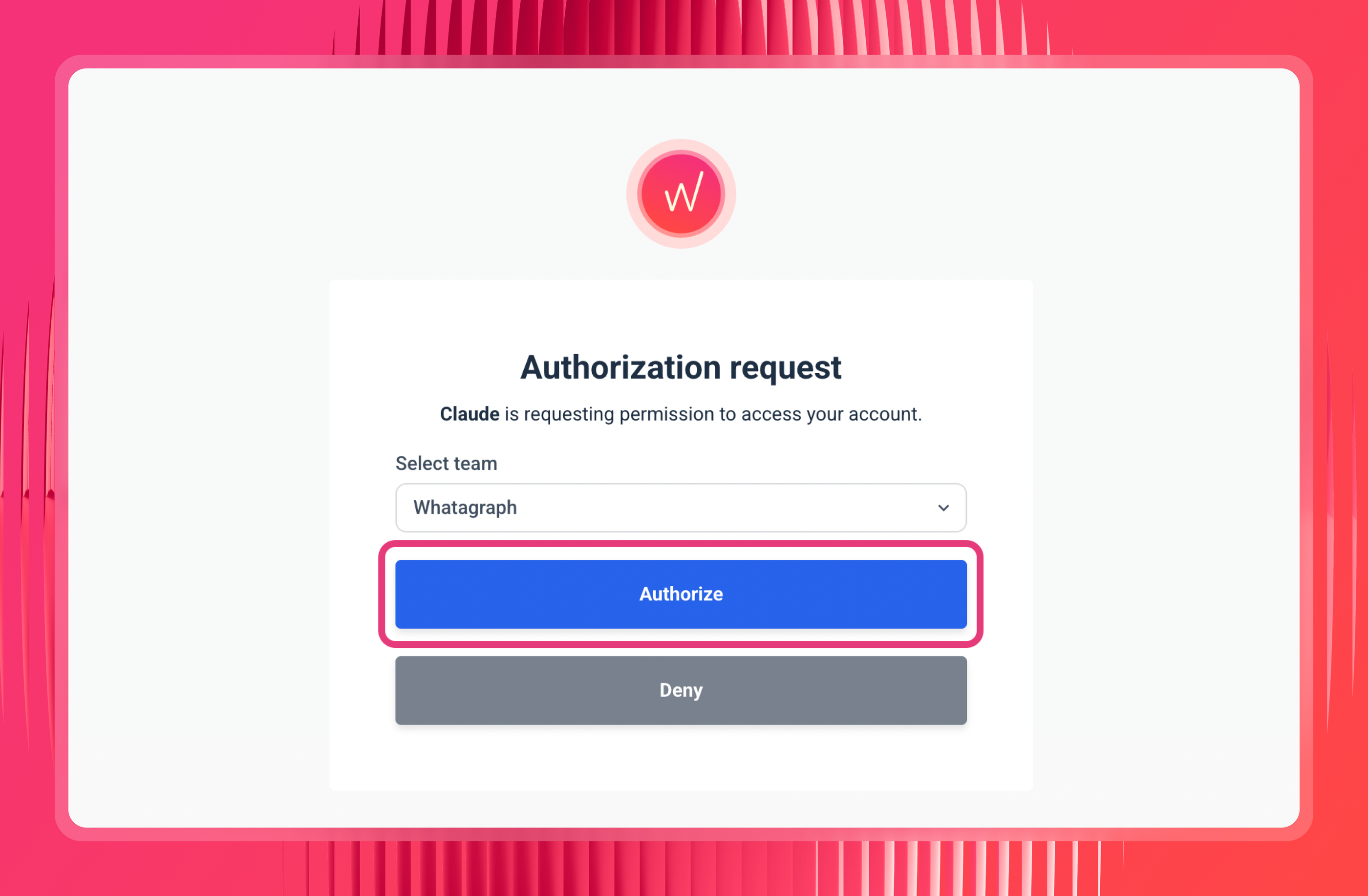
Click Connect, sign in, and pick the team you want Claude to reach. No API keys, no config file, no private key sitting in plain text.
Step 5: Set your permissions, carefully
You'll see a list of tool permissions. For read tools, switching them to "Always allow" saves you approving every single data pull, which gets old fast.
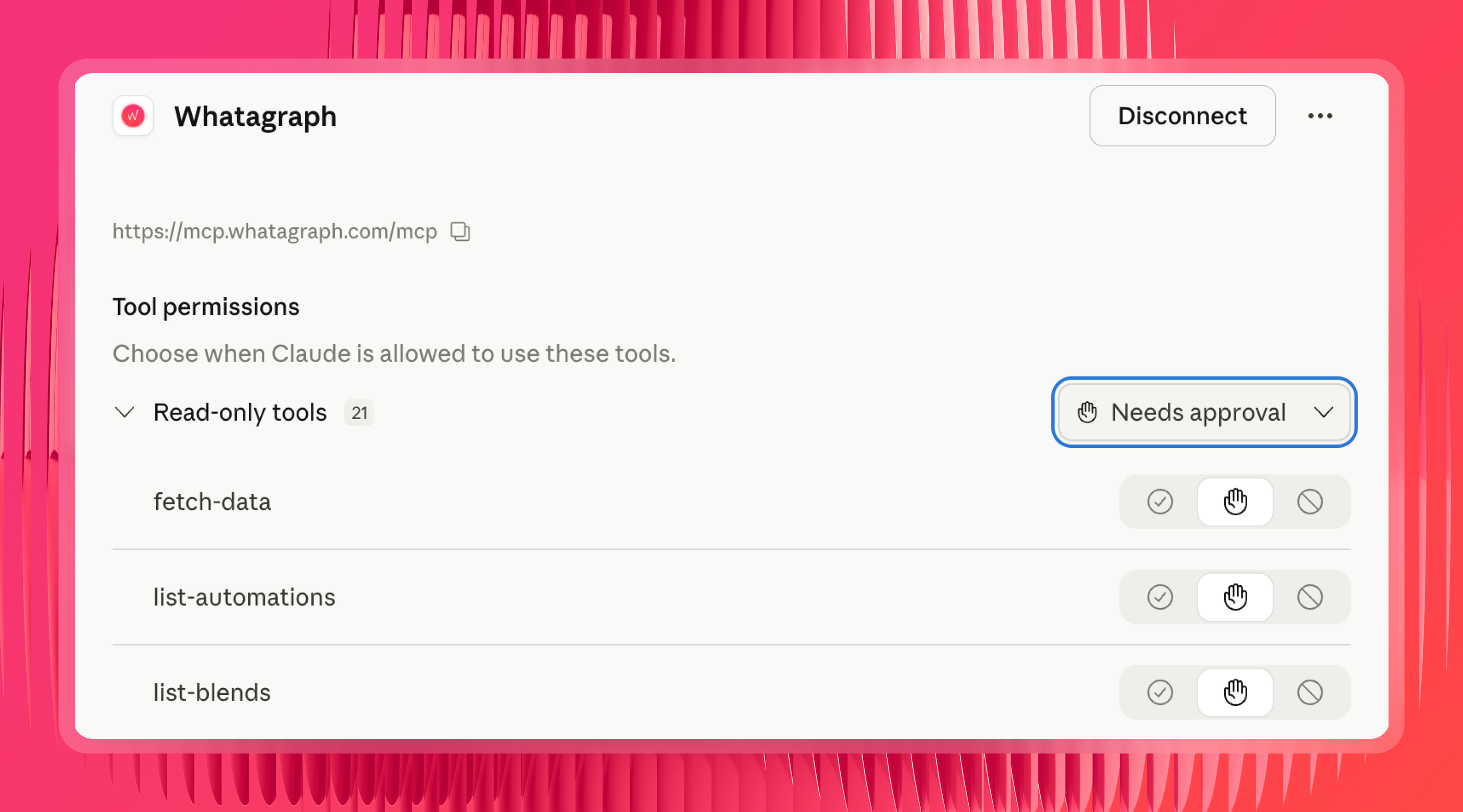
For write and delete, slow down. Arturas again:
I wouldn't right away click always allow for the write functions. You can always leave it as ask for approval, until you're absolutely confident that you can trust it, and you're confident that it actually does the work it's supposed to do for your organization and for your specific context.
His recommendation: leave write tools on approval, and keep the delete tools blocked entirely until you actually need to clean something up.
Step 6: Test it
Ask Claude what it can see: "What do you have access to in my Whatagraph account?" You should get your connected sources, Spaces and account details back.
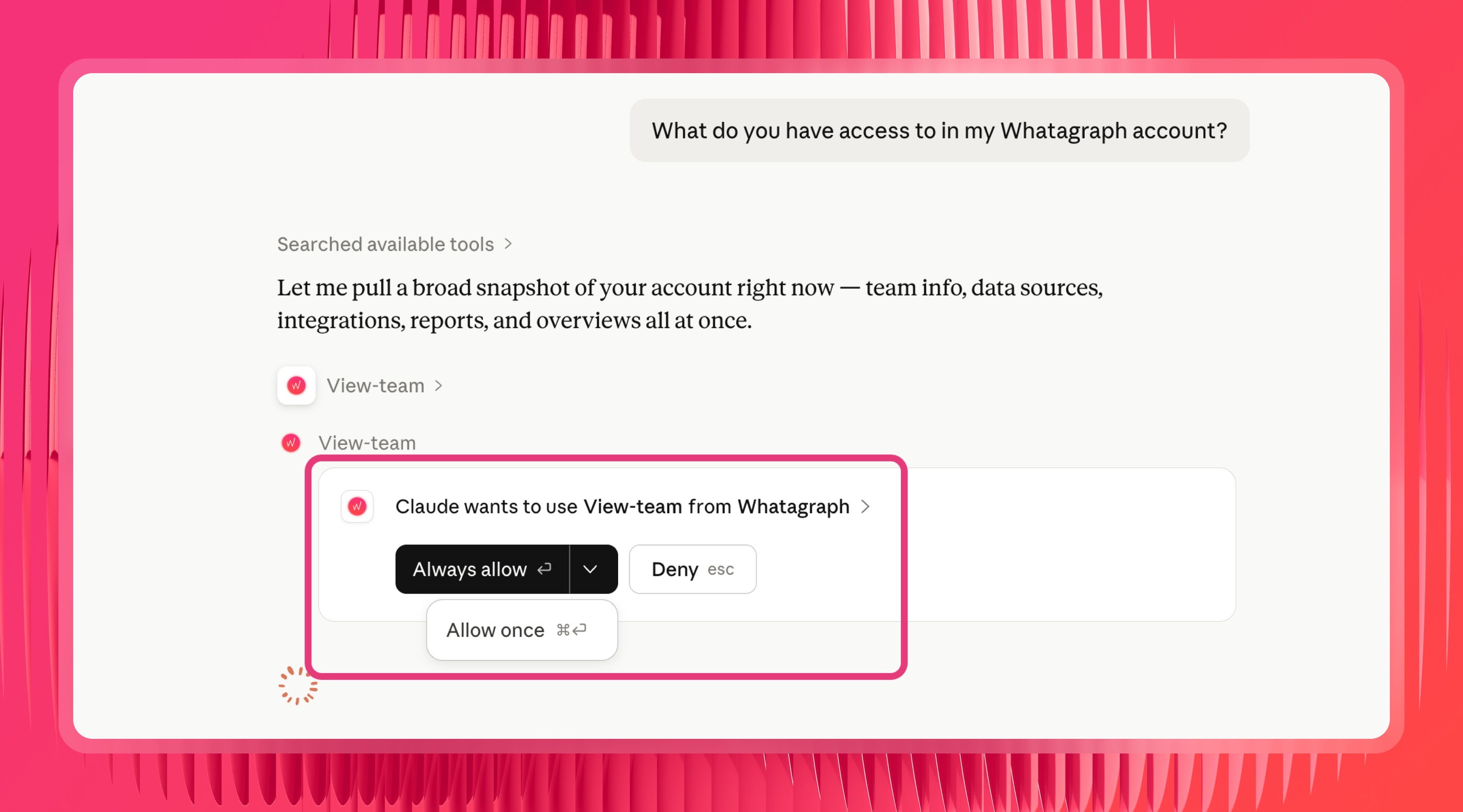
Then run the test that actually matters for this article. Ask for last month's Klaviyo campaign revenue and check it against your Klaviyo dashboard. If your layer is set up properly, those two numbers are the same number.
Step 7: Add your own context with Claude skills
Whatagraph's MCP ships with its own skills, loaded on demand, that you can use to analyze your Klaviyo data and cross-channel performance.
Once you type in a prompt on Claude, Whatagraph MCP will automatically pull up the relevant skill on the backend to answer your query in the most accurate way possible.
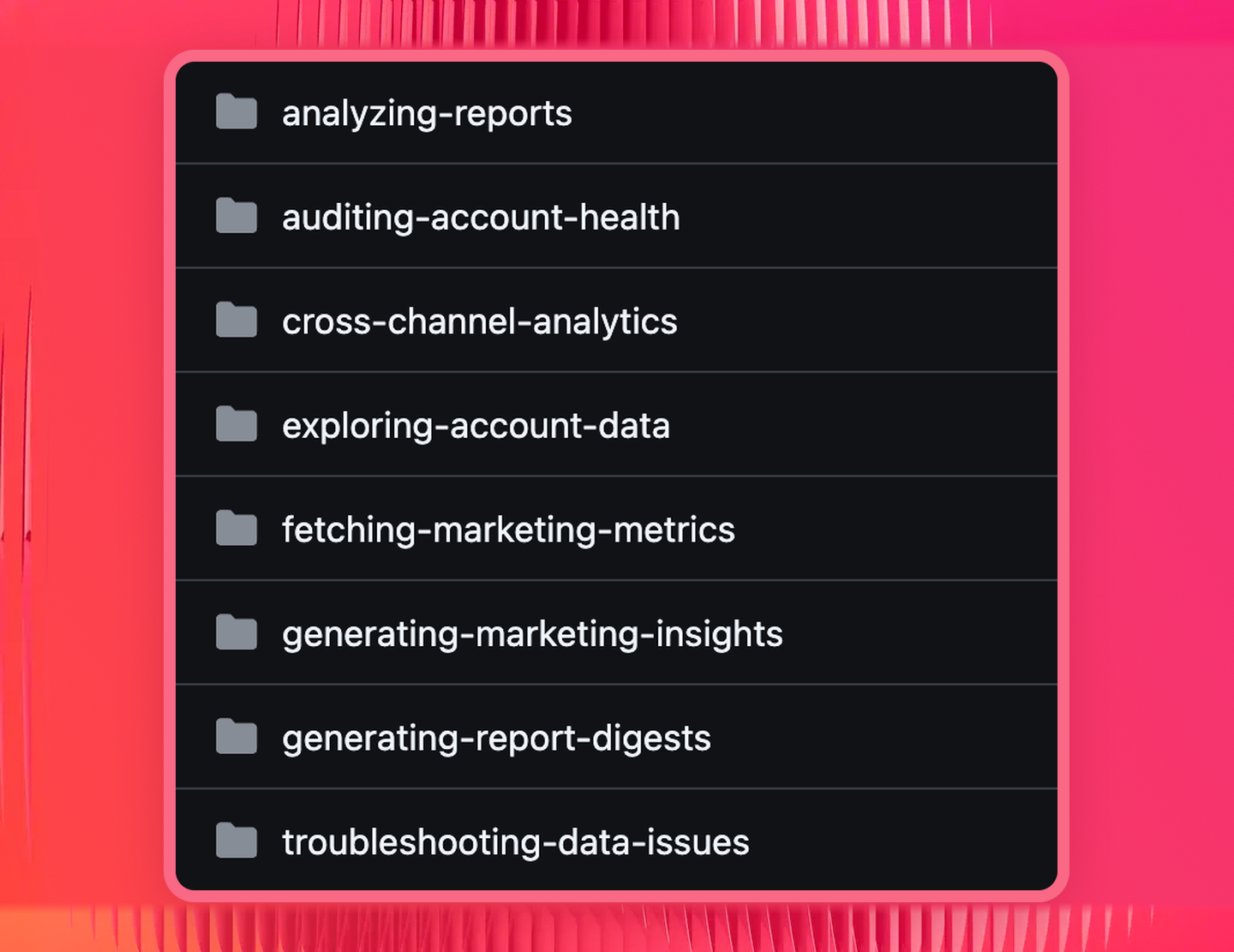
That said, Arturas still recommends creating your own skills on top of Whatagraph's with your own business logic.
I especially recommend starting a chat with Claude, getting to the result you want to get, and then say, now Skill Creator, create a skill so we can embody this for the future chats. These are the conversions I care about, this is the source group you need to query, these are the filters for the campaigns that matter.
Klaviyo MCP prompt library by use case
Every prompt below assumes Klaviyo is connected through Whatagraph, with your metrics and attribution already defined. Natural language prompts are the point of an MCP, but vague ones get vague answers, so these name the metric, the date range and the breakdown.
The first group stays inside Klaviyo. The second is where it gets interesting.
Single-channel: Klaviyo on its own
Campaign and flow performance
"Show me every campaign sent in the last 30 days with open rate, click rate and revenue. Sort by revenue, highest first."
"Compare my welcome flow and abandoned cart flow over the last quarter. Revenue, conversion rate and revenue per recipient."
"Which of my active flows haven't triggered in the last 14 days?"
"Show me campaign revenue for the last 90 days, broken down by week and campaign type."
"Which flows have declining revenue month over month for the last three months? Show me the trend, not just the totals."
"What's my revenue per send this month versus the same month last year?"
List health, deliverability and growth
"What's my unsubscribe rate by campaign over the last 60 days? Flag anything above 0.5%."
"Show me bounced and dropped email counts for the last month, broken down by campaign."
"Which segments have the highest engagement in the last 90 days, and which have gone quiet?"
"How has my list grown over the last six months? Show net growth after unsubscribes."
"Compare SMS consent rate and SMS click performance against email for the same period."
Across client accounts
Still Klaviyo data, just more than one account at a time. These are the ones a single-account connection can't do at all.
"Rank all of my clients by email revenue growth this quarter versus last."
"Which client had the worst unsubscribe rate last month, and what campaigns drove it?"
"Show me every client where email revenue dropped more than 20% month over month, with the campaigns and flows behind the drop."
"Across all accounts, which flow type generates the most revenue per recipient?"
"Which clients haven't sent a campaign in the last three weeks?"
Cross-channel: Klaviyo next to everything else
Email next to paid
"What was our blended MER last month? Break it down by channel and show me email's share of total revenue."
"Compare Google Ads spend, Meta Ads spend and email revenue for the last six months. Where did the ratio shift?"
"Show me total revenue by channel for Q3 with email, paid search, paid social and organic side by side. Flag anything that moved more than 15% versus Q2."
"Our paid social spend went up 40% in July. Did email revenue move with it, or independently?"
"Which channel is bringing in the customers who go on to open our emails? Compare list growth against acquisition source."
Ecommerce: Klaviyo, Shopify and GA4
"Pull Shopify orders, GA4 sessions and Klaviyo email revenue for last month. Show me conversion rate, average order value and email's contribution to each."
"How many of last month's repeat purchases came from customers who clicked an email in the 30 days before?"
"Show me new versus returning customer revenue for the last 90 days, and which marketing automation flows touched each group."
"Our conversion rate dropped last week. Walk me through it: sessions, add-to-carts, orders, average order value, and what changed in each channel."
"Which product categories does email sell best, and how does that compare to what paid search sells?"
Reconciliation and troubleshooting
"Klaviyo revenue and Shopify revenue disagree for last month. Break both down by day and show me where they diverge."
"Check the health of all my connected sources. Anything not syncing, anything with gaps in the last 30 days?"
"Total revenue this month doesn't match what I expected. Break it down by channel and show me which one moved."
Client reporting
"Write an executive summary of last month's performance for this client. Cover email, paid and organic, lead with what changed, and keep it under 200 words."
"What are the three things I should tell this client about their email program this month, and what's the evidence for each?"
"Build me a report tab comparing email and paid performance for the last six months, with a revenue trend chart and a channel breakdown table."
If you'd rather start from something pre-built, our Klaviyo dashboard template covers the standard email reporting view and you can point Claude at it from there.
Wrapping up
Connecting Klaviyo to Claude is the easy part. The harder part is getting an answer you can trust.
This means setting up a semantic data layer with your business logic in a marketing intelligence platform like Whatagraph.
That layer is also what powers your Klaviyo dashboards and marketing reports, so the number Claude gives you and the number your client sees come from the same place.
Get a demo and we'll show you what a governed layer looks like for your accounts.
Published on Aug 10 2026
WRITTEN BY
YamonYamon is a Senior Content Marketing Manager at Whatagraph. With an eye for detail and a knack for always considering context, audience, and business goals to guide the narrative, she's on a mission to create genuinely helpful content for marketers. When she’s not working, she’s hiking, meditating, or practicing yoga.