Should you build or buy reporting stack? What 87 agencies told us
Our team had the build vs buy conversation with 87 marketing agencies, and I went through every call to see how they're putting together their AI reporting stack. Here's what they told us:
- Building isn't the expensive part. Maintaining it is. One agency estimated 400 hours to build its own reporting platform. At another, the head of media strategy spends 5 to 30 hours a month just keeping Looker Studio running. In-house, that adds up to roughly $17,000 to $44,000 in the first year.
- Most DIY setups depend on one person. When the person who built it leaves, nobody else knows how to run it.
- DIY AI gets the numbers wrong when it has to guess. The AI model usually isn't the problem. It doesn't know how you calculate blended ROAS or which campaigns count as brand, so its numbers don't match the client report.
- Building works for agencies with developers on staff and a workflow nobody sells.
- Most agencies end up hybrid. 10 of the 11 hybrid agencies split it the same way: buy what the client sees, build what stays inside the agency.
My verdict: buy the data layer, own the playbooks. Not sure which side your agency is on? Start with the scorecard.

Oct 27 2026●20 min read


- First, a build vs buy scorecard for your agency
- What agencies are actually building, and what they’re buying
- What building really costs: the build, the upkeep and the one person who knows how it works
- Do the numbers match? The trust problem with DIY AI
- Who owns the data, the prompts and the knowledge?
- When building works: what the builders have in common
- The verdict: buy the data layer, own the playbooks
- Final thoughts
Every marketer (and their mom) is using Claude for reporting in 2026.
Your team probably has a Claude project with a folder for every client. Someone has vibe-coded a dashboard. And at some point a developer, a contractor or the one technical person on your team said the line that starts every build vs buy reporting stack debate: we could just build this ourselves.
At least, that’s what a director at a Dutch agency told us: “There's always an answer: oh, we can build it ourselves.”
So should you?
Over the past year, our team had the build vs buy conversation with 87 marketing agencies. I went through every one of those calls, and I'd rather you hear it from them than from me. I work for Whatagraph that sells an AI reporting tool, so I'm the last person you should take this advice from (yes, I see the irony of writing it on our blog anyway).
Some of these agencies built their own setup and it works great. Some built, regretted it and bought. But most of them ended up somewhere in between.
Here’s what they told us, anonymized.
Two agency owners also go deeper on this in our online event: sign up here.
How I put this together
- 87 marketing agencies talked about building vs buying reporting, data or AI tools on sales and customer calls with Whatagraph between September 2025 and October 2026. 67 of them went into depth.
- I only counted what the agency said in its own words, not what our team said.
- Every agency was reviewing its reporting or AI setup at the time, so this isn't a random sample of the industry.
- Names are removed. Quotes are edited for clarity, never for meaning.
First, a build vs buy scorecard for your agency
The simplest build vs buy framework I came across was from a commenter on r/adwords that I mentioned earlier.
Buy first if you’re automating a common, repetitive task: you get something live faster, spend less upfront and find out whether it actually saves your team time. Build when the workflow is specific to your agency, relies on internal data or needs logic off-the-shelf tools can’t support.
Our calls back this up. From my read, the agencies that bought or went hybrid were mostly automating everyday client reporting, and the builders who were happy had a very specific workflow for their agency and developers on staff.
To check which side of the rule you’re on, score your agency on these seven questions. Give each one 1, 2 or 3 points, then add them up.
| Question | 1 point | 2 points | 3 points |
|---|---|---|---|
| Who fixes the setup when it breaks? | A dev team with time set aside for it | One person who knows how it works | Nobody yet |
| Have you budgeted for maintenance after the initial build? | We’ve budgeted the upkeep | We have a rough idea | We haven’t thought past the build |
| Do the numbers need to match the client report? | No, it’s for internal use | Mostly, and we check by hand | Yes, every number |
| Is the workflow common or specific to your agency? | Specific: our own IP, internal data or custom logic | A mix of both | Common, repetitive reporting work |
| Do you have developers on staff? | Yes, more than one | One, or a contractor | No |
| How fast do you need results? | We can wait six months or more | Within a few months | This quarter |
| Will clients see it? | No, it’s internal only | Some of it | Yes, it’s client-facing |
Your score:
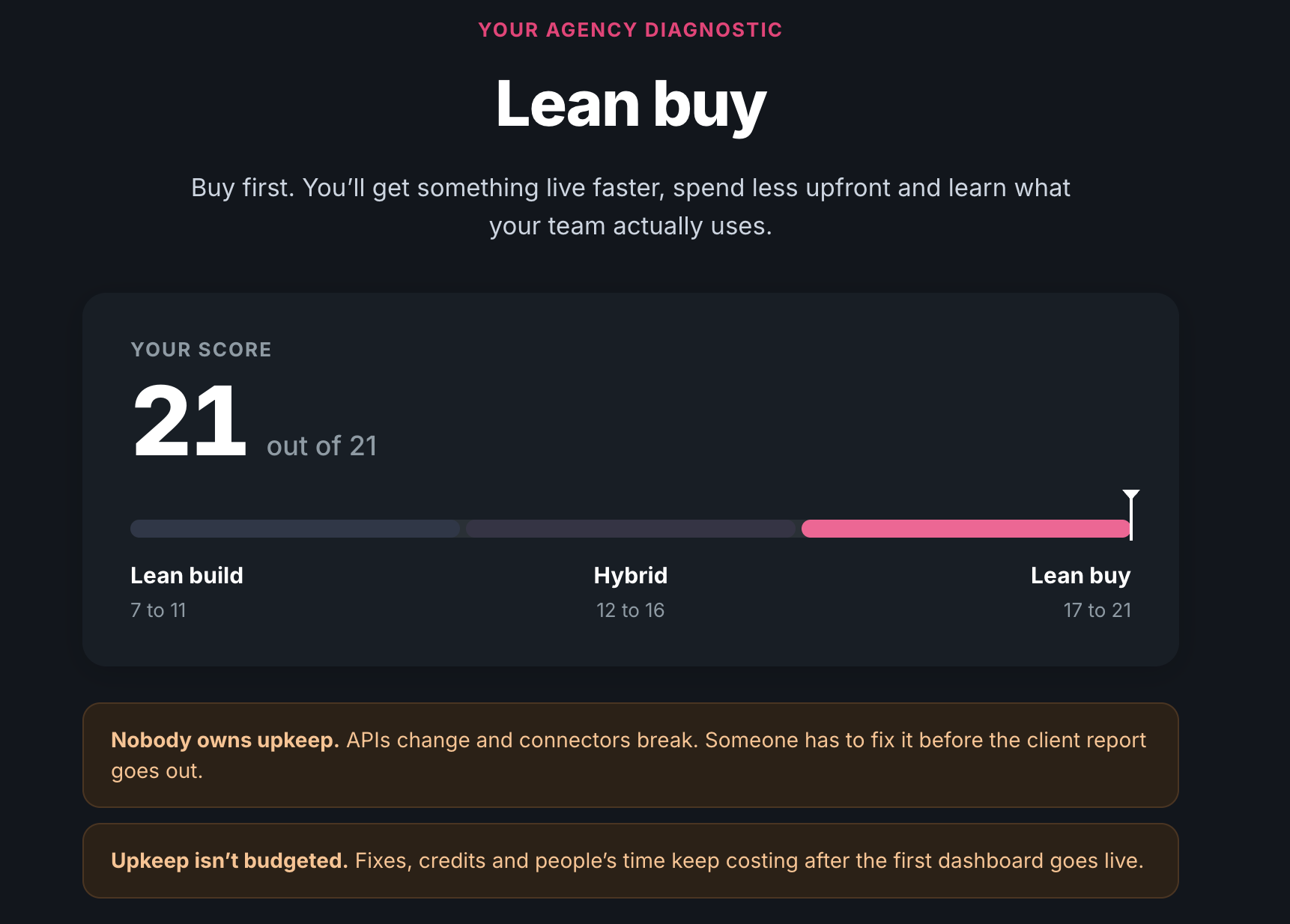
- 7 to 11: lean build. You have the people and a workflow nobody sells. Check you have what the builders above had, and decide now who maintains it.
- 12 to 16: hybrid. Buy the plumbing, build the parts that make your agency different.
- 17 to 21: lean buy. Buy first, then build on top once you know what your team actually uses.
Here’s an interactive scorecard built with Whatagraph IQ Agents on this methodology to help you decide.
Now, let’s go into what we found from actual agencies.
What agencies are actually building, and what they’re buying
Can you build your own AI reporting stack? Sure, plenty of agencies have. The more useful question is what they built and how it went.
From what we’ve seen from 87 agencies, there are four key things they’re building:
- Claude (or ChatGPT, or Gemini) as the workspace. This is the most common starting point, and the cheapest. You set up a Claude project for each client, load it with the brief, past reports and exported data (or connect it straight to the ad accounts), then ask it to write the monthly summary or dig into what changed. A social media consultancy in the US told us “all of our clients have their own folders in Claude that are completely set up.” It’s the 2026 version of a shared drive full of FINAL_v7 files, and I mean that with love.
- Dashboards someone vibe-coded. A media buyer, or at one US agency the CEO, builds a dashboard with Claude Code or Lovable. My favorite: an agency that markets eye clinics built a dashboard in Lovable. Their next step? “We take a screenshot of it.”
- A marketing data warehouse. BigQuery or Snowflake underneath, Looker Studio, Power BI or Tableau on top. This is the serious build, and it usually needs a data person. A US digital agency with around 30 clients said “all of our data is stored or pumped into Google BigQuery.” A US automotive agency spent about a year building its own warehouse with a developer and a freelancer.
- Their own AI agents. The newest group. A Finnish agency built an agent framework in Claude Code that reads and writes client files in SharePoint. A UK integrated agency started building its own reporting suite on top of an LLM. Others wire things together with n8n.
Here’s how the four compare, based on what agencies told us:
| Developer needed? | Who keeps it running | Ready for clients to see? | From the calls | |
|---|---|---|---|---|
| Claude workspace | No | Whoever set it up | Not really. The output lives in a chat | “In Claude, it’s going to be harder to make it visually appealing” (marketer, Dutch agency) |
| Vibe-coded dashboard | Not to start. Usually to keep it running | The person who built it | Sometimes, via screenshots | An eye clinic agency screenshots its Lovable dashboard |
| Data warehouse + BI | Yes, a data engineer or analyst | Your data team | Yes, through the BI tool | A US agency put its own warehouse “at least 12 months away and probably more like 18 to 24” |
| Own AI agents | Yes | The builder | Mostly internal so far | A Finnish agency worried nobody could manage its agent framework if the builder left |
And what were they buying? Pretty much the data layer underneath. A lot of these agencies still had to find a way to bring their cross-channel data from multiple platforms into one place, and have that data be standardized, cleaned, and defined.
A French e-commerce agency tried building that data layer with an outsourced data team and ended up dropping it. One of the agency’s founders told us why: “You need people in your company to manage [the data setup], and we don’t have those people.”
It helps to think of any AI reporting stack in four layers:
- Data: connections to every ad platform, and somewhere to store what they pull
- Definitions: what counts as a conversion, how blended ROAS is calculated, which campaigns are brand
- Agent logic: the instructions, playbooks and house style
- Delivery: where the output goes, and who checks it before a client sees it
Most of the builds above start at the agent logic or delivery layer, because that’s the fun, visible part. The data and definitions layers are where things get painful later (more on that below).
If you want to see what agencies do with AI day to day, we rounded up 10 AI marketing workflows from real agencies. And if the line between an agent and a chat assistant is still fuzzy, start with what makes an agent different.
What building really costs: the build, the upkeep and the one person who knows how it works
One thing that surprised me the most going through the calls: building a stack itself isn’t the painful part, it’s the maintenance.
17 of the 87 agencies brought up maintenance, and 14 worried about the one person who actually understands how their setup works. Cost came up a lot too, but usually as a surprise after the fact.
So how much does it cost to build your own reporting setup (or an AI agent for marketing)? Here’s what the agencies told us about the build itself:
- 400 hours. That’s what a Dutch agency estimated it would take to build its own reporting platform. They bought one instead.
- $10,000 to $12,000. That’s what a US full-service agency spent on a contractor to build its dashboards. The agency lead said it got them “65 to 70% of the way there.”
- About a year. That’s how long a US automotive agency spent building its own data warehouse, with a developer and a freelancer.
AI setups have their own version of this. The founder of a UK agency built dashboards with Claude and Manus, then dropped them because the setup “used something insane, like 1,000 credits every day.”
1,000 credits a day. For a dashboard.
Then comes the maintenance upkeep. APIs change, connectors break, and someone has to fix it before the client report goes out. A director at a Dutch agency said their dev team keeps having to step in because their dashboards crash every now and then. A partner at a US agency said their head of media strategy spends “between five and 30 hours a month just managing Looker Studio, which is not his job.”
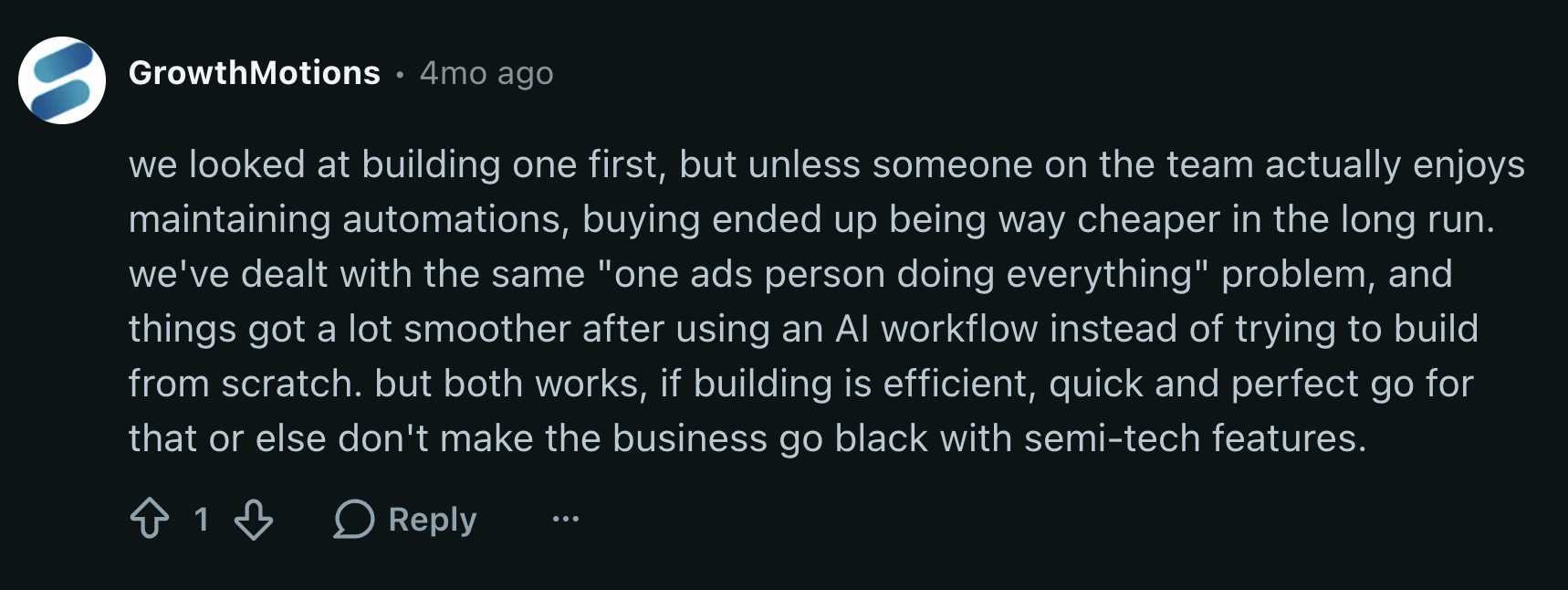
This Redditor in r/adwords has also experienced this firsthand. They say “unless someone on the team actually enjoys maintaining automations, buying ended up being way cheaper in the long run.”
And this isn’t only a small agency problem. A large US media agency is retiring a platform it built for one client, because maintaining it now costs more in engineering time than the value it brings.
Which brings me to what I like to call the “one person problem”: the whole setup lives in one person’s head, and when they leave, nobody else knows how to run it.
A US agency had a data engineer on staff for about nine months who set up their whole BigQuery instance. Then he left. Now they’ve brought in an outside team just to figure out how it all works. You only find out how much a setup depends on one person when that person hands in their notice.
A specialist at another Finnish agency put it bluntly: “Let’s say I leave the company. Then nobody knows how to manage this agent framework.”
Another US agency was moving off a Slack reporting pipeline one employee had custom-coded, for the same reason. They didn’t know how long that employee would stay.
All things considered, here’s the sticker price agencies plan for, and the shocker price they end up getting:
| What you plan for | What you also end up paying for |
|---|---|
| Developer or contractor hours to build it | Fixing it every time an API or connector changes |
| An AI or tool subscription | Credits and query costs that grow with every client you add |
| Getting the first dashboard live | Someone’s time, every month, to keep it running |
| The person who builds it | Auditing or rebuilding it when that person leaves |
So what’s the total cost of building?
Let’s put some rough numbers on it.
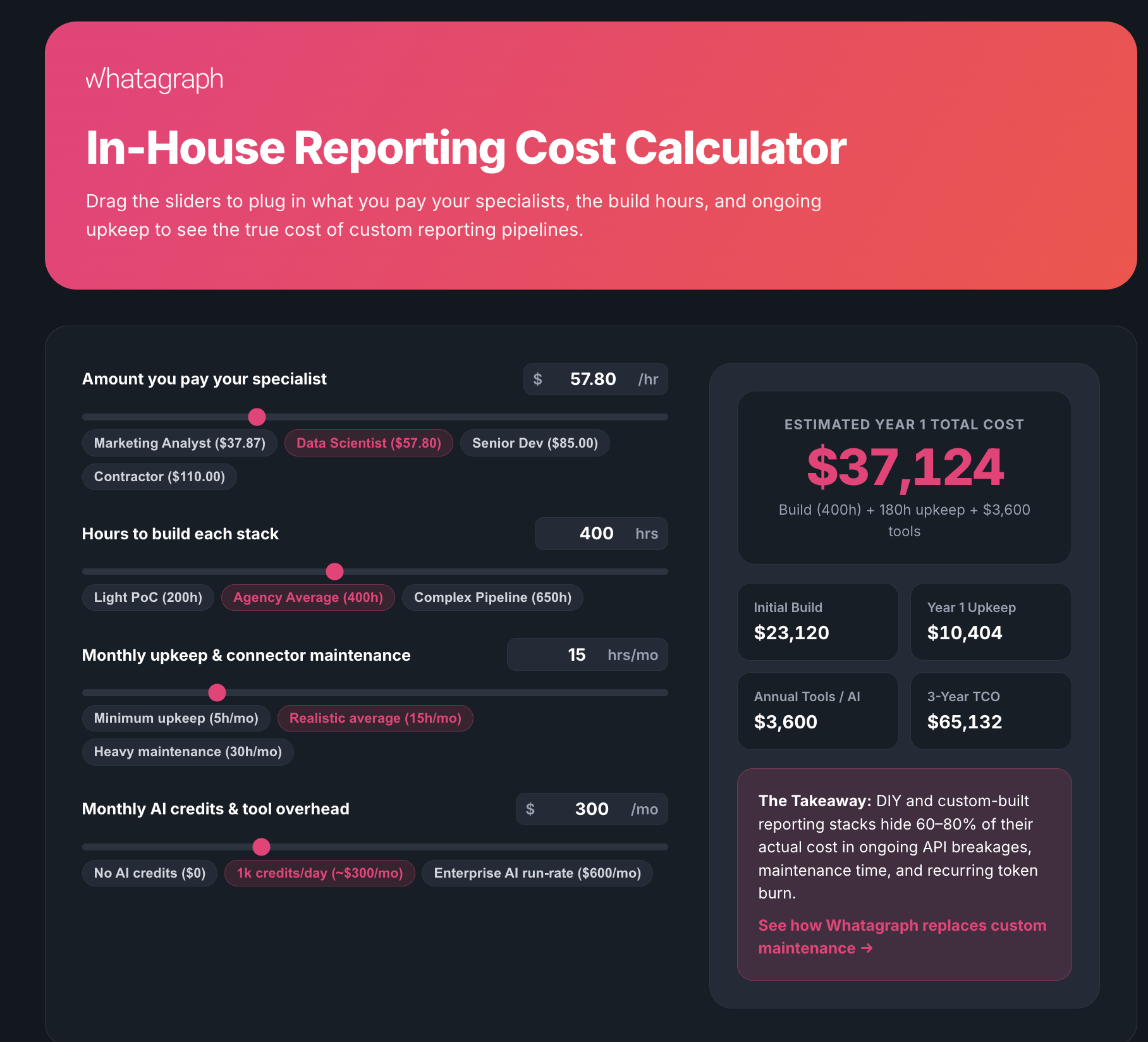
Say you build in-house, using the figures agencies gave us: about 400 hours to build, then 5 to 30 hours a month to keep it running. The median US data scientist earns $57.80 an hour and the median marketing analyst $37.87, according to the US Bureau of Labor Statistics (May 2025). That’s wages only, before benefits and overhead.
| Data person ($57.80/hour) | Marketing analyst ($37.87/hour) | |
|---|---|---|
| Build (400 hours) | $23,120 | $15,148 |
| Upkeep, year 1 (60 to 360 hours) | $3,468 to $20,808 | $2,272 to $13,633 |
| Year 1 total | $26,588 to $43,928 | $17,420 to $28,781 |
| Every year after | $3,468 to $20,808 | $2,272 to $13,633 |
Hiring a contractor instead? The US agency above spent $10,000 to $12,000 and got 65 to 70% of the way there. At that rate, finishing the job would come to roughly $14,000 to $18,500, and you’d still need someone to maintain it.
Going the AI route? The UK agency’s setup burned through about 1,000 credits a day. At Manus’ launch pricing of $39 for 3,900 credits, that’s roughly $300 a month, or $3,600 a year, before anyone’s time.
Suddenly that “free” Claude dashboard doesn’t look so free.
These are rough estimates built from what agencies told us, not quotes from a vendor. Plug in your own hourly rate and the math still makes the same point.
Here’s a cost calculator you can use (built with Whatagraph IQ Agents):
Do the numbers match? The trust problem with DIY AI
14 of the 87 agencies brought up some version of the same problem: the AI gives you a number, and it doesn’t match the number in the client’s report.
In most of the stories I heard, the AI model wasn’t the problem. What it was reading was.
A marketing director at a UK events agency walked us through their process. Build the report, export it as a PDF, paste it into ChatGPT or Gemini and ask for insights. The insights weren’t great, “because it doesn’t see the raw data.” And when the data underneath is shaky, clients notice. The same agency told us: “We have had clients pointing out incorrect data.”
A UK B2B agency went a step further and built its own AI on top of Google’s MCP. Their verdict: “We built our own AI... but we’re then asking blind questions.”
So why does ChatGPT (or Claude) give you a different number than your report? Usually because it’s guessing at decisions your team already made:
- Which date range and time zone to use
- Whether a conversion means the ad platform’s number or GA4’s
- How blended ROAS is calculated across Google, Meta and TikTok
- Which campaigns count as brand
- What currency everything is in
Your report has those answers built in. The AI doesn’t, unless you hand them over every single time. AI is always confident. That’s not the same as being right.
That’s why even heavy AI users keep it on a short leash. An Australian media agency that runs most of its work through Claude still keeps it in “co-pilot” mode, “from a trust perspective.”
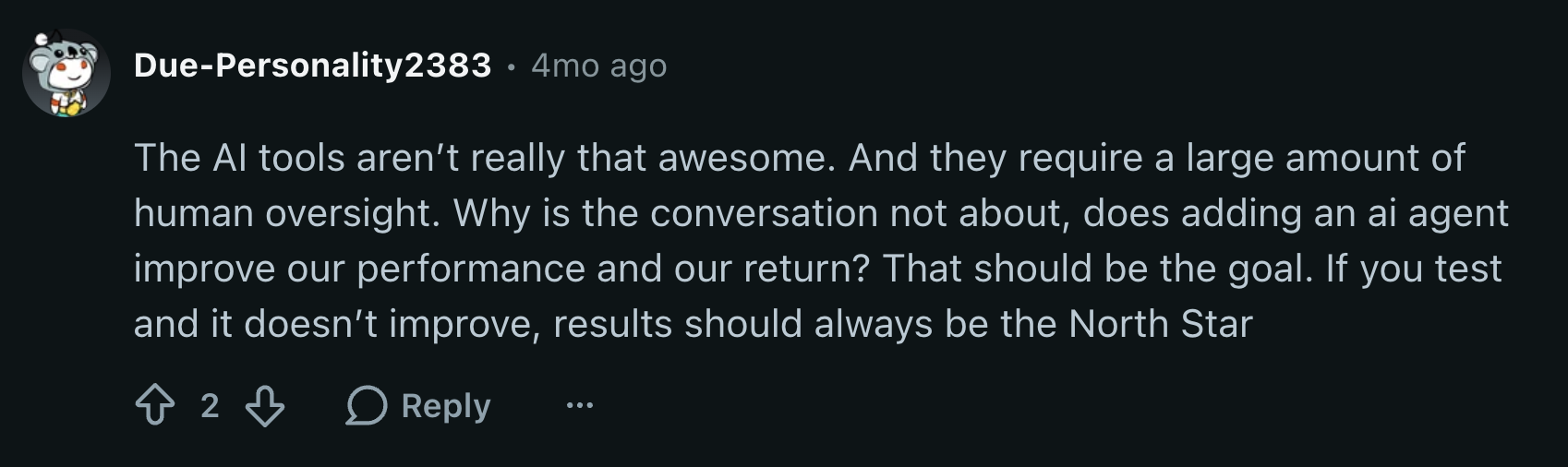
What fixes it is pretty boring: agree on your metric definitions before any AI touches them, and blend your channels so blended ROAS means one thing everywhere. The usual shortcut is to connect the AI straight to each ad platform’s API. That fixes what the AI can see, but it still has to guess how you calculate blended ROAS or which campaigns count as brand.
This is where Whatagraph comes in. In Whatagraph, you:
- Bring data from all your sources and channels in one place. You can connect to 60+ native integrations, or build your own using agents.
- Tag sources by Account Manager, client, or whatever makes sense for your agency, assign them to specific client folders, and set default currencies.
- Define metrics, build custom ones, standardize dimensions, blend data to create one governed data foundation.
- Build and automate client reports off of this data foundation so your numbers always agree.
Whatagraph’s IQ Agents read the same governed data foundation your reports use, so a custom metric like blended ROAS is calculated one way, in the report and in the agent’s answer. If you want to see that in practice, here’s how agents write report commentary checked against the report’s own numbers.
Who owns the data, the prompts and the knowledge?
This one is less about money and more about control. 9 of the 87 agencies brought up what their clients allow them to do with data, and 16 talked about Claude turning into the place their team’s knowledge lives.
Start with client data. Is it safe to put client data into ChatGPT or Claude? It depends who you ask, and your clients may already have an answer. A UK agency group told us some of its clients “do not want us to use... the data on Claude or any other AI models.” A European agency admitted “a lot of clients will be a bit uneasy knowing that we sometimes make Gemini or Claude work on their data.”
Every marketer (and their mom) might be using Claude, but their mom isn’t the one signing your client’s data agreement.
When you build your own setup, you own that problem too: who can see what, where the data goes, and what happens if someone asks the agent to do something it shouldn’t. The Head of Technology at a UK agency asked us exactly that: could a user just tell the agent to ignore its privacy rules?
Then there’s the knowledge. As more of the team works in Claude, the prompts, client context and house style end up living there too. A leader at a US agency said “the UI for some of our team members is becoming more and more just the Claude chat.” Which works great, until you hit the question an Australian media agency asked: “Where does your knowledge live? That’s everyone’s biggest challenge.”
If the answer is one person’s Claude account, you’re back to the one person problem.
A few agencies also worried about getting stuck with one AI model. A Belgian agency group put it simply: when another AI comes along, “we don’t want to move everything around.”
So before you pick a tool, decide:
- Which clients are okay with you using AI models, which ones, and which clients are not
- Where your prompts, client context and house style live, so the whole team can see them and not just one person’s account
- How easily you could switch AI models later
That checklist is pretty much what we built Whatagraph IQ Agents around—democratizing knowledge.
IQ Agents are multiplayer by default, meaning everything is shared across the whole organization: the agents, their instructions, knowledge and memory, the connections, the outputs, and even the conversations.
Anyone on the team can open a conversation and see how a result was produced. If someone leaves, an admin can take over their private conversations, so no work is locked away with one person. You can also tag certain people inside conversations so you can co-work together.
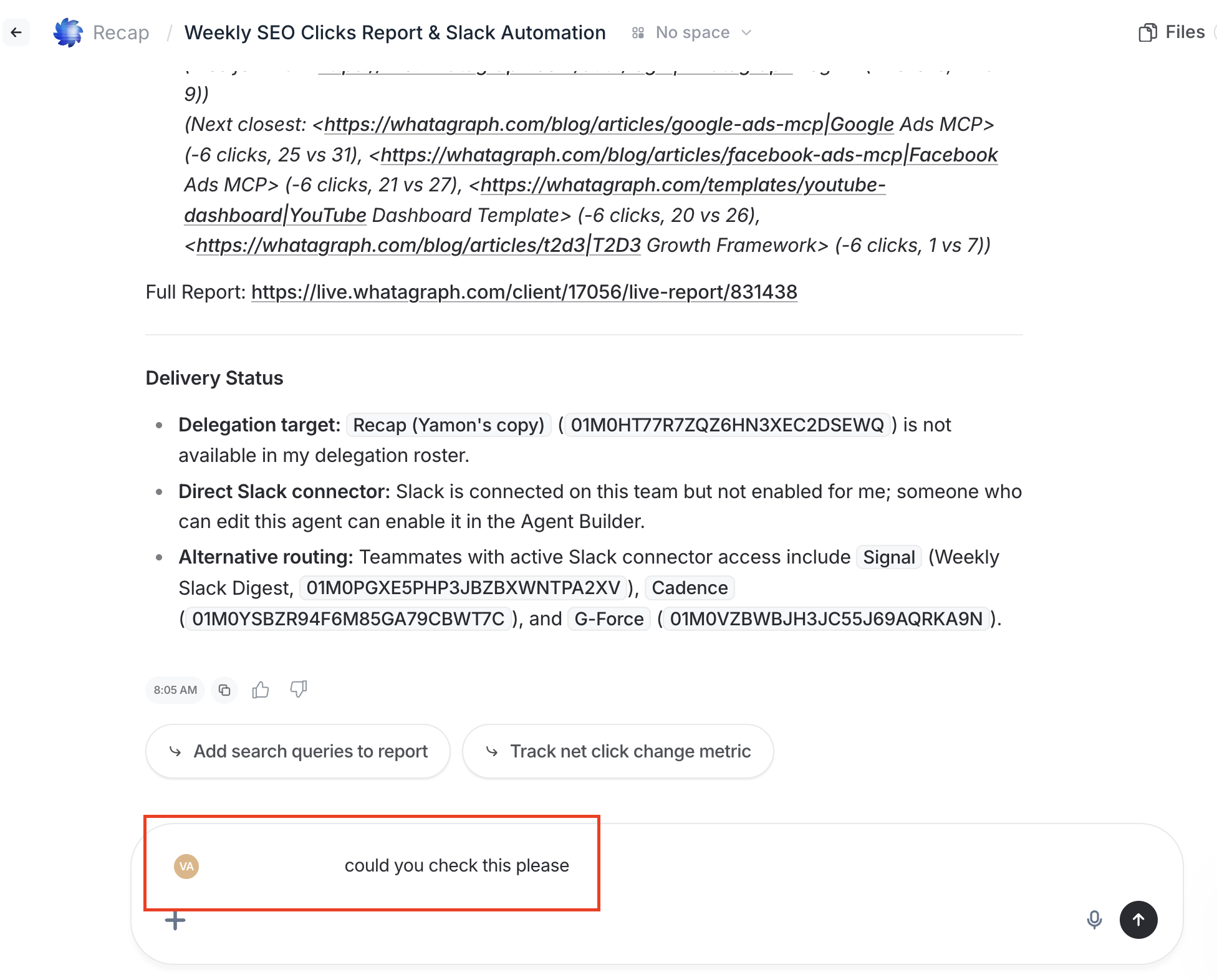
Sensitive work still has a place: conversations can be marked private, and an admin can take over a private conversation when someone leaves, so nothing stays locked in a departed employee's account.
Client data is processed in the EU, nothing gets uploaded into ChatGPT or Claude, and it’s never used to train AI models. And you decide, per agent, what it can do on its own, what needs your approval and what’s off limits.
When building works: what the builders have in common
Okay, it’s not all doom and gloom to build your own stack.
14 of the 87 agencies built their own setup and were happy with it, or told us they’d rather build than buy. (Yes, I’m putting the case for building on our own blog. I did say I’d let the agencies talk.)
What most of them had in common: developers on staff.
A US performance agency with a five-person dev team built its own dashboards, its own attribution and even its own MCP. The CEO said one of their tools “was built in three days,” and that keeping one of their in-house products running costs them about the price of one customer a month. A data lead at a UK agency put it even more simply: “Something I could write with a piece of SQL to get the same information out could take me five, 10 minutes.”
If you have a dev team, or at least a dedicated super technical person, a lot of things get easier to build.
The other thing the builders had in common: they built things nobody sells. A commenter on r/adwords had a good rule of thumb for this. Buy if you’re automating a common, repetitive task (like reporting). Build when the workflow is specific to your agency, relies on internal data, or needs logic that off-the-shelf tools can’t support.
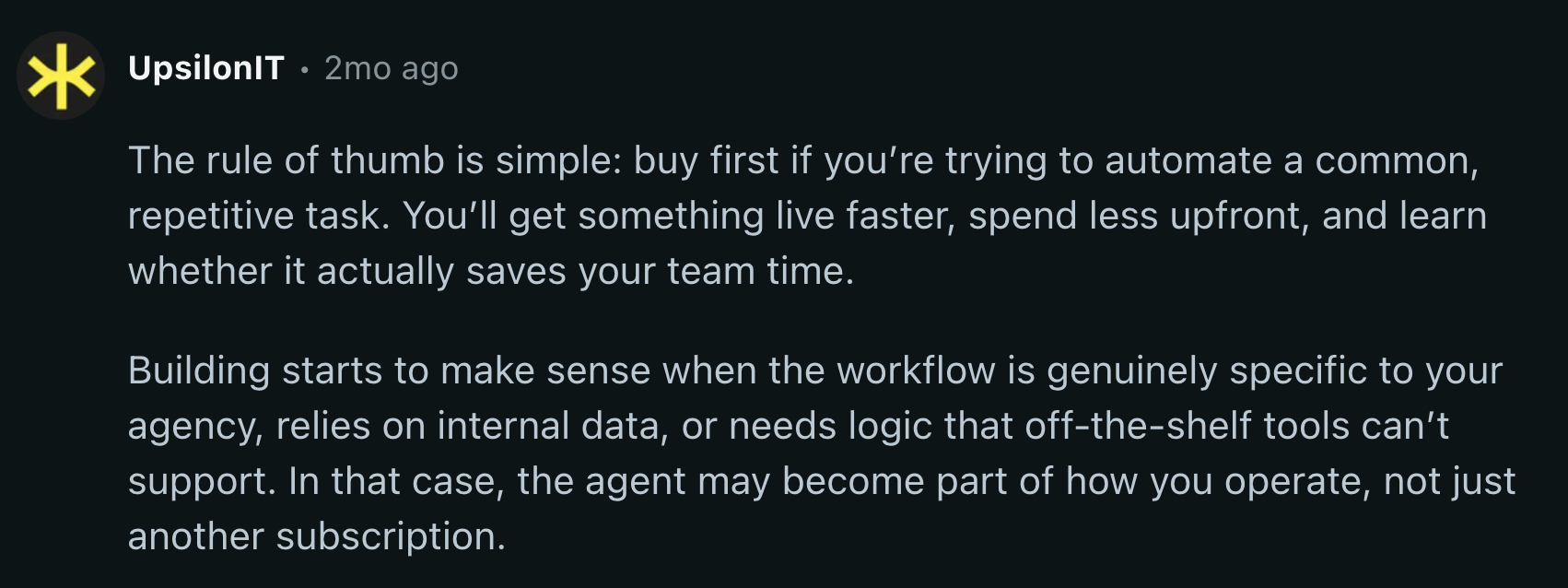
Here’s how that looks like in practice with agencies our team talked to:
- It’s specific to your agency. A Dutch AI-first agency is running its own agentic system on paid search, built and maintained by its own team.
- It runs on your internal data. An Australian agency built its own client dashboards on BigQuery, with AI on top that reads the data and flags when something looks off.
- Off-the-shelf tools can’t do it. A UK recruitment-marketing agency runs its basic reports in a platform and keeps the more complex client work in its own BigQuery.
- You have someone to keep it running. Which, if you’ve read this far, you already knew.
Size matters too. A Dutch agency told us: “We’re not that big to build our own system right now. If we had 200 clients, that’s a different story.” A media lead at a UK integrated agency did the math out loud: a platform at 30 to 40 grand a year is “a wearable cost,” but at a quarter of a million, “we might as well build something custom.”
The verdict: buy the data layer, own the playbooks
So, build or buy? After going through all 87 agencies, here’s the verdict: buy the data foundation, own the playbooks.
The data foundation means:
- Native integrations that you don’t need to maintain or fix when they break (the platform maintains and fixes them for you)
- Custom API integrations you can build with agents
- Data sources tagged by dimensions that make sense for your data like clients, Account Managers, or location
- Defined metrics so conversions mean the same thing and ROAS calculations are correct
- Blended data from different channels - like GA4 and Google Ads
- Data from similar sources (like Google Ads and Meta Ads) combined into “Source Groups” so your reports are faster to load and more holistic
- Standardized dimensions and campaign names so everything means the same thing everywhere
That’s what Whatagraph was built for. On top of this data foundation, you’ll also get native reports and dashboards, and AI agents that do the busywork for you. This means:
✅ You don’t need to spend hours and money maintaining your stack
✅ Your reports, dashboards, and AI all show the same numbers and analysis
✅ Everything becomes shared across the entire organization instead of being stuck in one person’s set up - connections, skills, data definitions agents, conversations
The playbooks are what clients pay you for: how you read the numbers, what you flag and what you tell them to do next. A data lead at a large US media agency called a dashboard “the baseline of adding value.” The value is in what you do with the analysis. That’s the part to keep in-house, whether you build it, prompt it or put it in an agent.
I’m not making this split up either. 11 of the 87 agencies told us they were going hybrid, and 10 of them split it the same way: buy what the client sees, build what stays inside the agency.
On the calls, that looked like:
- Buy the pipes, keep the data. A head of technology at a UK agency was “looking at a hybrid, which would be to bring the data into our own warehouses.”
- Build the internal tools, buy the client reporting. An exec at a US agency with property-management clients vibe-codes internal tools for the exec team, but was very clear: “I’m not trying to build a reporting system.”
- Build the warehouse, keep client reporting on a platform. A US automotive agency spent a year building its own data warehouse, but keeps a platform for everything its external clients see.
The exception is the builders from the last section. If you have developers on staff, you can certainly build the entire thing. But just know that you’ll also be responsible for the maintenance, which is much more difficult than the initial build.
And if your team already lives in Claude, the verdict doesn’t change. You don’t have to build the data layer to use Claude on client data. Buy the data layer and point Claude at it.
That’s the split we built Whatagraph around. The Data Hub handles the connectors and gives you clean, blended data. You own the playbooks on top, with your own custom AI agents, or by connecting Claude, ChatGPT or any MCP-compatible tool to the same data through our MCP server.
Final thoughts
I went into these calls expecting a clear winner (or to try to convince you to buy, just kidding). There wasn’t one, but there was a pattern: buy the data layer, own the parts that make your agency yours.
If you want to hear it straight from agency owners, two of them go deeper in our online event - sign up here.
And if you want to see what it looks like to have a governed data foundation, reporting, and AI agents all in one, get a demo.
Published on Oct 27 2026
WRITTEN BY
YamonYamon is a Senior Content Marketing Manager at Whatagraph. With an eye for detail and a knack for always considering context, audience, and business goals to guide the narrative, she's on a mission to create genuinely helpful content for marketers. When she’s not working, she’s hiking, meditating, or practicing yoga.