Google Ads MCP: Connect Google Ads to Claude & Trust the Answers
You can connect Google Ads to Claude easily with a Google Ads MCP.
But the harder question is - can you trust the answers Claude gives you?
In this article we’ll show you not only how to connect Google Ads to Claude, but also how to get answers you can actually stand behind.

May 29 2026●10 min read


Ask Claude which campaigns are wasting budget this month and it'll give you a confident, well-formatted answer.
But something about that answer just feels off.
You can’t fully trust it and you’re back to square one comparing that data with your spreadsheet or Google Ads Manager dashboard, just to find out your gut feeling was right.
It’s not a Claude issue, but a data issue.
Without the right context in place, like normalized metrics, defined dimensions, or specific Claude skills to ingest the data properly, the answer Claude gives will be incomplete and generic.
That's the problem this article is about. In this article we'll cover:
- What a Google Ads MCP server actually is
- Three types of connectors and why only one gives you trustworthy answers
- What to set up in Whatagraph before you connect
- How to connect Google Ads to Claude
- A full prompt library organized by use case so you can hit the ground running
TL;DR
- A Google Ads MCP server is a connector that lets Claude query your Google Ads data in plain language.
- Not all MCPs are equal. There are three types: single platform MCPs, stitched connector MCPs, and MCPs over a governed data layer. If you want accurate answers from Claude, use the third one.
- Before connecting, set up your data layer in Whatagraph first: connect your sources, set currencies, organize into Spaces, define custom metrics, create custom dimensions, and blend or group your channels.
- Once connected, you can query campaign performance, track budget pacing, run period-over-period analysis, troubleshoot discrepancies, and more - all in plain language. Find a prompt and skill library at the end of the article.
- You can build your own connector to Claude but it requires a lot of time and coding. If you're a developer, this is great. But we don't recommend it for marketers or non-technical folks.
What is a Google Ads MCP server exactly?
A Google Ads MCP server is a connector that gives an LLM like Claude direct access to your Google Ads data. You can query Google Ads data without downloading and uploading CSVs and get answers about campaign performance, budget, conversions, and more, in plain language.
MCP stands for Model Context Protocol, an open standard introduced by Anthropic in late 2024.
Arturas Lazejevas, CTPO of Whatagraph, puts it in plain terms:
Think of MCP as a door that LLMs like Claude or ChatGPT can use to access any of your systems that you connect (through the MCP).
But isn’t this an API? Not really.
The difference between MCP and a traditional API is the fluidity. Arturas explains it well:
An API is a robot on a factory floor programmed to build a box. It works great - until the hammer changes. Then it stops and needs reprogramming. MCP is fluid and more like a human. A bit slower, but it adapts on the fly.
This means, unlike an API, with an MCP, you can add new tools, update existing ones, and Claude will adjust automatically - but only when the MCP has been built with the right tool descriptions and instructions in place. (Side note: Whatagraph's MCP is.)
3 different types of MCPs for Google Ads
Not all Google Ads MCP connectors are built equally, however. Before you pick one, there are a few questions worth asking:
- Where does it actually pull data from - raw API or a unified data layer?
- Does it handle multiple accounts or cross-channel (e.g. Facebook Ads)?
- How are metrics defined, and who does the currency conversion?
- And most importantly - can you trust the answers it gives Claude, or is Claude doing data engineering inside the conversation every time you ask something?
The answers depend entirely on which type of connector you're using. There are currently three different types out there in the market.
Arturas, our CTPO, breaks it down:
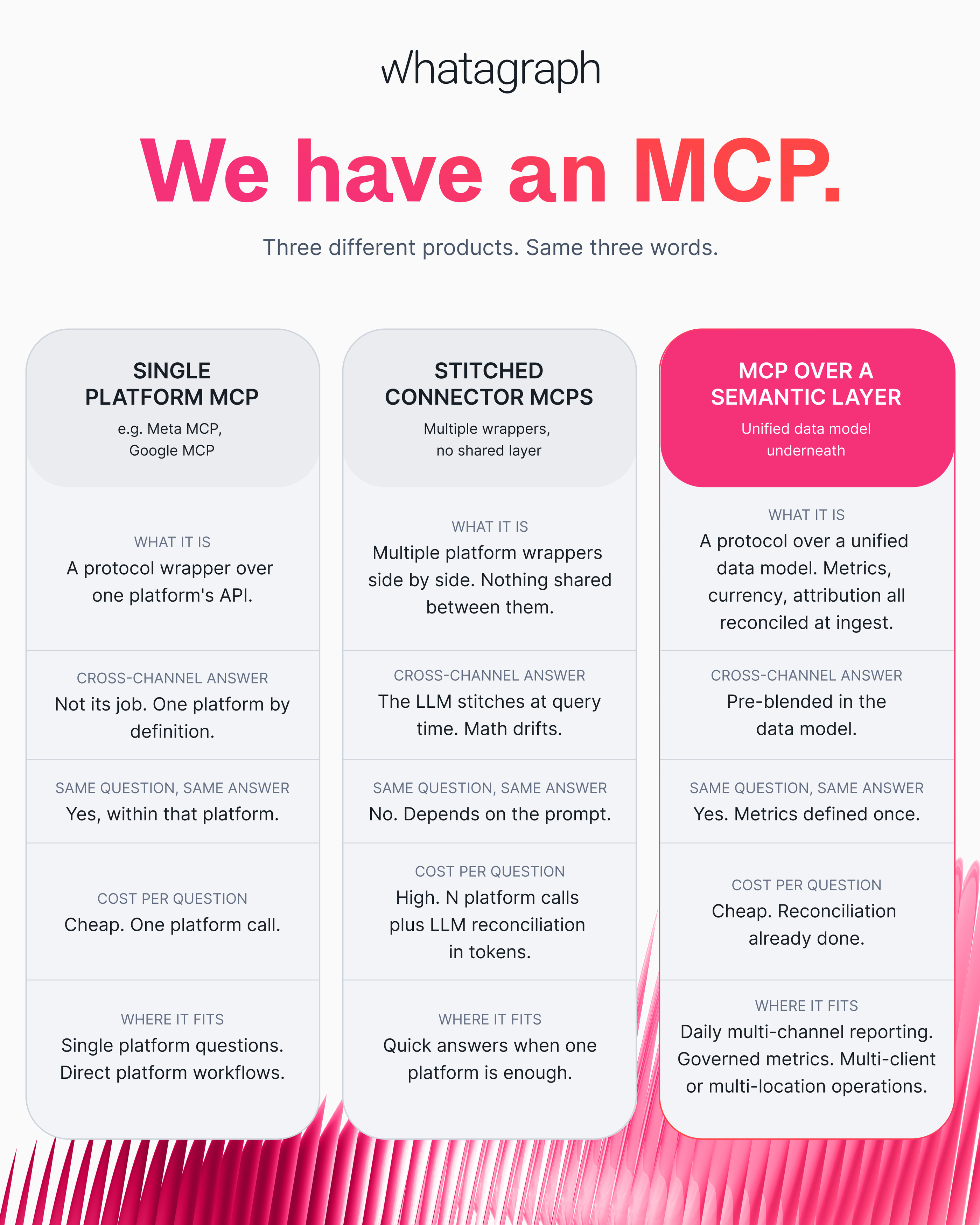
Single platform MCP | Stitched connector MCPs | MCP over a governed data layer (Whatagraph) | |
| What it is | A protocol wrapper over one platform's API | Multiple platform wrappers side by side. Nothing shared between them | A protocol over a unified data model. Metrics, currency, attribution all reconciled at ingest |
| Cross-channel answer | Not its job. One platform by definition | The LLM stitches at query time. Math drifts | Pre-blended in the data model |
| Same question, same answer | Yes, within that platform | No. Depends on the prompt | Yes. Metrics defined once |
| Cost per question | Cheap. One platform call | High. N platform calls plus LLM reconciliation in tokens | Cheap. Reconciliation already done |
| Where it fits | Single platform questions. Direct platform workflows | Quick answers when one platform is enough | Daily multi-channel reporting. Governed metrics. Multi-client or multi-location operations |
Whatagraph's MCP is the third one. As Arturas explains:
Whatagraph doesn't query separate connectors like Facebook, Google Analytics, and Google Ads on the fly and have Claude reason about it. We unify all of that data as it comes in. The MCP is just the query layer on top.
Ask the same question on Monday and Friday, you get the same answer. That consistency isn't a feature of the MCP itself - it's a feature of what's been built underneath it.
That being said, how do you actually connect Google Ads to Claude? There are two key ways - self-built vs. using a pre-made MCP like Whatagraph.
How to connect Google Ads to Claude [2 options]
Option 1: Build your own MCP server for Google Ads
Google has an Google Ads MCP server you can self-host and connect to Claude. It's open source, built in Python, and exposes two core tools - one to list accessible accounts and one to run GAQL queries.
To get it running you'll need a developer token, a Google Cloud project, and OAuth credentials. This is great if you're a developer but we wouldn't recommend it for marketers and non-technical folks.
Pau Ferrer, a PPC marketer and marketing engineer, also built his own from scratch using Claude Code - though he told us it took him a month and a lot of wrangling with codes and scripts.
If you're comfortable with code and managing one or two accounts, it's doable. But keep in mind too that what you're getting is raw API output - no normalization, no metric definitions, no currency conversion. That part is still on you to build.
And the time and work pile up fast as you scale.
Laurynas Arminas, Whatagraph's Product Manager, has seen this pattern play out with several marketing teams. He says:
It's easy to get something 80% done and think you're there. But then you realize how hard that remaining 20% is. Once you're working with seven different channels, seven different places pulling data from MCPs, things start getting confusing. Every time you add a client or a channel, you need to update everything - and things slip through the cracks.
API changes break things. Deprecated metrics need chasing. Campaign naming conventions drift across clients.
At two or three clients and two channels, a homemade connector does the job. At ten clients and five channels, it becomes a maintenance job that can take over your actual job.
Option 2: Connect Google Ads to Claude with Whatagraph’s MCP
If you’d rather invest in a pre-made Google Ads MCP, the best option is Whatagraph.
Not because “we have an MCP” but because it’s an MCP built on top of a governed data layer that actually gives you answers you can fully trust - without the physical labor or time to build and maintain your own.
Setup takes a few minutes, no code required, and you get the same trustworthy numbers whether you ask on Monday or Friday.
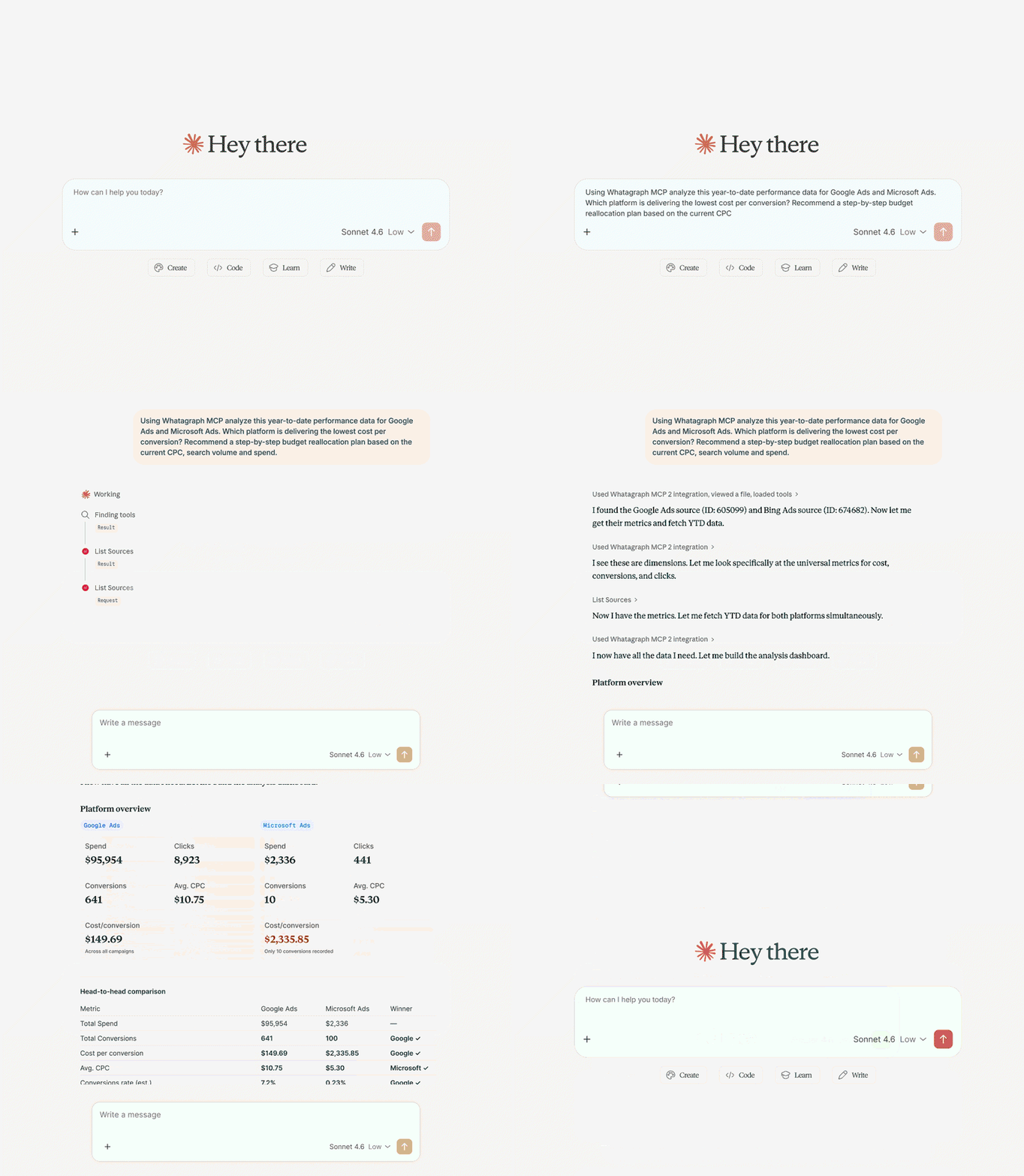
Here’s an example of how it works:
Whatagraph also comes with AI agents for marketing that build reports, monitor accounts, and alert you of important updates, even with your laptop closed.
On Google Ads data, teams are using them to:
- Check spend against the monthly cap daily and flag anything off pace
- Onboard a new client from your Google MCC and build the report from your template
- Pull the month's optimizations into the commentary widgets so your AM edits instead of writes
- Catch a blend returning zeros on your highest-spend account before the client asks about it
The difference between agents and MCP is this:
- With an MCP, only individuals have access to the context, connections, and skills built on Claude or ChatGPT.
- With Whatagraph IQ Agents, the entire organization (and all your team members) have access to the same context, connections, and skills.
This means reports are consistent, insights are truly self-serve, and the entire organization stays aligned.
7 steps to connect Google Ads to Claude with Whatagraph MCP
Setting up Claude Google Ads access through Whatagraph takes a few minutes.
Before you start, make sure you have three things ready:
- a Whatagraph account with your Google Ads account connected (get a demo)
- a Claude account
- Owner or Full Admin access to your Claude workspace.
If you're on a team plan and don't see the option to add a custom connector, you'll need whoever manages the account to do this part.
A trick: log into your Whatagraph account in the same browser you're using for Claude. It makes the authorization step a one-click thing instead of a whole separate login flow.
Here’s a video walkthrough:
Step 1: Connect your Google Ads account in Whatagraph
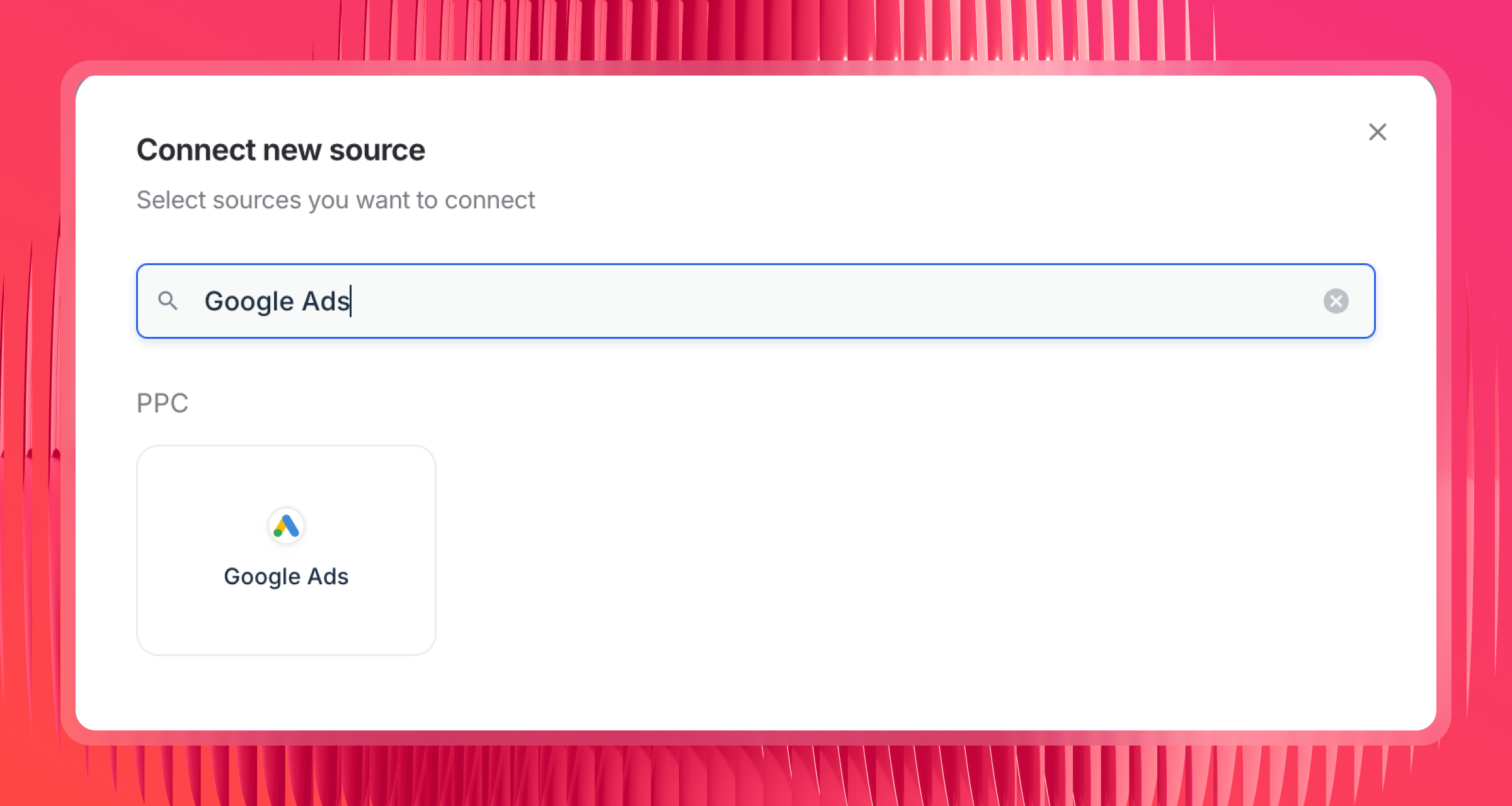
If you haven't already, connect your Google Ads account as a data source inside Whatagraph. This is where the data actually lives - the MCP just gives Claude a way to query it.
Step 2: Set up your governed data layer in Whatagraph
This is a non-negotiable. As Arturas puts it:
My suggestion would be to really embed your business logic into Whatagraph first, so that Claude doesn't need to reason about it. It doesn't need to figure that stuff out every time.
Here's what to set up before you start querying:
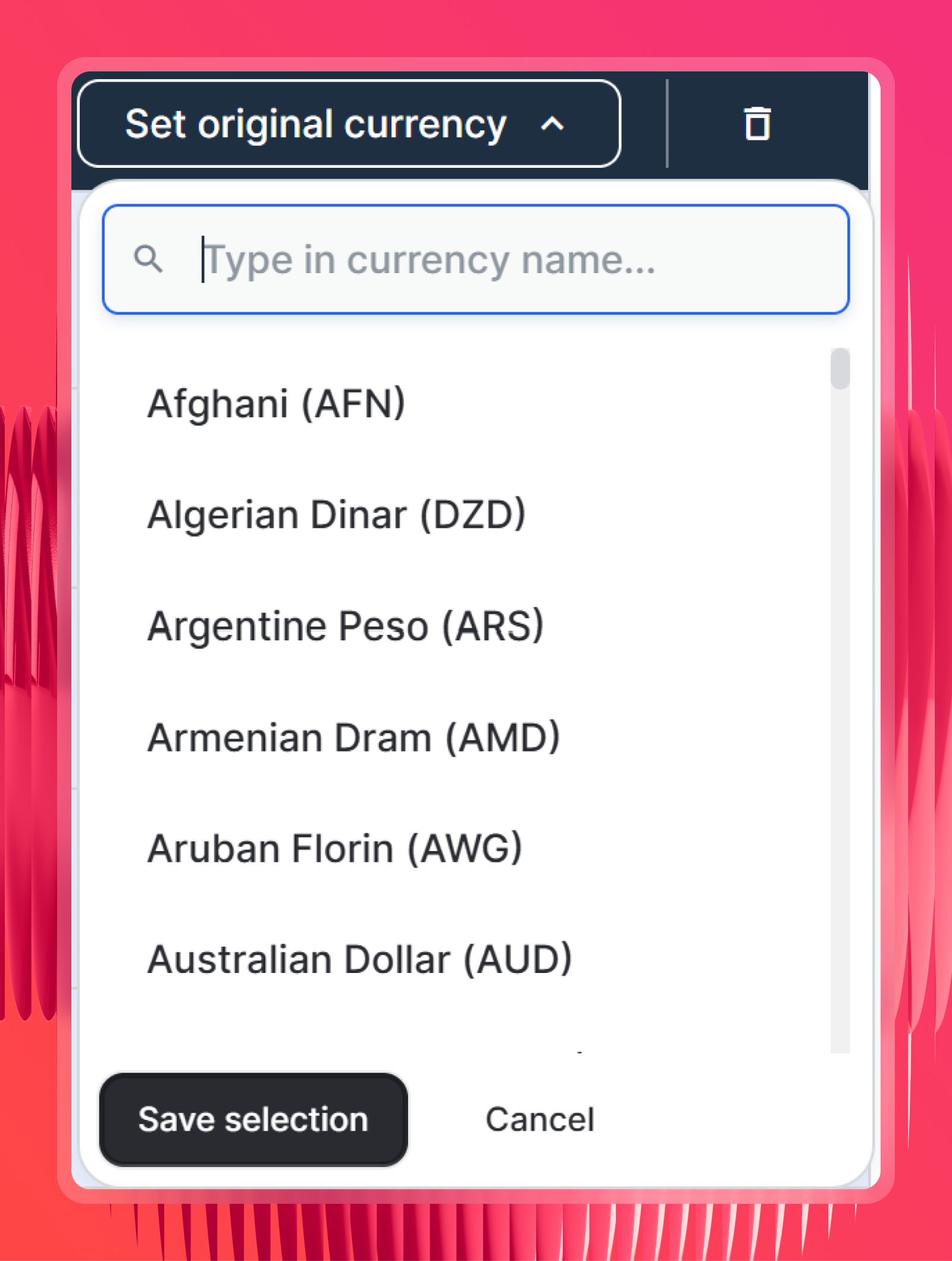
- Check currency settings - Whatagraph detects the original currency for each source automatically. In the rare cases where it can't detect it, you can set it manually.
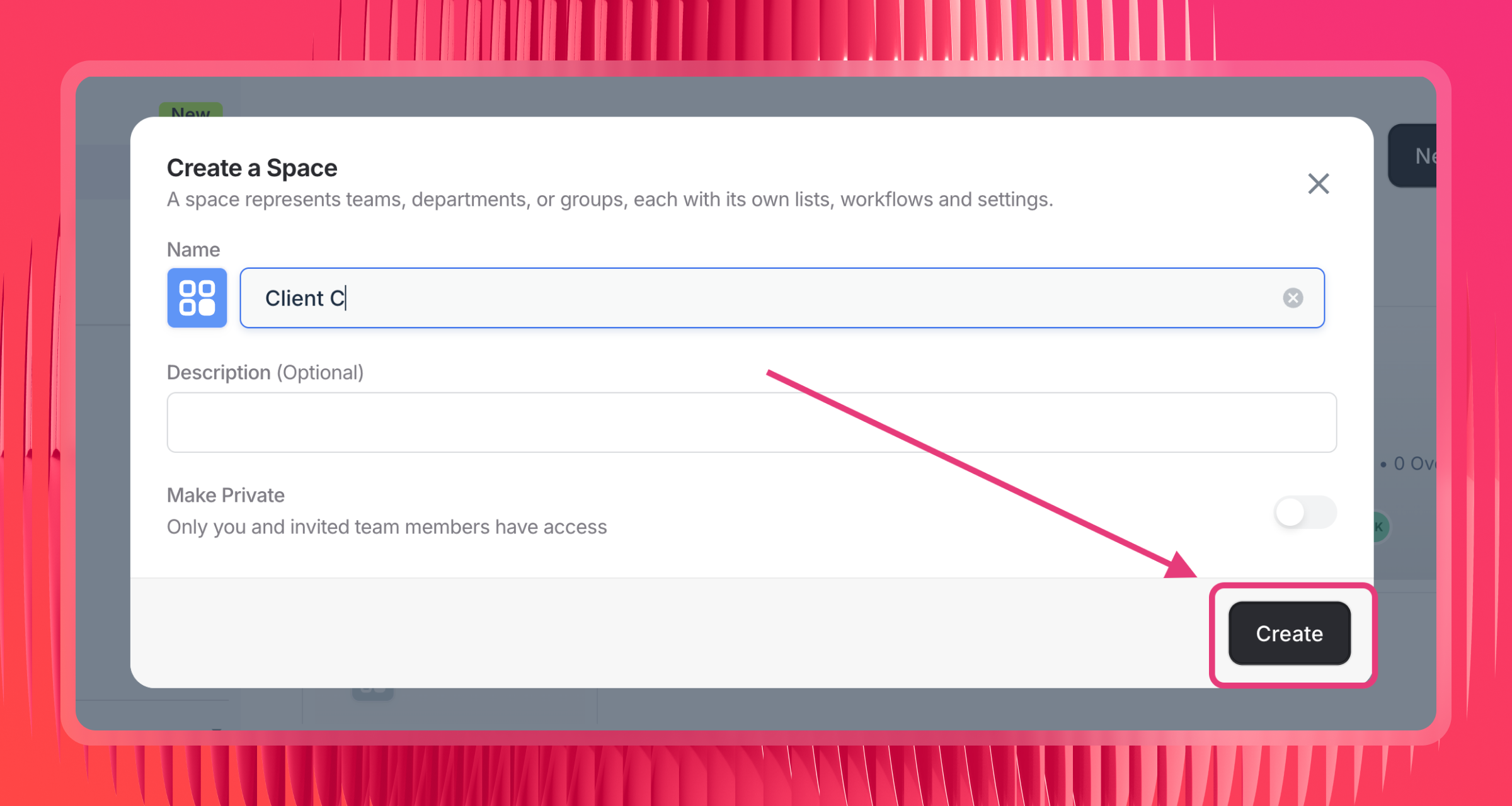
- Organize sources into Spaces by client or location - Claude scopes queries by Space, so if your sources aren't organized this way, it has to search across everything.
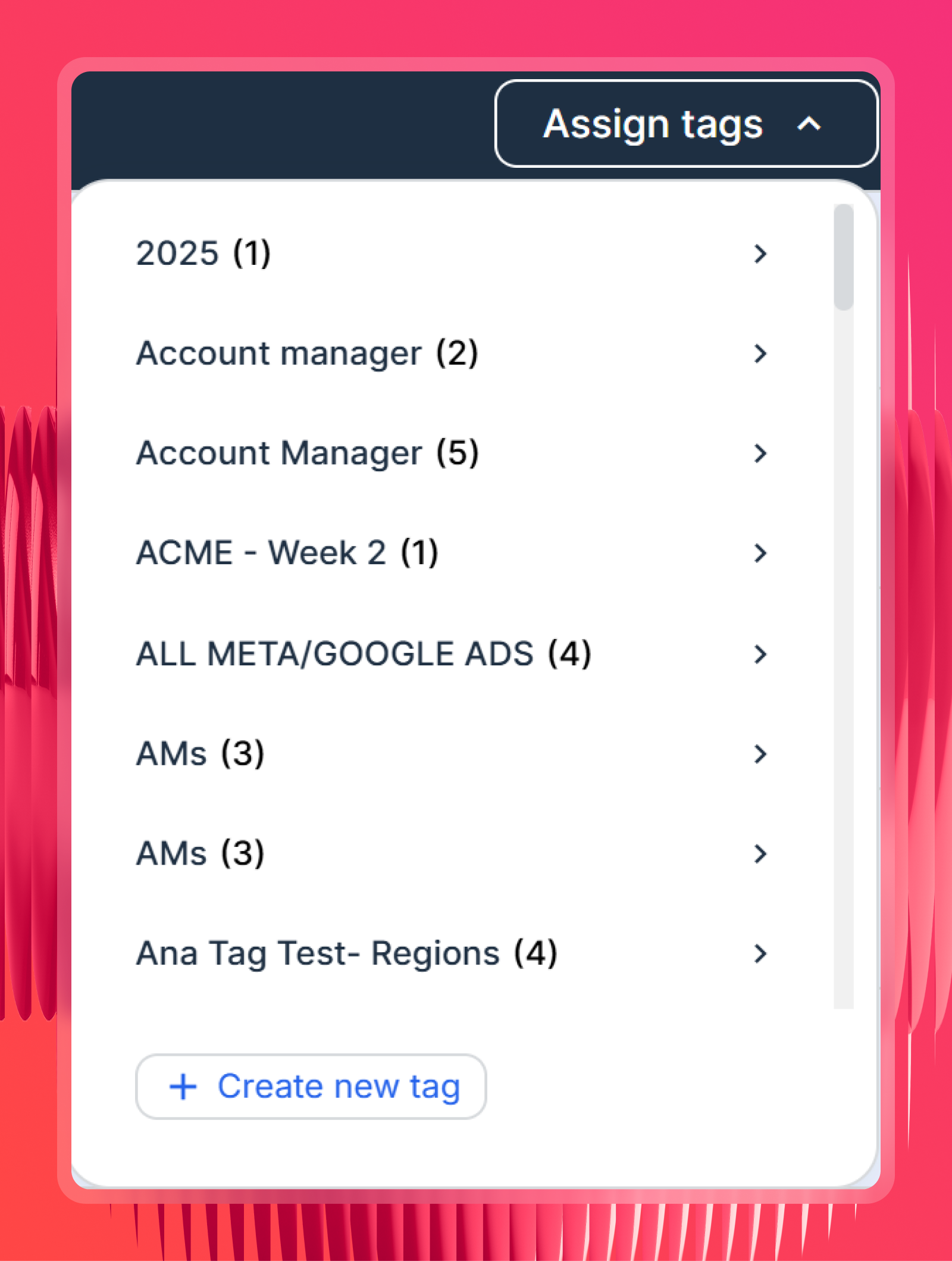
- Tag your sources (optional but useful) - label sources by client, region, campaign type, or account manager so you can filter by those labels in Claude without spelling out which sources to include every time.
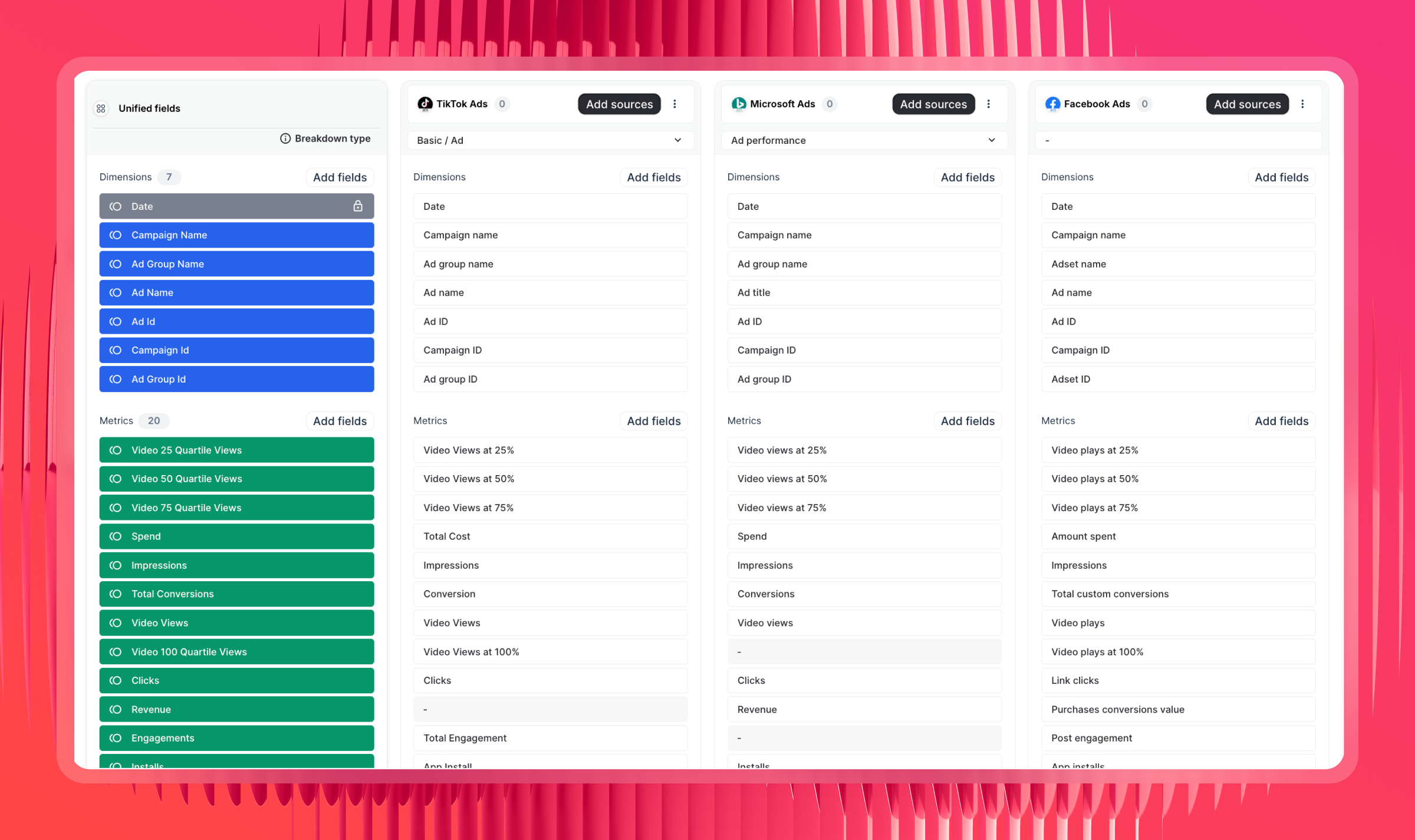
- Create Source Groups for similar channels - if you're running Google Ads alongside Meta Ads, Bing, or LinkedIn, aggregate them into a single unified source. Claude can then query across all of them in one go.
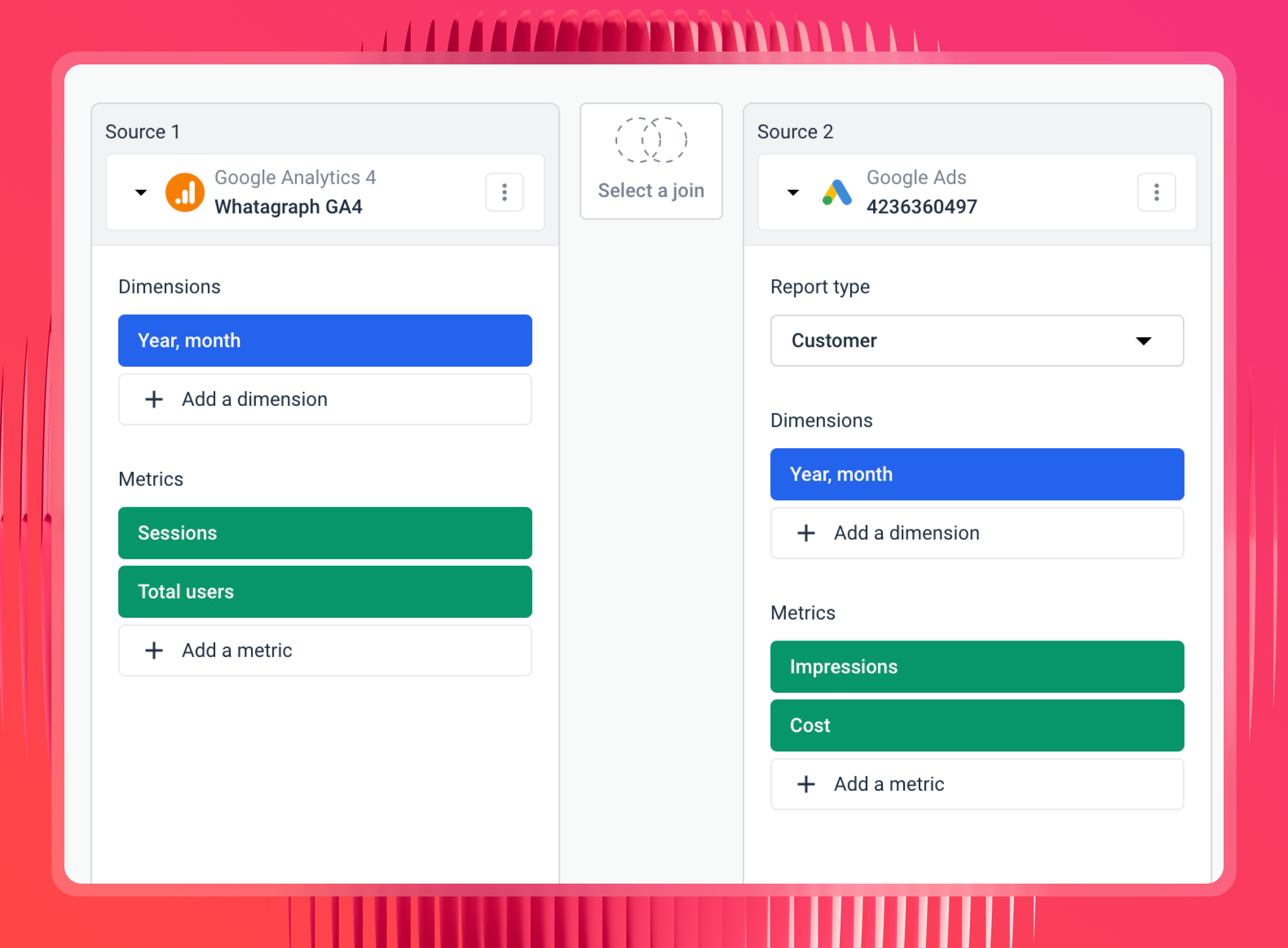
- Create data blends for different channel types - for channels that don't share the same report type, like Google Ads and Shopify or Google Ads and GA4, use a blend to merge them into one virtual source with a shared join key like date or campaign UTM.
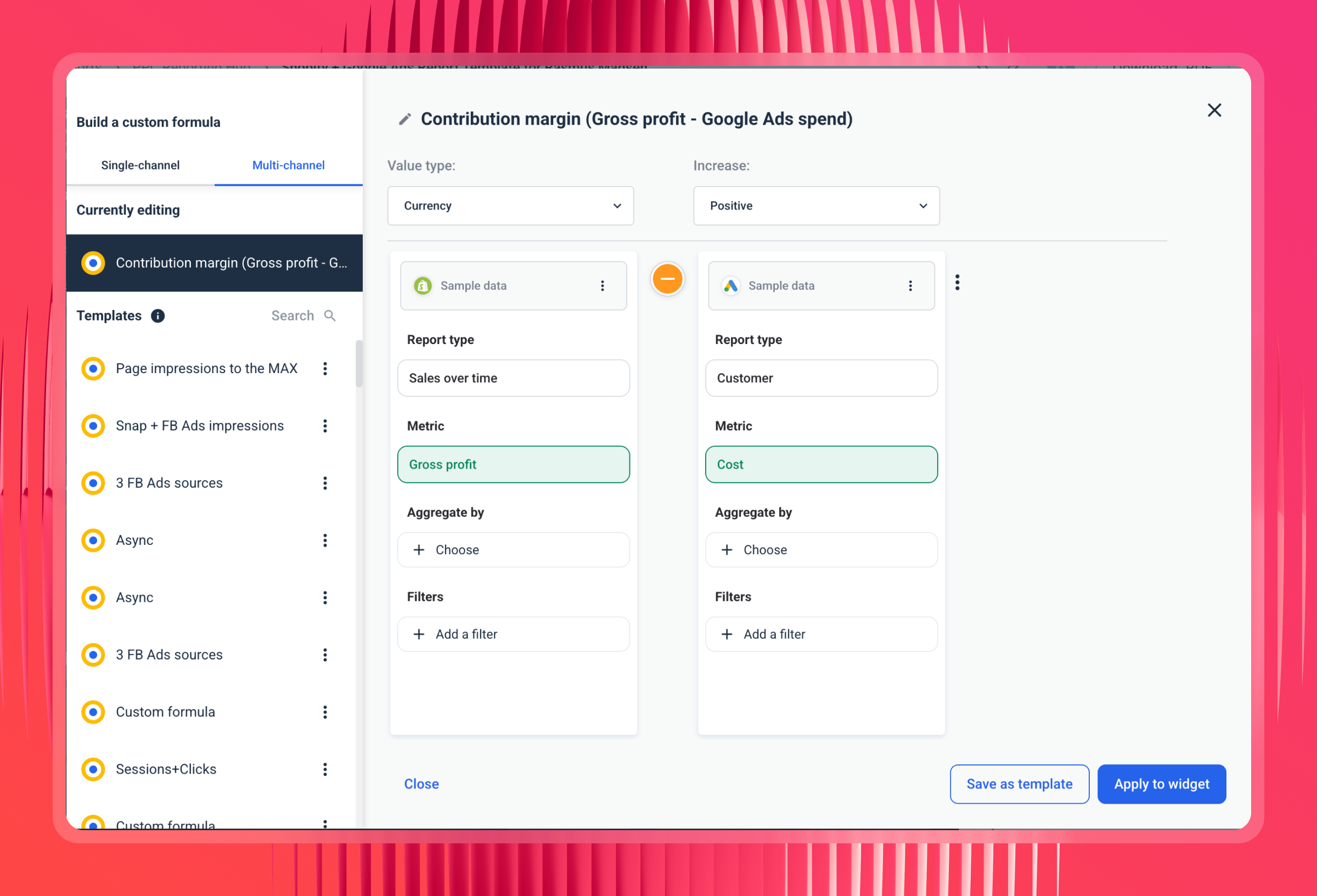
- Define your custom metrics and formulas - set your ROAS formula, what counts as a conversion, how you calculate CPA. If a client has multiple conversion actions, define which ones count toward ROAS here so Claude always uses the right definition.
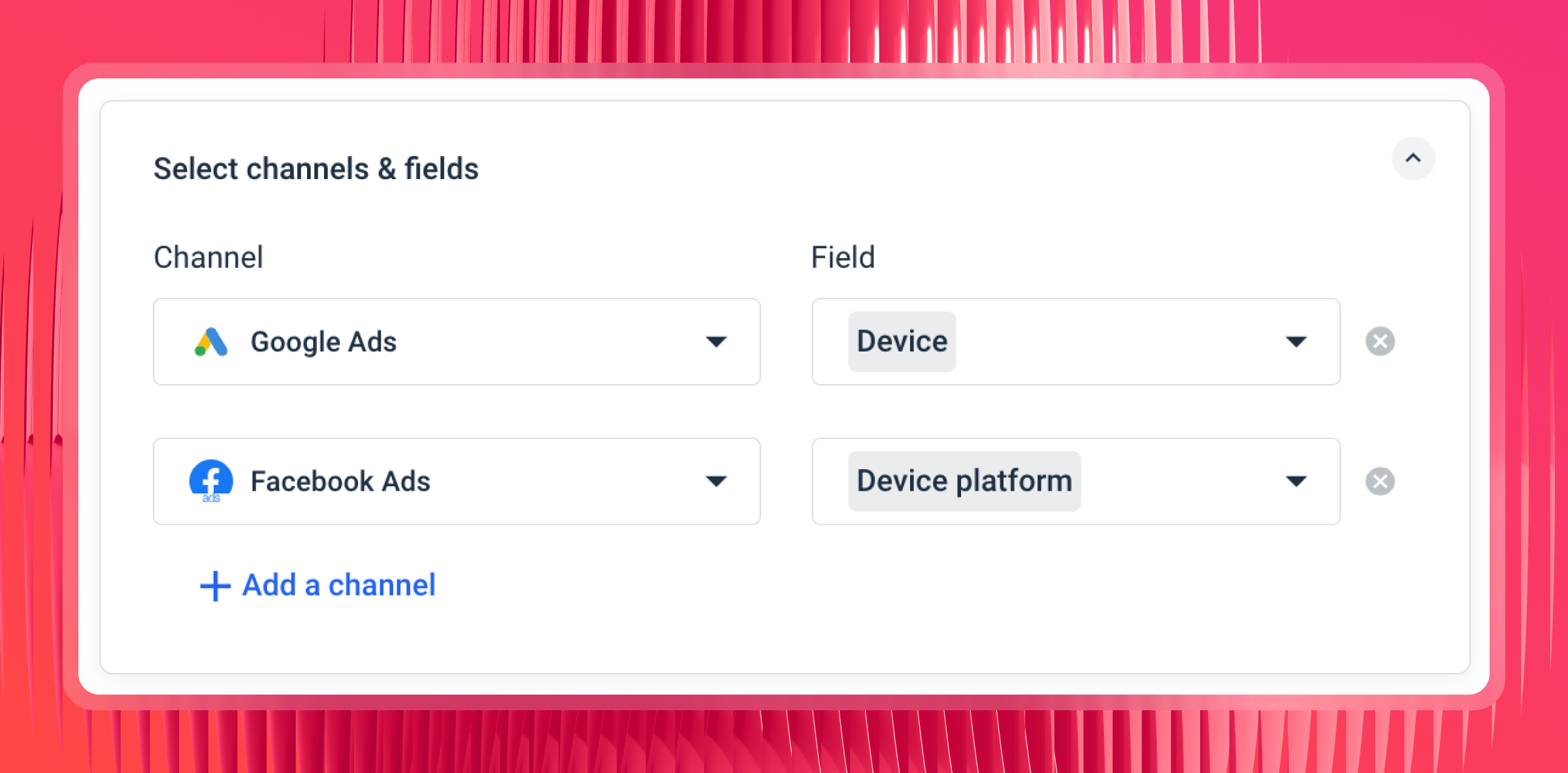
- Define custom dimensions if needed - this is where you define what things mean to your business. What counts as a conversion? How do you want to group campaign types? If your campaign naming is inconsistent across clients or channels, you can normalize it here so "Brand," "Brand_Exact," and "01_Brand_Search" all show up as "Brand" when Claude queries them.
The more of this you do upfront, the better Claude's answers will be.
Step 3: Add the Whatagraph MCP connector in Claude
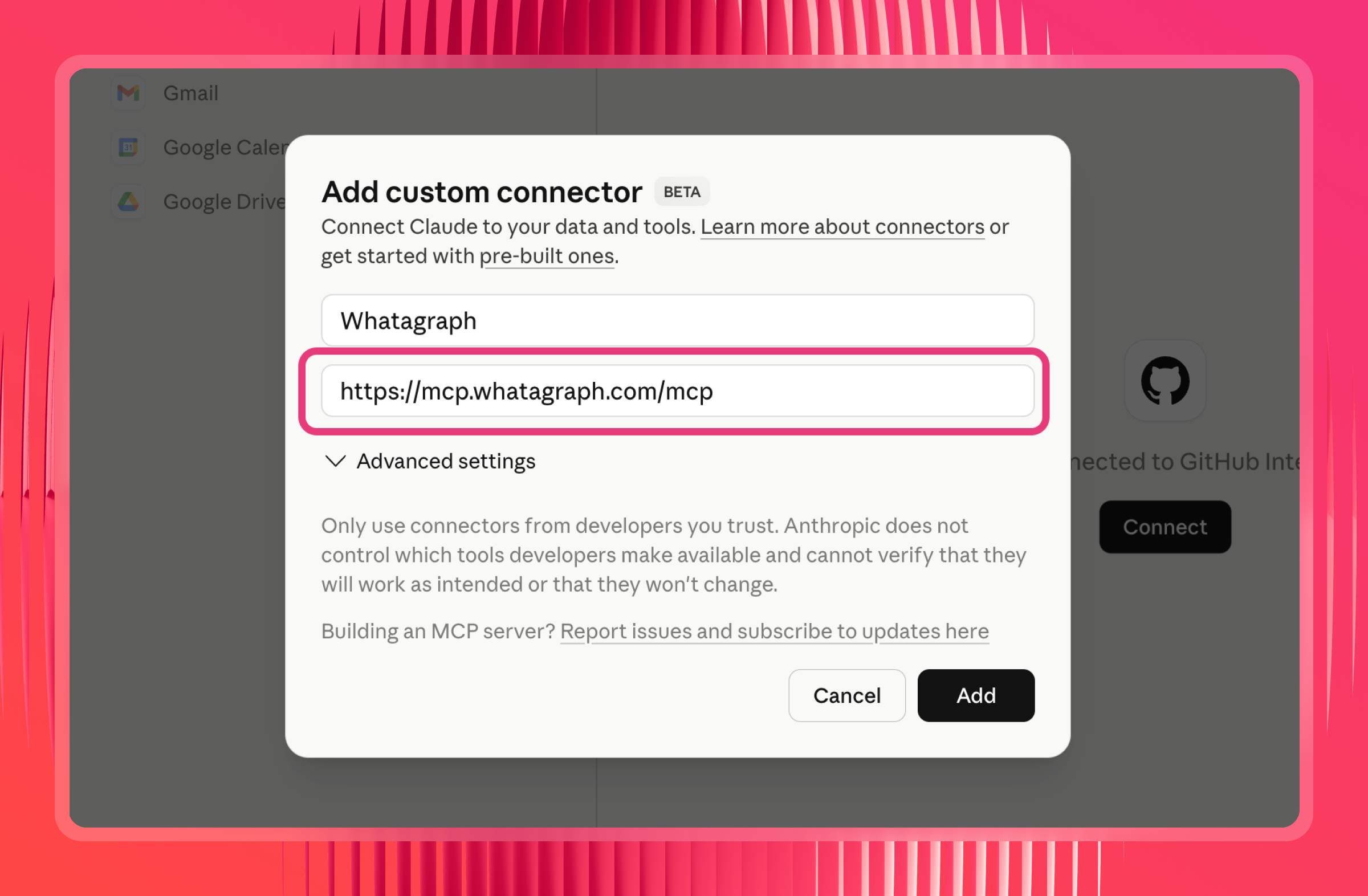
Now, go to Claude. Open Settings and navigate to Connectors. Look for the option to add a custom connector.
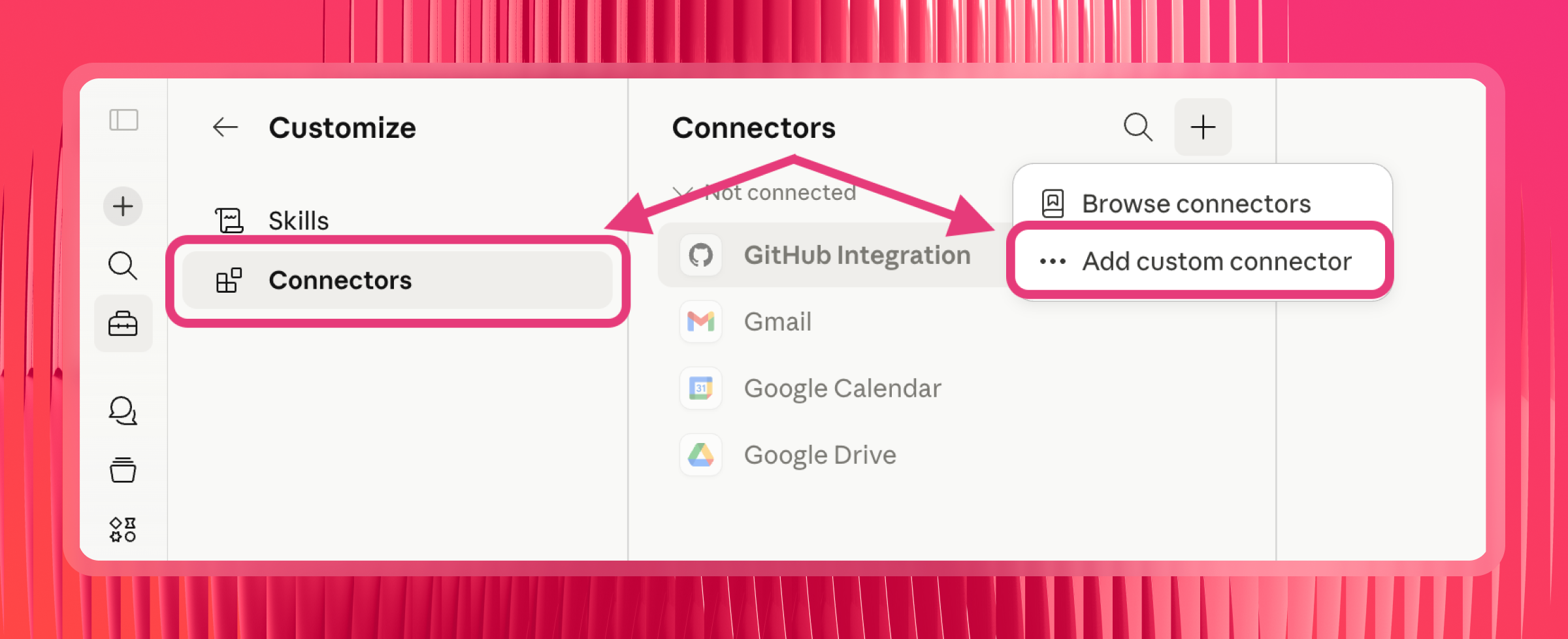
Then, paste in the Whatagraph MCP server URL:
https://mcp.whatagraph.com/mcp
Step 4: Authorize the connection
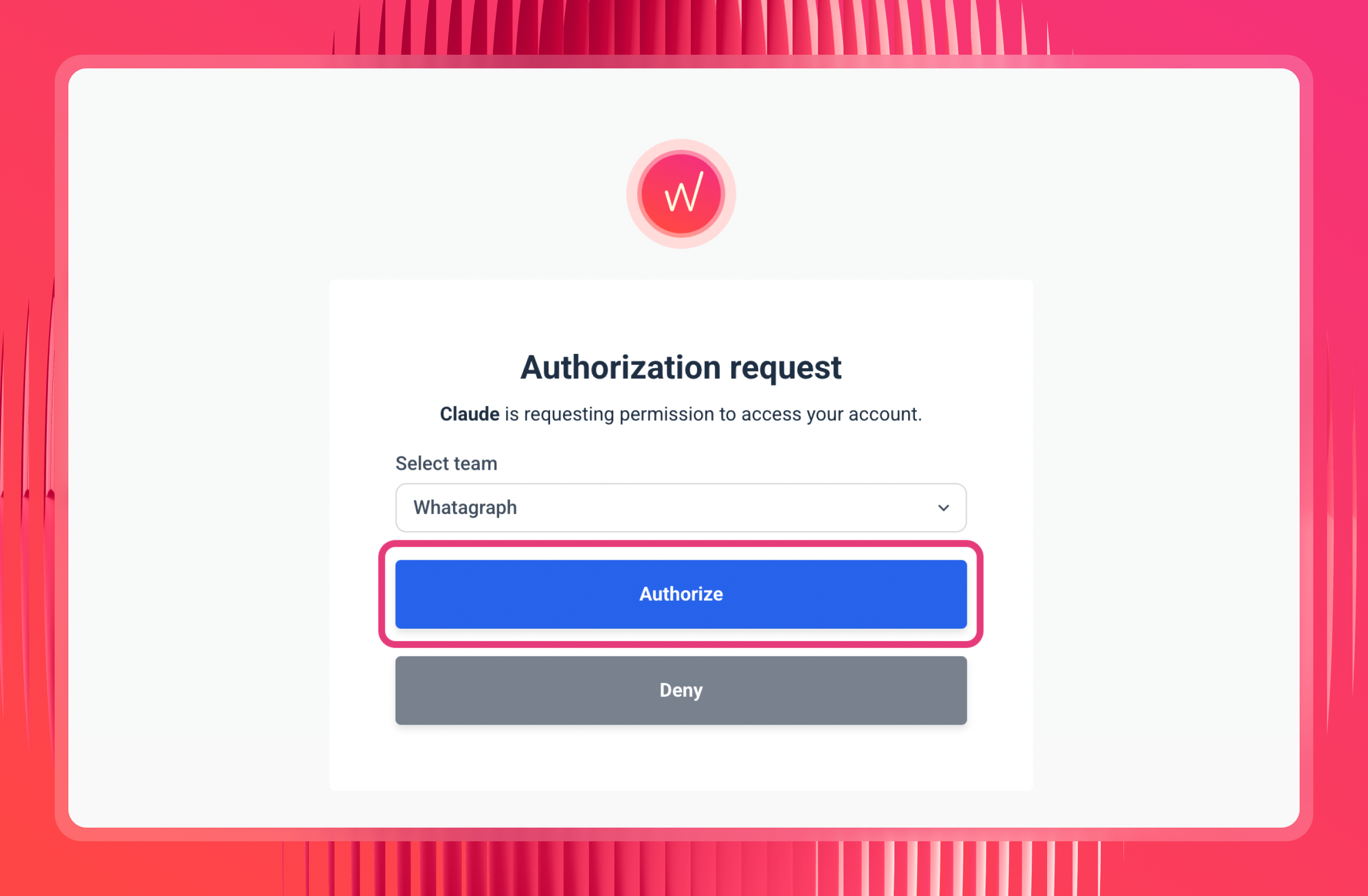
Claude will open a Whatagraph authorization page. If you're already logged in, you'll go straight to team selection - pick the team you want Claude to access and click Authorize. No API keys, no passwords, just the one click.
Step 5: Set permissions to "Always allow"
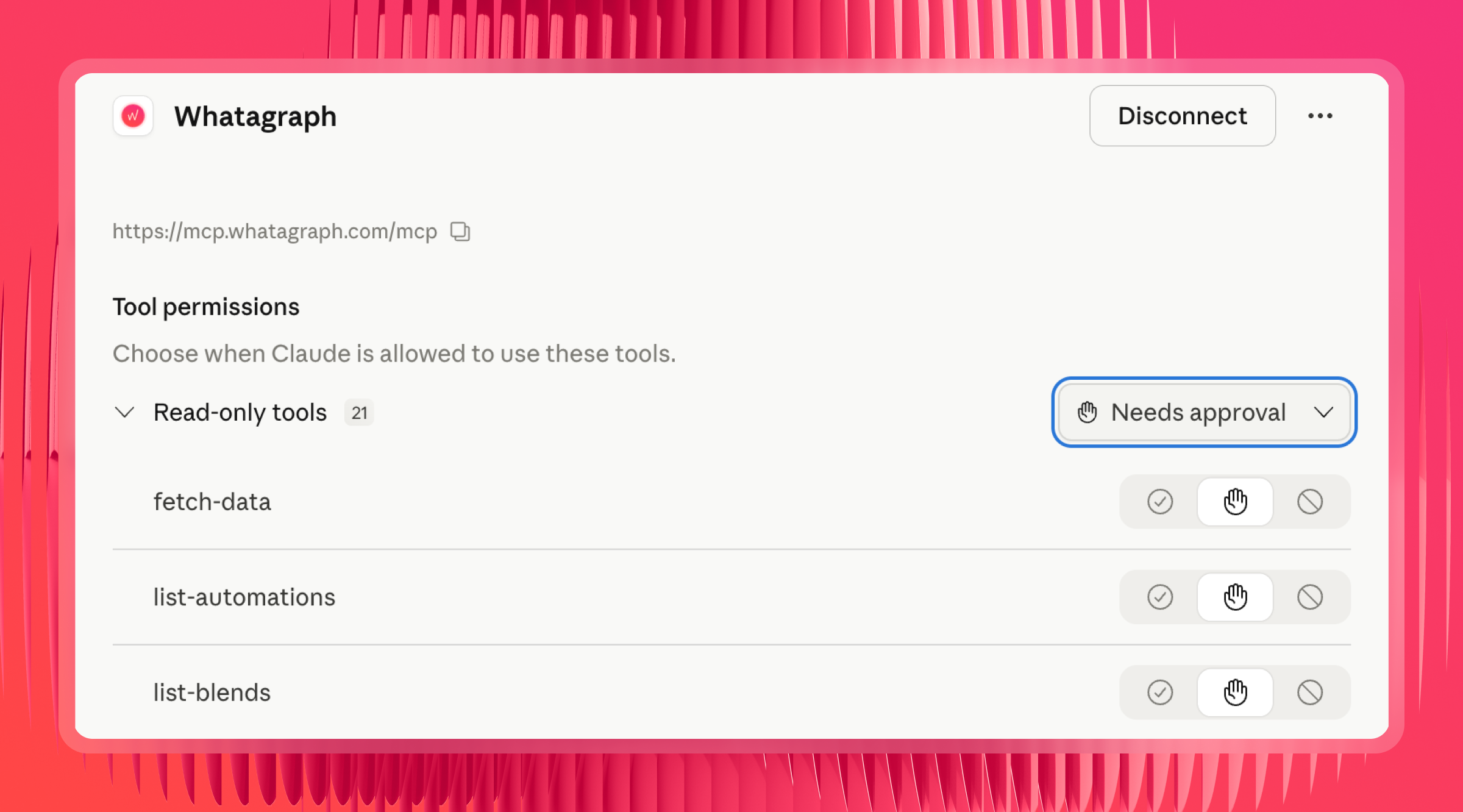
Once connected, you'll see a list of tool permissions. If these are set to "Needs approval," Claude will ask you to authorize every single time it pulls data, which gets annoying quickly. Switch it to "Always allow" to skip that.
Step 6: Test it
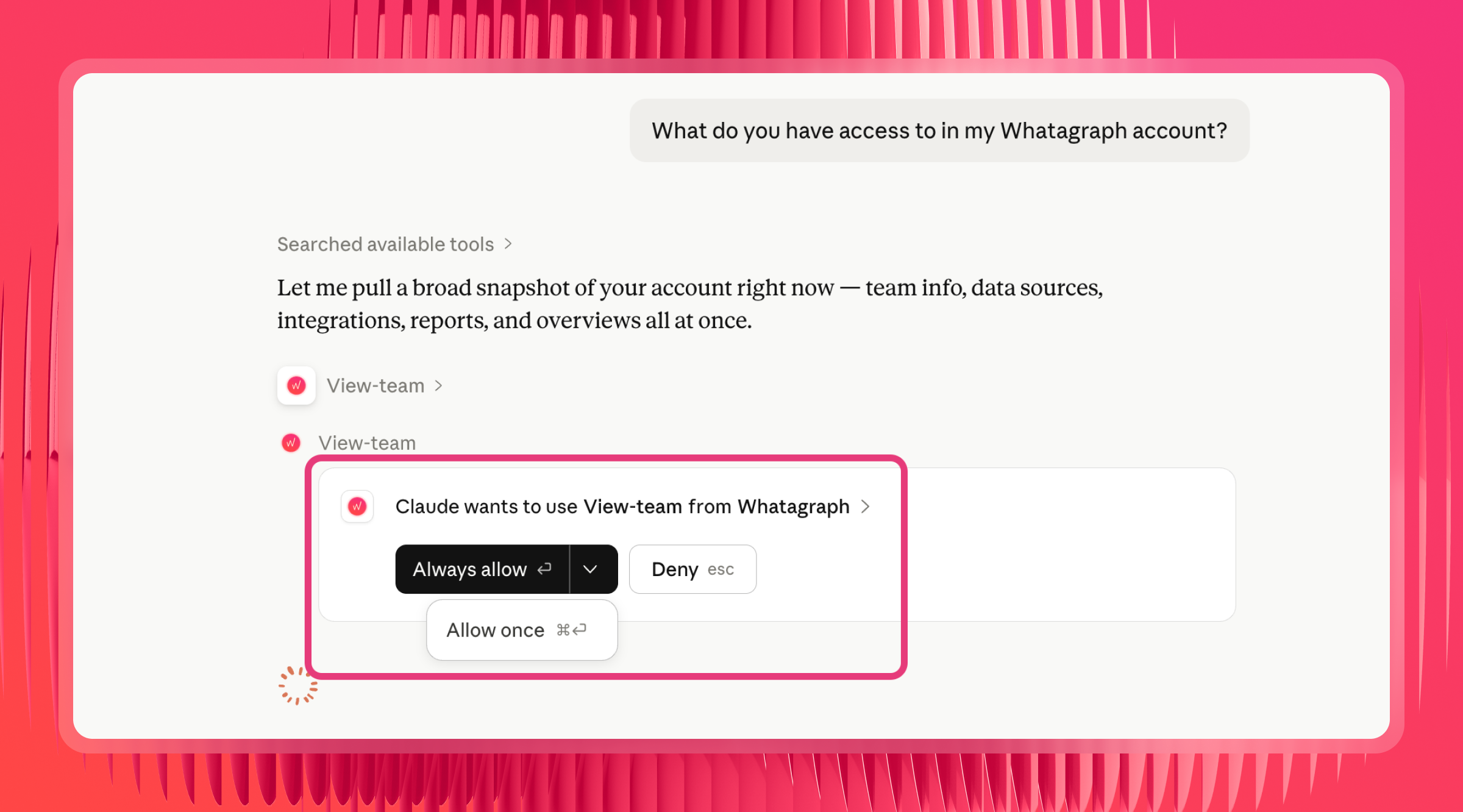
Ask Claude: "What do you have access to in my Whatagraph account?" It should come back with your connected sources and account details. If it does, you're good to go.
Step 7: Add your own organizational context with Claude skills (optional but recommended)
Whatagraph has a set of pre-built skills that are already embedded directly in our MCP. This means you don't need to create your own skills or download and upload skills from Github to Claude.
As Laurynas explains it:
Each of Whatagraph’s pre-made skills either sequences multiple tool calls in a logical order, or brings structured knowledge so you don't have to piece the picture together yourself.
What you can add on top of these skills is your own organizational context.
For instance, you can create a custom Claude Skill that tells Claude things only you know: which source groups to query for which clients, what your ROAS formula is, which campaigns to prioritize, which conversion actions matter.
Want more pre-made skills? Check out this Claude Skills for Growth Marketing Skills repo made and open-sourced by Pau Ferrer, Paid Media Specialist and marketing engineer.
Prompts library by use case
Once your Google Ads data is connected and your business logic is set up in Whatagraph, you can use these prompts to analyze your Google Ads data in Claude.
Campaign performance
The question most people start with when they connect Google Ads to Claude is straightforward: how do I analyze my Google Ads campaigns with Claude, and where do I begin? Here's where to start.
Try these prompts:
- "Show me how my Google Ads campaigns performed this month compared to last month. Break it down by campaign name and include spend, clicks, and conversions."
- "Which campaigns have the highest CPA this month?"
- "Show me spend, impressions, and ROAS for all active campaigns in the last 14 days."
- "How did overall paid performance this month compare to last month across all channels?"
- "Is my CTR improving or declining over the last 8 weeks?"
- "Show me a week-over-week comparison of clicks and conversions from Google Ads."
- "Which campaigns have the lowest ROAS this month?"
- "Find campaigns where spend has increased but conversions have dropped compared to last month."
- "Which ad sets have a CTR below 1% right now?"
Budget and pacing
Ask Claude to calculate where you are mid-month and whether you're on track, without logging into each ad platform separately.
Try these prompts:
- "How much have I spent on Google Ads so far this month, and what's the daily average?"
- "If my monthly budget for Google Ads is €10,000, how much should I have spent by today?"
- "Which sources are pacing ahead of budget this month based on current spend?"
- "How much have I spent across all channels in the last 30 days?"
- "Give me a channel comparison: impressions, clicks, spend, and ROAS across Google Ads, Meta, and LinkedIn."
- "Which channel has the best ROAS right now?"
- "Which campaigns have a ROAS above target but are losing impression share due to budget constraints? Rank by potential upside."
- "Show me cost, conversion_value, roas, impression_share_lost_budget, and impression_share_lost_rank for all active campaigns this month."
Note: for goal-line tracking against a specific budget target, set up Goals directly in Whatagraph first. Claude can then read those targets alongside current spend.
Audience and creative
Compare ad performance across channels and audience segments to figure out which creatives and audiences are actually pulling weight.
Try these prompts:
- "Which Google Ads creatives had the best CTR last week? Include spend, impressions, clicks, and CTR for the top 10."
- "Compare CTR across my Google Ads and Meta ads for the last 30 days."
- "Which ads have high spend but low CTR right now?"
- "Break down cost, conversions, cost_per_conversion, and conversion_rate by audience_name and audience_type for all search campaigns in the last 30 days."
- "Compare the CPA of in-market audiences against the base for the same campaigns. Which audience segments justify a bid adjustment?"
- "Which remarketing audiences have the lowest CPA this month?"
PMax and conversion actions
Try these prompts:
- "For my PMax campaigns, break down cost, conversions, and conversion_value by asset_group_name. Which asset groups are performing below my ROAS target of [X]? Compare against my non-PMax campaigns for the same period."
- “Pull conversion_action_name, conversions, and cost_per_conversion for [client name] for the last 30 days. Break down performance by conversion action type.”
- "Which conversion actions are driving the most spend but the fewest high-value conversions for [client name] this month? Flag any where exceeds [target] for primary conversion actions only."
- "Show me a location-by-location breakdown of cost, conversions, and roas for [client name]'s PMax campaign. Each asset group represents one location - which locations are above and below target?"
- "For clients with multiple conversion actions, pull total and filtered to primary conversion actions only - exclude micro-conversions like phone clicks and video views from the ROAS calculation."
- “Which PMax asset groups have the highest this month? Compare against my non-PMax campaigns.”
- "Show me a week-over-week trend for my PMax campaigns: cost, conversions, conversion_value, and roas. Is performance improving or declining?"
Search terms and keywords
Use Claude to find wasted spend in Google Ads faster than any manual search term report. Surface wasted spend, quality score issues, and cannibalizing match types without manually pulling search term reports.
Try these prompts:
- "Pull search_term, match_type, campaign_name, cost, conversions, and conversion_rate for the last 30 days. Which search terms are spending the most with zero conversions?"
- "Find search terms that appear across more than one match type in the same ad group. For each duplicate, which match type has the lower CPA?"
- "Which search terms have more than 100 impressions but a CTR below 0.5%? These might need negative keywords or dedicated ad copy."
- "Pull keyword_text, match_type, device, cost, conversions, and cost_per_conversion for all search campaigns in the last 60 days. Find all keyword and device combinations where cost_per_conversion exceeds [your target CPA] by more than 50%."
- "Which keywords have the highest this month? Break down by and flag any using max conversions bidding."
- "Show me all keywords with a quality_score of 4 or below, their campaign_name, ad_group_name, expected_ctr_rating, landing_page_experience_rating, ad_relevance_rating, average_cpc, and cost over the last 30 days. Prioritize by cost descending."
- "For the top 20 keywords by spend with low quality scores, what's the most common failing component - CTR, relevance, or landing page?"
- "Flag cases where broad or phrase match is outspending exact match on the same query."
Account health and auditing
Check the health of your connected sources and audit reports before they go to clients.
Try these prompts:
- "Are there any broken or disconnected sources right now?"
- "Show me all sources that are failing and which space they belong to."
- "Do I have any reports that aren't set up with automated delivery?"
- "What tabs does [Report Name] have, and what's on each one?"
- "Are there any sources in [Report Name] with missing or zero data?"
- "Export the data from the summary widget in [Report Name] so I can check the numbers."
- "My Google Ads spend in Whatagraph is lower than in Google Ads Manager, why?"
- "Are there any filters applied to [Report Name] that might be excluding data?"
- "Show me a day-by-day breakdown of conversions for the last two weeks so I can spot where it diverges."
Client reporting
Ask Claude for plain-language summaries and executive briefings before client calls, without opening multiple tabs. Getting a Google Ads performance summary across all clients in Claude is one of the most time-saving things you can do before a weekly review.
Try these prompts:
- "Give me an executive summary of [Client Name]'s performance for the last 14 days."
- "What were the top 5 campaigns by conversions for [Client Name] this month, and how do they compare to last month?"
- "Summarize the key wins and issues across all sources in the [Space Name] space."
- “Using Google Ads data for [client name] for this month vs. last month: compare cost, impressions, clicks, ctr, conversions, cost_per_conversion, and conversion_value. Write a 3-paragraph summary that leads with the headline result, explains the two biggest drivers of that change at the campaign or ad group level, and gives one specific recommendation for next month.”
- "Which clients improved most week-over-week, and which declined? Show cost, conversions, and cost_per_conversion for each."
Goal tracking
If you've set Goals in Whatagraph, Claude can pull them and tell you where you stand without opening the platform.
Try these prompts:
- "How are we tracking against our goals this month?"
- "Are we on pace to hit our conversion target for this quarter?"
- "Which goals are at risk right now based on current performance?"
- "How much have I spent on Google Ads so far this month vs. my monthly goal?"
- "Which sources are pacing ahead of their targets and which are behind?"
- "Which campaigns have a ROAS above target but are losing impression share due to budget? How much incremental budget would be needed to capture that lost share?"
Now, you’re all set! Get a demo of Whatagraph, start connecting Google Ads to Claude, and get back answers you can trust.
Want a more personalized walkthrough? Book a demo with our team.
Published on May 29 2026
WRITTEN BY
YamonYamon is a Senior Content Marketing Manager at Whatagraph. With an eye for detail and a knack for always considering context, audience, and business goals to guide the narrative, she's on a mission to create genuinely helpful content for marketers. When she’s not working, she’s hiking, meditating, or practicing yoga.