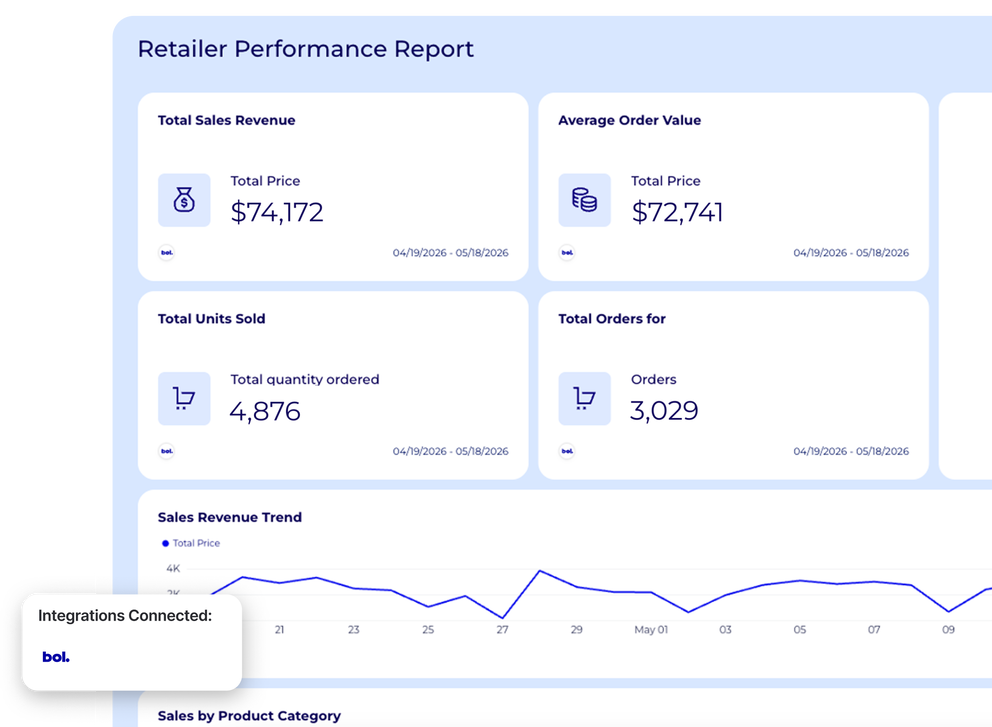







Ready-to-use Bol.com integration
Bol.com data has always lived in a silo. Until now.
Whatagraph's bol.com integration connects to both Bol Retailer (seller performance data) and Bol Advertising (paid ad performance).
Bring your data in one place, blend it alongside every other channel you run, and visualize key metrics. Analyze your data with your favorite LLM or inside Whatagraph.

Marketing intelligence platform you can trust for your bol.com data

Connect
Pull bol.com Retailer and Advertising data through a stable, native bol.com marketplace integration. No third-party connectors, no broken pipelines.

Organize
Blend bol.com data with Google Ads, Meta, TikTok, and 60+ other channels. Build custom metrics and dimensions without a single line of code. Ask AI to do it in seconds.

Visualize
Describe what you need and Whatagraph IQ builds your report instantly. Or start from a bol.com report template and customize in a few clicks. Apply brand colors and fonts from a single screenshot.

Analyze
Ask Whatagraph IQ Chat anything and get instant answers from live data. Use IQ Summaries to write performance narratives in your reports, or connect to LLMs via MCP.

Automate
Send automated reports on a schedule, share live password-protected links, export as PDF or CSV, or push data directly to Looker Studio. Clients get the numbers without the back-and-forth.

Store
Export bol.com and cross-channel data to BigQuery or Snowflake. One governed data layer, the same trusted numbers everywhere, from reports to LLMs.
All bol.com Retailer and Advertising metrics, instantly available in Whatagraph
All
Bol.com Retailer
14Bol.com Advertising
14Search...

Quantity

Quantity Shipped

Quantity Cancelled

Unit Price

Total Price

Commission

Orders

Expected quantity

Returns

Product Visits

Conversion Rate

Impressions

Clicks

CTR

Conversions (14d)

Direct conversions (14d)

Indirect conversions (14d)

Conversion rate (14d)

Average CPC

Sales (14d)

Cost

ACOS (14d)

ROAS (14d)

TACOS

Average winning bid
Frequently Asked Questions
Does Whatagraph connect to both bol.com Retailer and bol.com Advertising?
Yes.
Whatagraph has two separate native integrations for bol.com: one for Retailer data (orders, shipments, returns, and seller performance) and one for Advertising data (Sponsored Products campaigns, ad groups, keywords, and ROAS).
Both use the same bol.com credentials format but require separate connections.
How to connect bol.com to a reporting tool?
Connecting bol.com to Whatagraph takes a few minutes.
Go to the Sources tab, search for bol.com, and choose either the Retailer or Advertising integration (or both - they use separate credentials).
Enter the Client ID and Client Secret from bol.com's developer portal to complete the bol.com api integration, and Whatagraph handles the rest.
Data starts flowing automatically, no manual exports or third-party connectors needed.
How to report on bol.com advertising data?
On Whatagraph, all you need to do is connect your bol.com Advertising data source, and the data will be automatically pulled.
Pick a report template or use Whatagraph IQ to generate a report from your bol.com advertising data in seconds. Drag and drop new widgets onto the report and even fix current widgets using AI if needed.
When it comes to branding your report, just upload a screenshot of your brandbook or website, or type in a prompt, and Whatagraph IQ automatically applies the color schemes to your report. You can also manually choose the colors and fonts.
Can you blend bol.com data with other ad platforms?
Yes. Bol.com ads and advertising data can be blended with any other connected source in Whatagraph, including Google Ads, Meta Ads, TikTok Ads, LinkedIn Ads, more.
Do I need a separate tool to visualize bol.com data?
No. Whatagraph covers the full workflow: connecting the bol.com API, transforming and blending the data, and building client-ready reports and dashboards, all in one platform. There's no need for a separate BI tool or data visualization layer. Start from a bol.com dashboard template, or ask IQ to build it from a prompt.
What other marketing sources can I connect alongside bol.com?
Whatagraph connects to 60+ native integrations, including Google Ads, Meta Ads, TikTok Ads, LinkedIn Ads, Google Analytics 4, Shopify, HubSpot, Klaviyo, Semrush, and more. All sources can be reported on individually or blended into a single bol.com dashboard, so bol.com never sits in a silo again.
How do I set up an integration with bol.com for my online store?
Use Whatagraph. Connect the bol.com Retailer API in minutes using your Client ID and Client Secret, and your store's order, shipment, and return data starts flowing into reports automatically. No technical setup, no developer needed. It's the easiest way to turn bol.com marketplace integration data into client-ready reporting.
Do you offer a connection between your platform and eCommerce platforms such as Magento, WooCommerce, or Shopify?
Yes. Whatagraph connects natively to Shopify, and supports a growing list of eCommerce sources alongside bol.com. For platforms like Magento and WooCommerce, data can be piped into Whatagraph via Google Analytics 4, which tracks storefront activity across all major eCommerce platforms. This makes Whatagraph a flexible bol.com reporting tool for any eCommerce stack.
What are the benefits of integrating my online store with bol.com?
Bol.com is the dominant marketplace in the Netherlands and Belgium, giving sellers access to millions of active buyers without building their own storefront traffic. Integrating with bol.com through Whatagraph means order, shipment, return, and ad performance data all flow into one report automatically, giving a complete picture of marketplace performance alongside every other sales channel.
